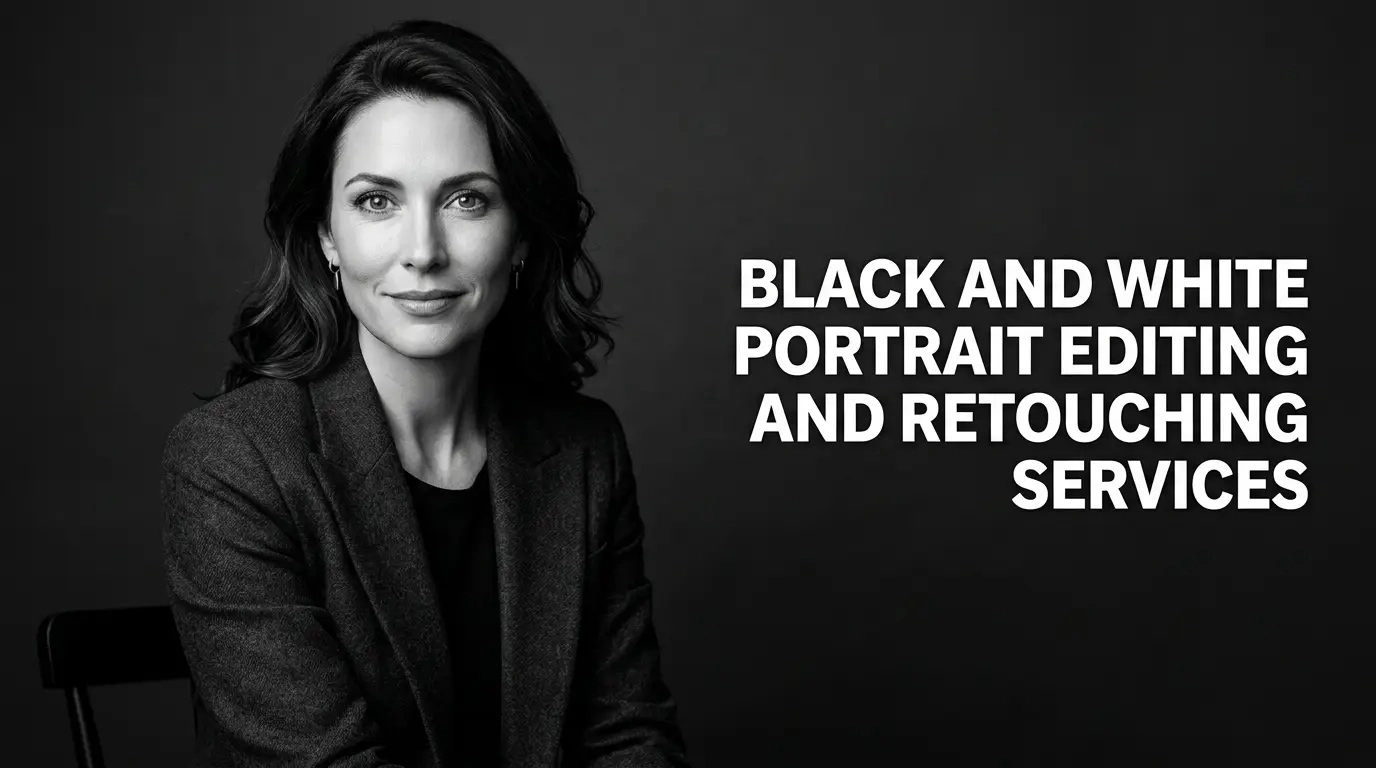
Black and white portrait editing services help turn a good photo into a timeless one. A black and white portrait strips away everything that pulls the eye off the subject. There are no bright shirts, no loud backgrounds, and no color casts from the room. What is left is light, shadow, shape, and expression. The viewer looks straight at the person in the frame, and that is why this style has stayed popular for more than a century.
But here is something many people miss. A great black and white portrait is rarely made by simply clicking a “desaturate” button. When you remove color from a photo, every tone in the image changes. Skin can look flat. Eyes can lose their spark. Shadows can turn muddy. A photo that looks lovely in color can look dull and lifeless in gray.
This is where professional editing makes the difference. Skilled editors control the contrast, shape the light, protect the natural skin texture, and clean up small distractions, all without making the person look fake or over-processed.
GRASIGNER offers professional black and white portrait editing and retouching for photographers, studios, agencies, and individuals. Our team works with careful, natural editing so your portraits look polished, balanced, and true to the person in the photo.
In this guide, you will learn what black and white portrait editing and retouching really involve, which techniques matter most, who benefits from these services, and how a good workflow looks from start to finish.
What Is Black and White Portrait Editing?
Black and white portrait editing is the process of turning a color portrait into a strong monochrome image. It sounds simple, but it takes real skill to do well.
Think of it this way. In a color photo, your eyes can separate a red lip from a pale cheek because the colors are different. In a black and white photo, that difference must come from brightness alone. If the two areas have the same brightness, they blend together and the detail is lost. A good editor knows how to keep those differences alive using tone.
Converting Color Portraits into Monochrome Images
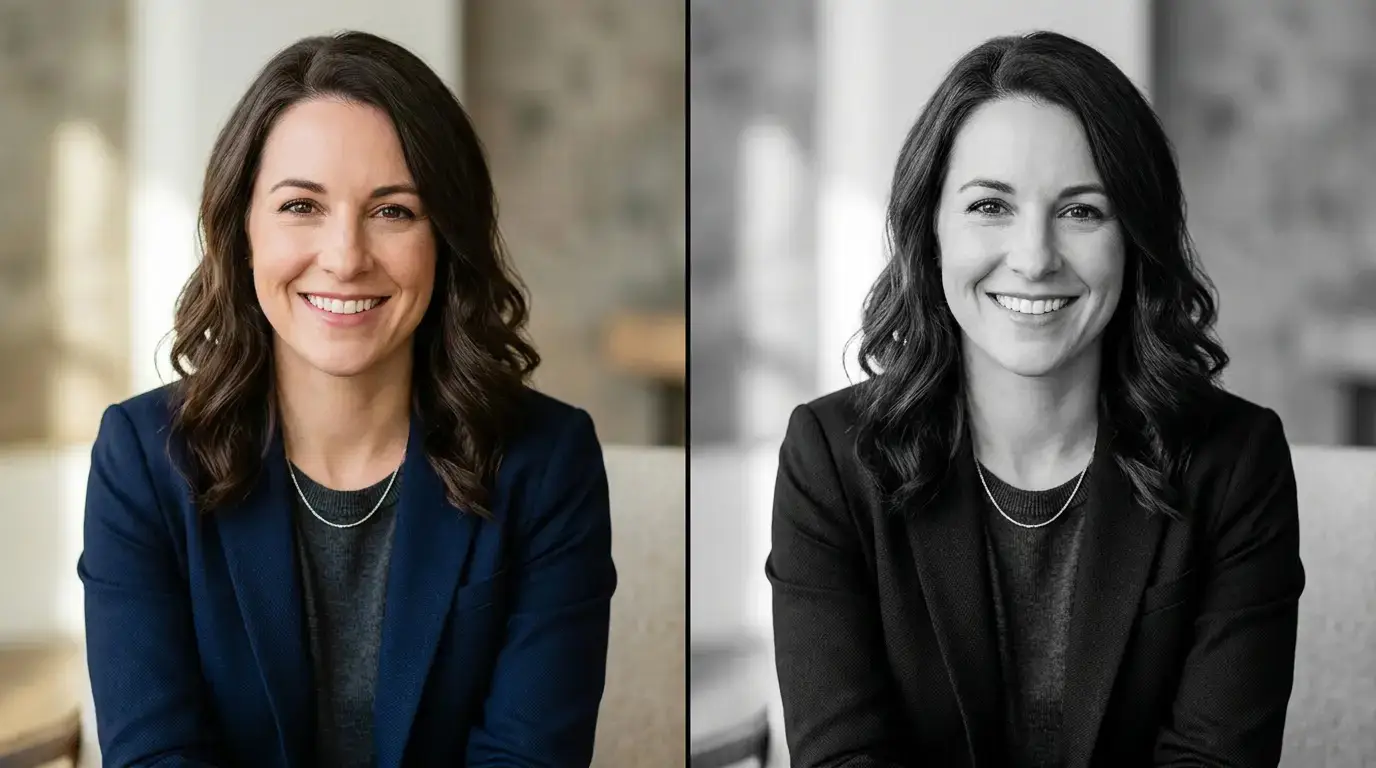
The first step is the conversion itself. There are many ways to do it, and the method matters.
A quick one-click conversion treats every color the same way. It just averages the brightness. That is fast, but the result is often flat. A better method lets the editor decide how bright or dark each color should become in the final image.
For example, red and orange tones live mostly in the skin. If an editor makes those tones brighter, the skin looks soft and glowing. If the editor makes them darker, the skin looks stronger and more dramatic. Blue tones are usually found in the background, in clothing, or in the eyes, and they can be adjusted in the same way. This control over each color channel gives the portrait its final mood.
Adjusting Contrast, Highlights, Shadows, and Tones
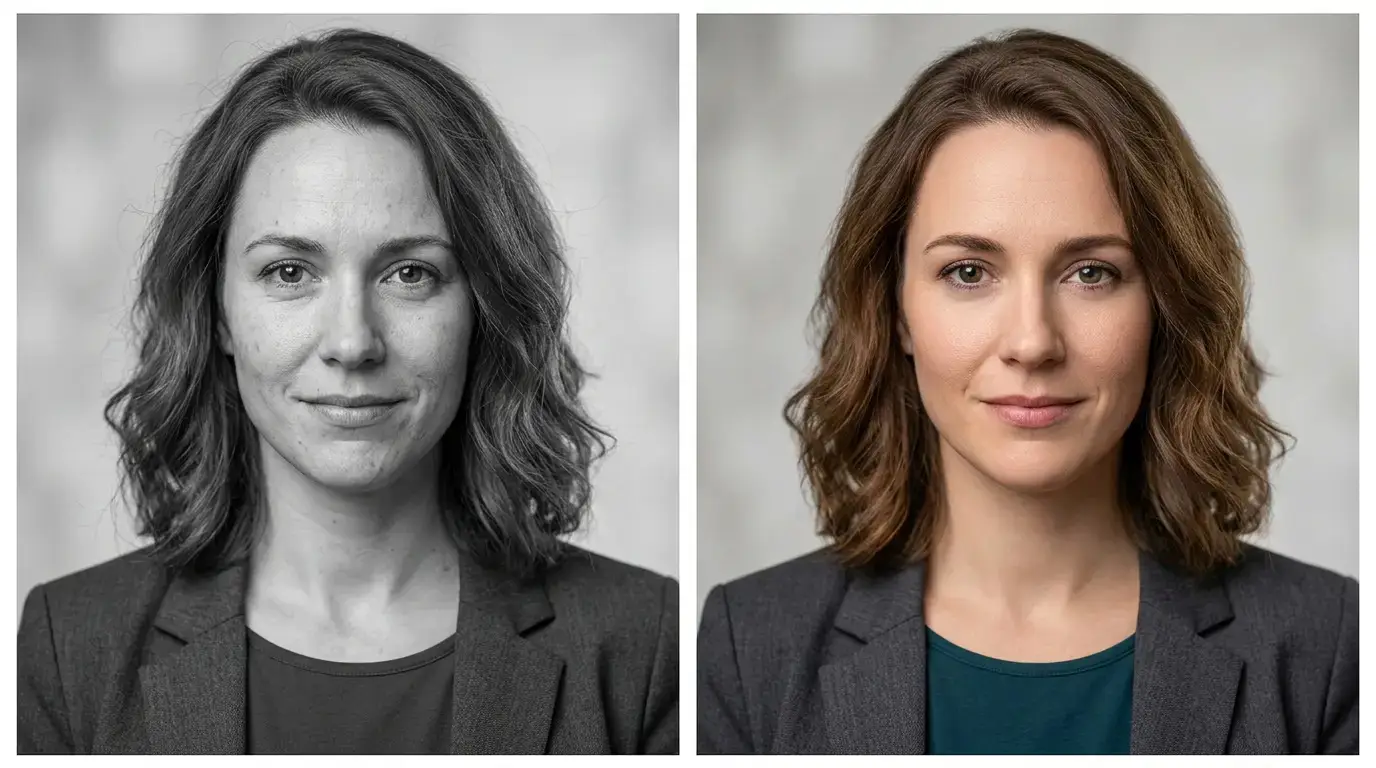
Once the image is in black and white, the real editing begins. The main tools are:
- Contrast: The gap between the brightest and darkest parts of the image. High contrast feels bold and dramatic. Low contrast feels soft and gentle.
- Highlights: The brightest areas, such as the forehead, cheekbones, or a strand of hair catching the light.
- Shadows: The darker areas that give the face shape and depth.
- Midtones: The large middle range that carries most of the skin detail.
A good portrait editor balances all four. Highlights that are too bright cost the skin its detail. Shadows that are too heavy make the eyes and jawline disappear, and weak midtones leave the whole image looking gray and tired.
Creating Depth While Keeping Natural Facial Details
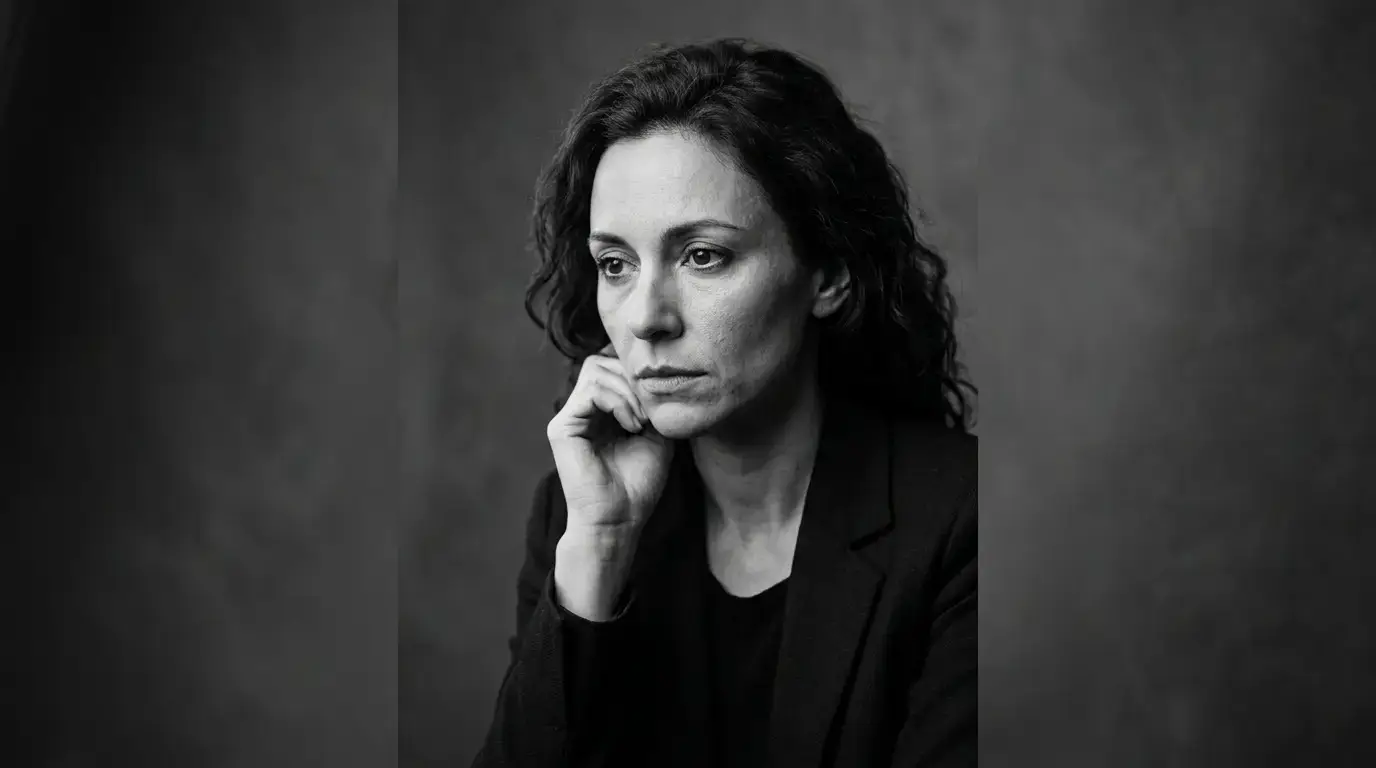
The goal is not to make the face look different. The goal is to make it look its best. A strong black and white portrait has depth. The face seems to lift off the background, the eyes feel sharp and alive, and the skin still looks like skin.
This is the balance that separates a professional result from an amateur one. Too much editing makes the person look plastic. Too little editing leaves the image flat. Professional editing sits right in the middle.
What Is Black and White Portrait Retouching?
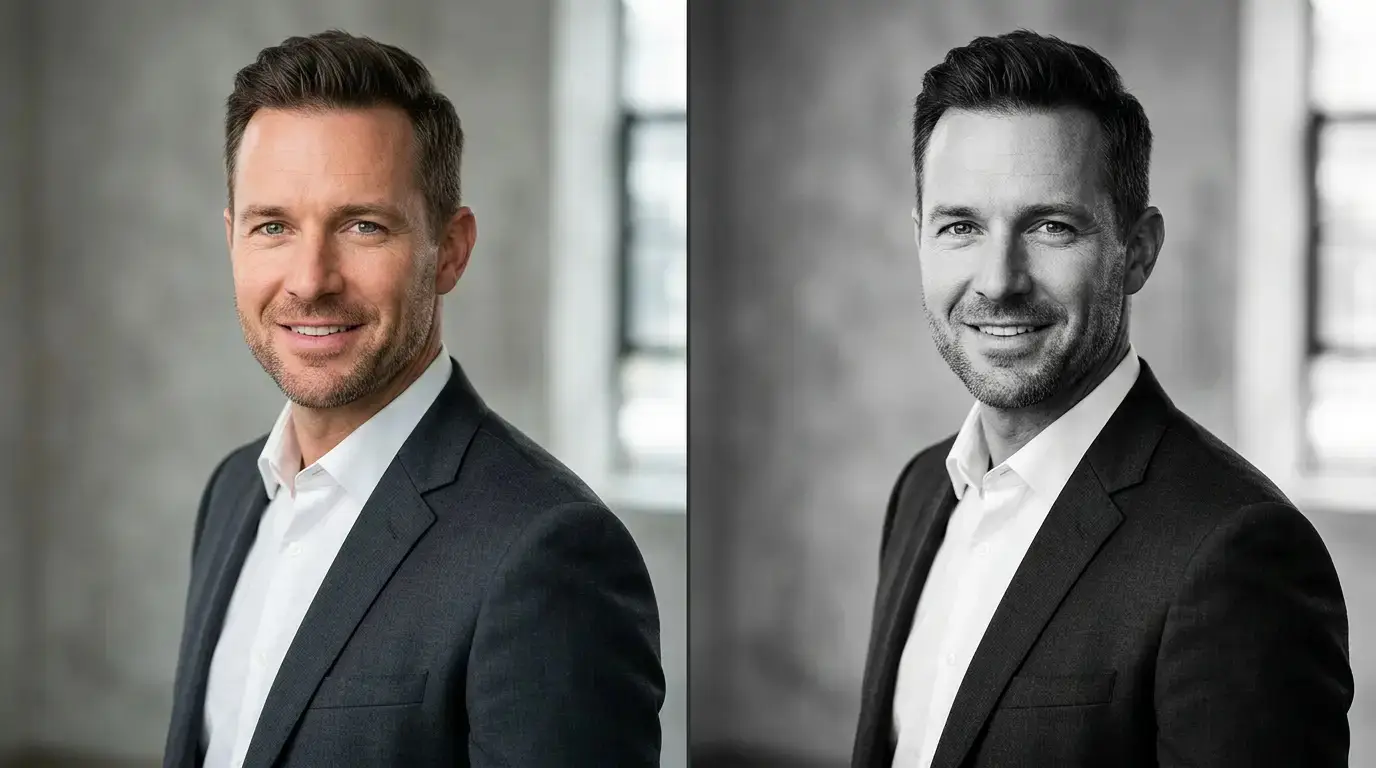
Editing shapes the overall look of the image, while retouching works on the finer details. This is the careful, close-up work that cleans the portrait and helps the person look polished.
Good retouching is not about changing who someone is. Its job is to remove small distractions, like a stray hair or a spot on the cheek, so the viewer can focus on the person.
Skin Cleanup
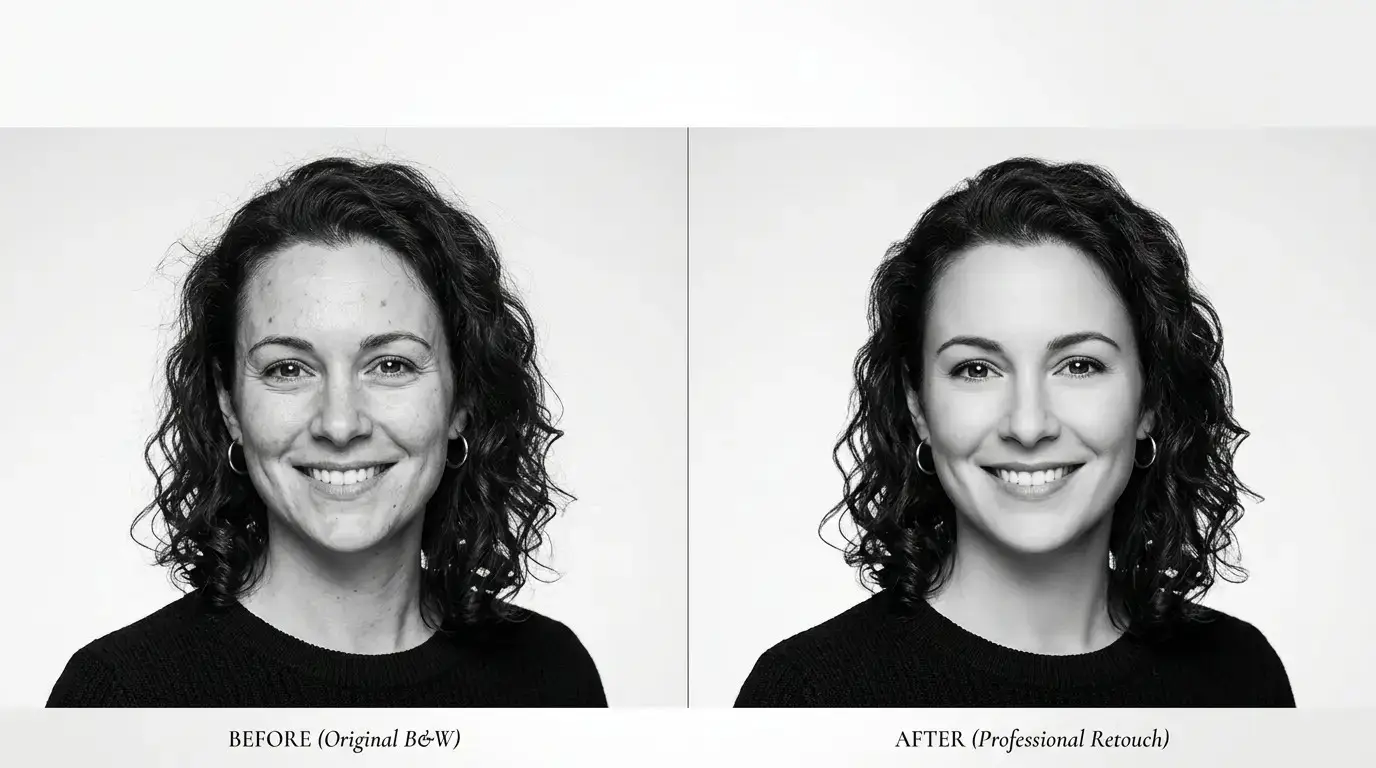
Skin is the largest part of most portraits, so it gets the most attention. Cleanup here means smoothing uneven patches, reducing harsh shine, and tidying small marks. All while keeping the natural pores and texture.
This last part matters a lot. Many people picture “skin retouching” as a heavy blur that makes everyone look like a doll. That is the wrong approach. Professional retouching keeps the skin looking real. The result should feel healthy and fresh, not fake.
Removing Temporary Blemishes
Everyone has a bad skin day. A pimple, a red mark, a small scratch, or a bit of dryness can show up on picture day, even when the person is otherwise photogenic.
Retouching removes these temporary issues. It does not remove permanent features such as freckles, moles, or scars unless the client specifically asks. Those features are part of a person’s identity, and removing them without a request can make a portrait feel less honest.
Enhancing Facial Details
Black and white portraits depend on detail. A little enhancement goes a long way here. Editors may:
- Brighten and sharpen the eyes so they hold attention
- Add gentle definition to the eyebrows and lashes
- Bring out the shape of the lips
- Refine the light on the cheekbones and nose
These small changes add life to the face without making the image look overworked.
Hair and Clothing Cleanup
Portraits are not only about faces. Loose hair strands, flyaways, lint on a jacket, deep wrinkles in a shirt, or a crooked collar can pull attention away from the subject. In color, these might go unnoticed. In black and white, they can stand out even more because the image is so simple.
Retouching cleans these details. Stray hairs are tidied, fabric is smoothed, and small distractions are removed, so the whole portrait looks neat and intentional.
Maintaining a Natural Appearance
Every step above comes back to one rule: keep it natural. The best retouching is the kind that nobody notices. If the viewer says, “Wow, great photo,” and does not think, “That was heavily edited,” then the work was done right.
Why Professional Black and White Portrait Editing Matters
You may wonder if all this effort is worth it. After all, apps and filters can turn a photo gray in seconds. But there is a clear gap between a filtered photo and a professionally edited one. Here is why it matters.
Better Tonal Balance
The tone is everything in black and white. A professionally edited portrait has a full range of tones, from deep, rich blacks to clean, bright whites, with smooth steps in between. This range gives the image a sense of depth and quality.
Filtered images often miss this. They may have crushed blacks, blown-out whites, or a dull middle that makes the photo look gray and flat. A trained editor spots these problems right away and fixes them.
Stronger Facial Expressions
A portrait lives or dies by the expression. Is the person confident, calm, playful, or serious? In black and white, the expression is carried by the eyes, the mouth, and the light that falls across the face.
Professional editing puts emphasis where it belongs. By adjusting light around the eyes and shaping the shadows on the face, an editor can make the expression clearer and more powerful, without changing the moment the photographer captured.
Improved Visual Consistency
Imagine a wedding album, a team photo page, or a brand campaign where every portrait has a different look. One is dark, one is bright, one is soft, and one is harsh. It feels messy and unprofessional.
Professional editing solves this. When a set of portraits is edited with the same style and the same tonal settings, they look like they belong together. This is very important for photographers who deliver full galleries and for businesses that show many portraits in one place, such as an “About Us” page.
Professional-Looking Portraits
First impressions count. A portrait on a website, in a magazine, or on a business profile tells people something about the subject. A clean, well-edited black and white portrait suggests care, quality, and trust.
Poorly edited images do the opposite. Blotchy skin, uneven tones, or visible editing mistakes can make even a great photo look cheap.
Suitable for Print and Digital Platforms
A portrait may be used in many places: a printed album, a gallery wall, a magazine page, a website, or a social media feed. Each of these has different needs.
Print work needs careful control of shadows, because dark areas can turn heavy on paper. Screens need clean highlights and good sharpness. A professional editor prepares the image so it works well in both settings, with the right detail, contrast, and output quality.
Key Techniques Used in Black and White Portrait Retouching
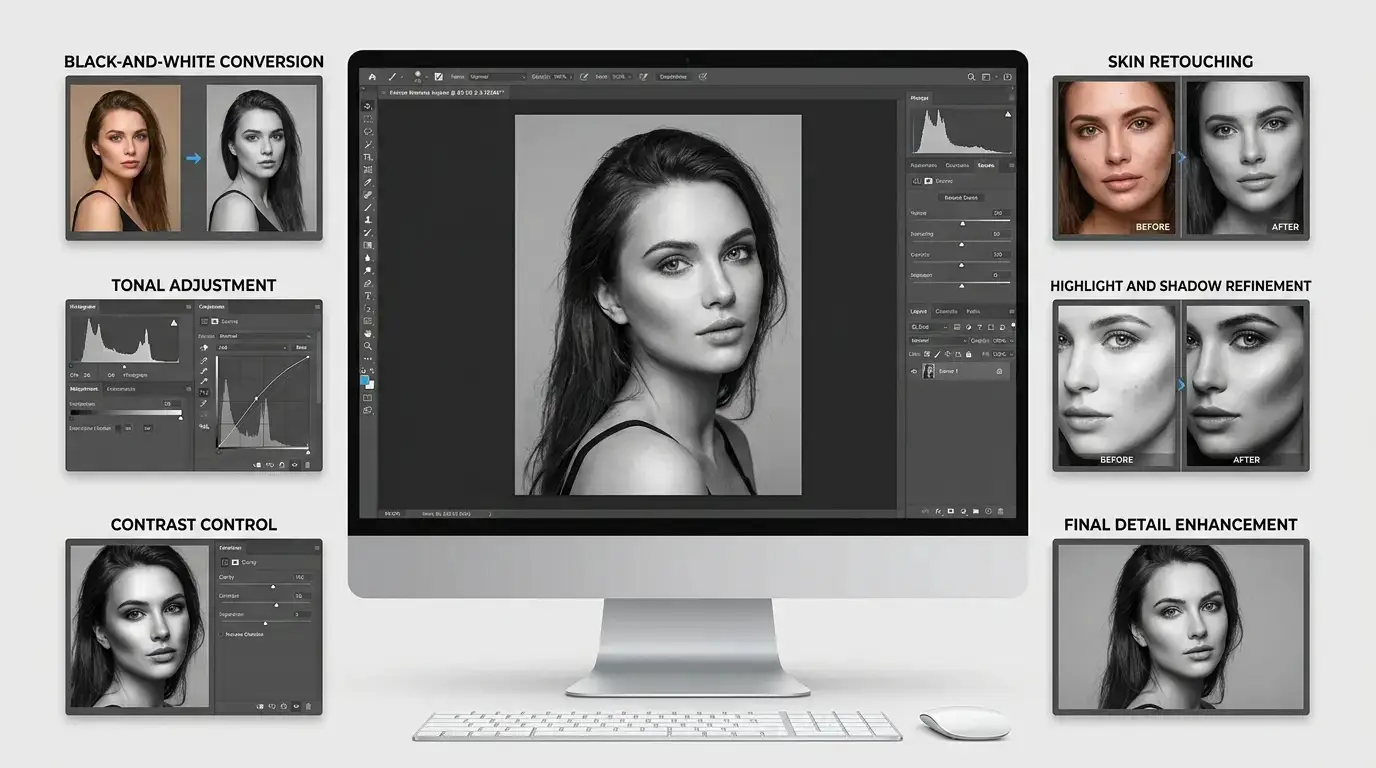
Now let us look at the main techniques behind a great black and white portrait. Each one plays its own part, and together they create the final image.
Black and White Conversion
Everything begins with the conversion. Editors typically use adjustment tools that let them control how each original color turns into gray. This is far better than a basic desaturation.
With this control, they can decide how the skin, lips, eyes, hair, clothing, and background should look. A face can be made warm and glowing, or strong and moody, all from the same original photo. The conversion sets the direction for the entire edit.
Contrast Adjustment
After conversion, contrast is shaped to match the mood. Editors often use curves or similar tools to give the image a gentle “S” shape in tone, which deepens the darks and brightens the lights while keeping the middle smooth.
Global contrast affects the whole image. Local contrast works on smaller areas and adds punch to details such as eyes, hair, and clothing textures. Both are used together to keep the portrait looking crisp and dimensional.
Dodge and Burn
Dodge and burn is one of the oldest and most loved tricks in photography. It comes from the darkroom days, when printers would hold back light from parts of a print (dodging) or add more light to other parts (burning).
Today, editors do the same thing digitally. They lighten some areas and darken others, in small and careful steps. This is used to:
- Shape the face and add a sense of form
- Make the eyes brighter and more striking
- Smooth uneven light and shadow on the skin
- Guide the viewer’s eye toward the subject
When done well, dodge and burn gives a portrait a sculpted, three-dimensional feel. It is one of the main reasons a professional black and white portrait looks so rich.
Skin Retouching
Skin retouching uses careful methods to clean the skin while keeping texture. A common professional approach separates the image into layers, one for fine detail and one for tone and color. This allows the editor to even out the tone without blurring the pores.
The aim is to reduce distractions, not remove the character of the skin. A well-retouched face looks smooth and healthy, but you can still see that it is real skin.
Highlight and Shadow Control
Highlights and shadows need constant attention. Bright spots on the forehead, nose, or cheeks can look oily or harsh in black and white. Editors calm these down so they look soft and natural.
Shadows need the same care. If they are too dark, important details are lost. If they are too light, the portrait loses drama. Editors fine-tune the shadow areas so the face has shape while still keeping detail in the eyes, under the chin, and around the hair.
Texture Enhancement
Texture gives black and white images their character. It includes the grain in the hair, the weave in a sweater, the fine lines on a weathered face, and the subtle detail in skin.
Editors may add gentle sharpening or clarity to bring this texture forward. This must be done with care. Too much sharpening makes skin look rough and harsh. Just the right amount makes the portrait feel rich, tactile, and real.
Background Cleanup
The background should support the portrait, not compete with it. Editors clean up marks, uneven patches, wrinkles in a backdrop, or small objects that pull attention.
They may also adjust the background brightness so the subject stands out clearly. For example, a slightly darker background can make a light-toned face pop, while a lighter background can give a dark-toned subject more presence.
Selective Tonal Adjustment
Selective adjustment means working on specific areas instead of the entire image. An editor might brighten only the eyes, darken only the edge of the frame, or soften only a single shadow across the cheek.
This is one of the most powerful tools in portrait work. It lets the editor guide the viewer’s eye and shape the story of the image, one small area at a time.
Who Needs Black and White Portrait Editing Services?
These services are useful for a wide range of people. Here are the groups that benefit most.
Professional Photographers
Photographers often shoot hundreds or thousands of images and simply do not have time to edit each one to a high level. Outsourcing editing gives them more time to shoot, meet clients, and grow their business, while keeping the quality of their final images high.
Portrait Photographers
For portrait photographers, the skin, the eyes, and the expression are the heart of the work. Black and white editing helps them present their portraits in a timeless style that many clients love, especially for headshots, family sessions, and personal branding.
Wedding Photographers
Wedding galleries almost always include a set of black and white images. These are often the ones couples print and frame. Good editing brings out emotion in the candid moments and keeps the whole album feeling consistent, even when the images were taken in very different lighting.
Fashion Photographers
Fashion work needs a strong, stylish look. Black and white editing can add drama, elegance, and a sense of editorial polish. Careful retouching also helps keep the skin, hair, and clothing looking flawless in a way that suits magazine and campaign standards.
Studio Photographers
Studios often deal with high volumes of portraits, such as school photos, corporate headshots, and family sessions. A reliable editing partner helps them deliver consistent, clean results across many clients without long delays.
Agencies and Creative Professionals
Creative agencies, designers, and brands often need portraits for websites, campaigns, magazines, and presentations. They need images that match a certain style and feel. Professional black and white editing helps them keep that style the same across every project.
Individuals with Personal Portraits
You do not have to be a professional to benefit. Many people want to improve a family portrait, a milestone photo, an old picture, a professional headshot, or a portrait of a loved one. Editing can turn a good photo into something worth printing and keeping for years.
Black and White Portrait Editing Workflow
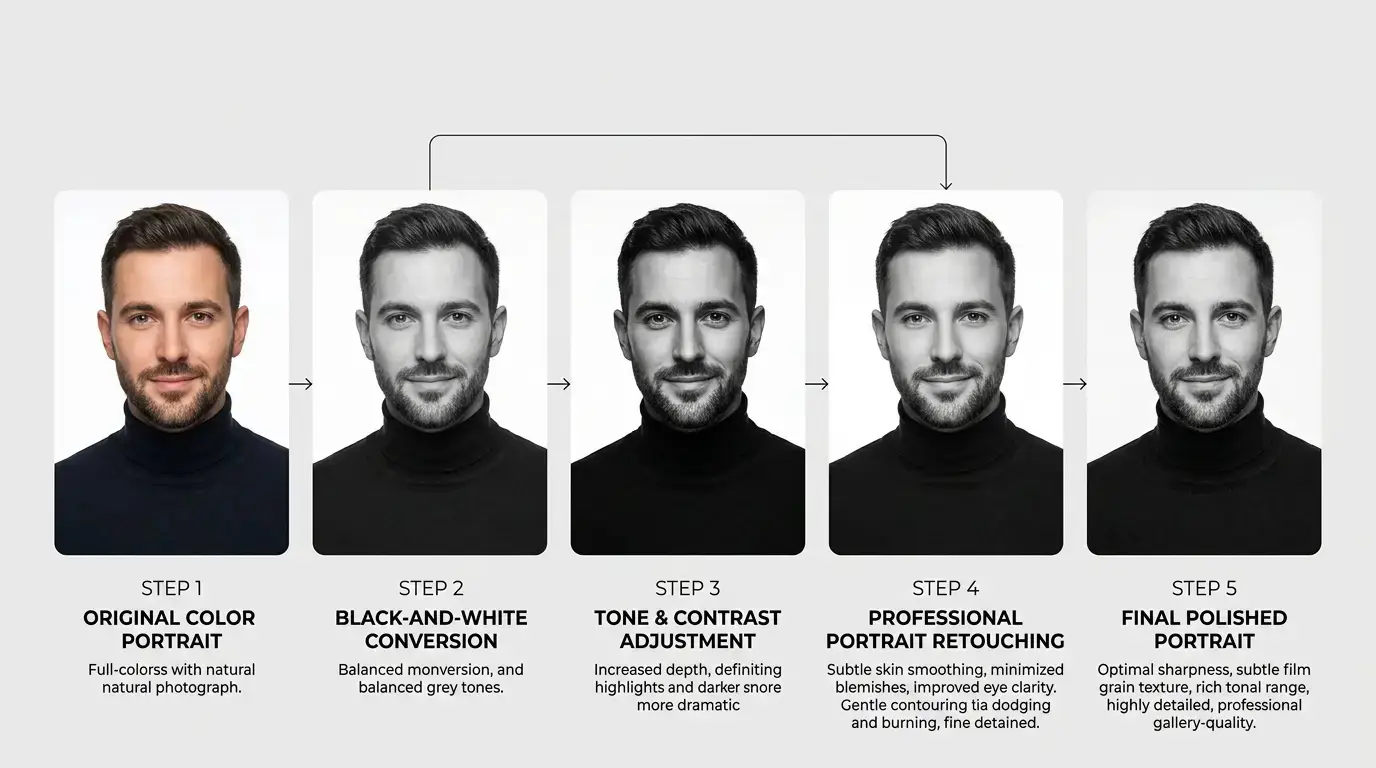
A clear workflow keeps the results consistent and the quality high. Here is how a professional black and white portrait editing process typically works.
1. Image Assessment
Every project starts with a close look at the original image. The editor checks the lighting, exposure, sharpness, skin condition, background, and overall mood. This step helps decide the best approach and spot any problem areas before the real work begins.
If the client has special instructions or a reference style, this is when they are reviewed as well.
2. Black-and-White Conversion
Next, the color image is converted to monochrome using controlled methods. The editor decides how each color should translate to gray, based on what the portrait needs. Skin tones, eyes, hair, and clothing are all considered so that nothing looks flat or lost.
3. Tone and Contrast Adjustment
After the conversion, the tones are refined. The editor sets the overall contrast, balances highlights and shadows, and checks that the blacks and whites are clean without losing detail. This step sets the mood: soft and airy, or deep and dramatic.
4. Portrait Retouching
Now the finer cleanup begins. The editor works on the skin, removes temporary blemishes, tidies stray hairs and clothing, and cleans the background. Dodge and burn is often used here to refine facial shape and light.
This is done slowly and with care, because natural results depend on small, gentle changes rather than heavy corrections.
5. Detail Enhancement
With the retouching done, the editor turns to detail. The eyes are brightened, texture is refined, and sharpness is added where needed. This step makes the portrait feel crisp and alive without making it look harsh.
6. Final Quality Check
Finally, the image is reviewed from start to finish. The editor looks at the whole picture and then zooms in to check the details. Does the skin look natural? Are the tones smooth? Are there any leftover spots or edges? Does the image match the requested style?
Only after this check is the portrait ready for delivery. For larger batches, images are also compared against each other to make sure the whole set feels consistent.
Black and White Portrait Editing vs. Color Portrait Editing
Both styles have their place, and each has its own strengths. The table below gives a simple comparison.
| Area | Black and White Portrait Editing | Color Portrait Editing |
| Mood | Timeless, classic, emotional, and often dramatic | Lively, warm, natural, and true to the scene |
| Tonal Control | Depends fully on brightness and contrast; every tone matters | Depends on both color and tone; color can guide the eye |
| Skin Appearance | Skin texture and light shape are more visible; color issues like redness disappear | Skin color balance is important; redness and color casts must be corrected |
| Visual Storytelling | Focuses on expression, shape, and emotion | Uses color to add setting, mood, and context |
| Editing Requirements | Needs careful tonal balance, dodge and burn, and texture control | Needs color correction, skin tone matching, and color harmony |
A Closer Look at the Differences
Mood: Black and white often feels more serious, artistic, and lasting. Color often feels more cheerful and true to life. Neither is better. It depends on the message of the portrait.
Tonal control: In color editing, an editor can rely on color differences to separate objects. In black and white, that help is gone, so tone must do all the work. This makes tonal control more demanding.
Skin appearance: Black and white hides some issues, such as blotchy redness or uneven skin color, because color is no longer part of the picture. But it also puts more focus on texture, shine, and shadows. Some flaws become less visible while others become more visible.
Visual storytelling: Color can tell a story through a red dress or a green forest. Black and white tells the story through faces, gestures, and light. It simplifies the image so that emotion becomes the main subject.
Editing requirements: Color work asks for a strong sense of color balance. Black and white work asks for a strong sense of light and form. A skilled monochrome editor thinks like a darkroom printer, always asking where the light should fall and where it should fade.
How GRASIGNER Handles Black and White Portrait Retouching
At GRASIGNER, we treat every portrait as something personal. Whether it is a single headshot or a full wedding gallery, our aim is to deliver clean, elegant, and natural-looking results.
Professional Photoshop-Based Editing
Our team uses professional Photoshop-based editing methods. This gives us precise control over tone, skin, detail, and background. Instead of relying on quick filters, we build each edit step by step, using layers and careful adjustments. This way, we can fine-tune every part of the image and make changes easily if needed.
Natural-Looking Retouching
We believe good retouching should be almost invisible. Our editors clean the skin, remove temporary blemishes, and refine details, but always keep the natural texture and character of the person. We avoid the over-smoothed, plastic look that can spoil a portrait.
If you have specific preferences, such as keeping certain marks or using a lighter or heavier touch, we are happy to follow your instructions.
Consistent Results
Consistency is one of the most valued things in professional editing. Whether you send five portraits or five hundred, we work to keep the tone, contrast, and style steady from the first image to the last. If you already have a signature look, we can match it, so the finished portraits feel like they came straight from your own edit.
Detailed Quality Control
Every image goes through a quality check before it is delivered. We look at the overall balance, zoom in on the fine details, and confirm that nothing was missed. This extra step helps catch small issues and keeps the final quality high.
Support for Bulk Projects
Many photographers and studios need large batches edited, often with tight schedules. GRASIGNER supports bulk portrait projects, including wedding galleries, school and corporate portraits, and ongoing studio work. We aim to keep quality steady across large volumes so you can grow your workload without lowering your standards.
Benefits of Choosing GRASIGNER
Working with the right editing partner can change how you run your photography business or manage your creative projects. Here are some of the main benefits of choosing GRASIGNER.
Professional Results
Our editors focus on clean, polished, and natural portraits. Every image is treated with care, from the first conversion to the final check. The goal is a portrait you are proud to print, publish, or hand over to a client.
Consistent Quality
Consistent work builds trust. With GRASIGNER, you can expect a steady level of quality across your projects, so your clients see the same standard every time.
Custom Editing
Every photographer and every portrait is different. We do not push one fixed style on everyone. You can share your preferences, your reference images, or your favorite editing style, and we will shape the edit to match your needs.
Fast Turnaround
Deadlines matter, especially for weddings, events, and commercial work. We work to deliver on time so you can keep your own clients happy. Turnaround depends on the number of images and the level of retouching, so it is best to share your project details and timeline when you get in touch.
Bulk Image Support
If you have hundreds of portraits waiting to be edited, you do not have to do them all alone. Our workflow is built to handle large batches while keeping the same quality across the whole set.
E-commerce and Photography Workflow Friendly
GRASIGNER understands how photographers, studios, and online businesses actually work. Our services fit smoothly into your existing workflow, whether you run a busy photography studio, manage a creative agency, or need clean images for an online store or brand website. You send the images, share your instructions, and receive files that are ready to use.
Frequently Asked Questions
What is black and white portrait editing?
Black and white portrait editing is the process of converting a color portrait into a monochrome image and improving it with careful adjustments. This includes controlling contrast, balancing highlights and shadows, shaping tones, and keeping the natural details of the face. The aim is to create a portrait that feels deep, balanced, and expressive.
Can you convert color portraits into black and white?
Yes. We can convert color portraits into black and white using professional methods, not simple filters. This means we control how each color turns into gray, so skin tones, eyes, hair, and clothing all look natural and well defined in the final image.
Do you provide professional portrait retouching?
Yes. Our portrait retouching service includes skin cleanup, removal of temporary blemishes, detail enhancement, and hair and clothing cleanup. We focus on keeping the person looking natural and true to themselves.
Can skin retouching be done on black-and-white portraits?
Absolutely. Skin retouching works very well on black and white portraits. In fact, because black and white puts extra focus on texture and light, careful skin work is even more important. We smooth uneven areas and reduce distractions while keeping the natural skin texture.
Can I send bulk portrait images?
Yes. GRASIGNER supports bulk projects, such as wedding galleries, studio sessions, school portraits, and corporate headshots. We work to keep the editing style consistent across the entire batch so your final set looks clean and unified.
How long does black and white portrait editing take?
The time depends on the number of images, the condition of the originals, and how much retouching is needed. A simple conversion takes less time than a full retouch with detailed skin work. For an accurate estimate, please share your project details and deadline with our team, and we will guide you.
Can GRASIGNER handle professional photography projects?
Yes. We work with professional photographers, studios, agencies, and creative businesses. Our team is comfortable with high-volume work and detailed instructions, and we can follow your preferred style so the final images fit smoothly with your brand and your clients’ expectations.
Final Thoughts
Black and white portraits are powerful because they are simple. With color out of the way, the viewer sees the person: the eyes, the expression, the shape of the face, and the feeling of the moment. But that simplicity is also what makes editing so important. Every tone counts. A small mistake in contrast or skin cleanup is easy to notice.
Thoughtful monochrome editing turns a good photograph into a memorable one. It brings out depth, keeps the tones balanced, and gives the portrait a timeless quality that works in print and on screen. And when retouching is done in a natural way, the person in the picture still looks like themselves, only at their best.
That is the standard we follow at GRASIGNER. From careful black and white conversion to detailed retouching, tonal control, and final quality checks, our team is dedicated to delivering portraits that look refined, natural, and professional.
If you are a photographer with a full gallery to finish, a studio that needs a reliable editing partner, or someone with a special portrait to improve, we are ready to help.
Ready to bring more depth and quality to your portraits? Contact GRASIGNER today and get professional black and white portrait editing and retouching services made for your needs.