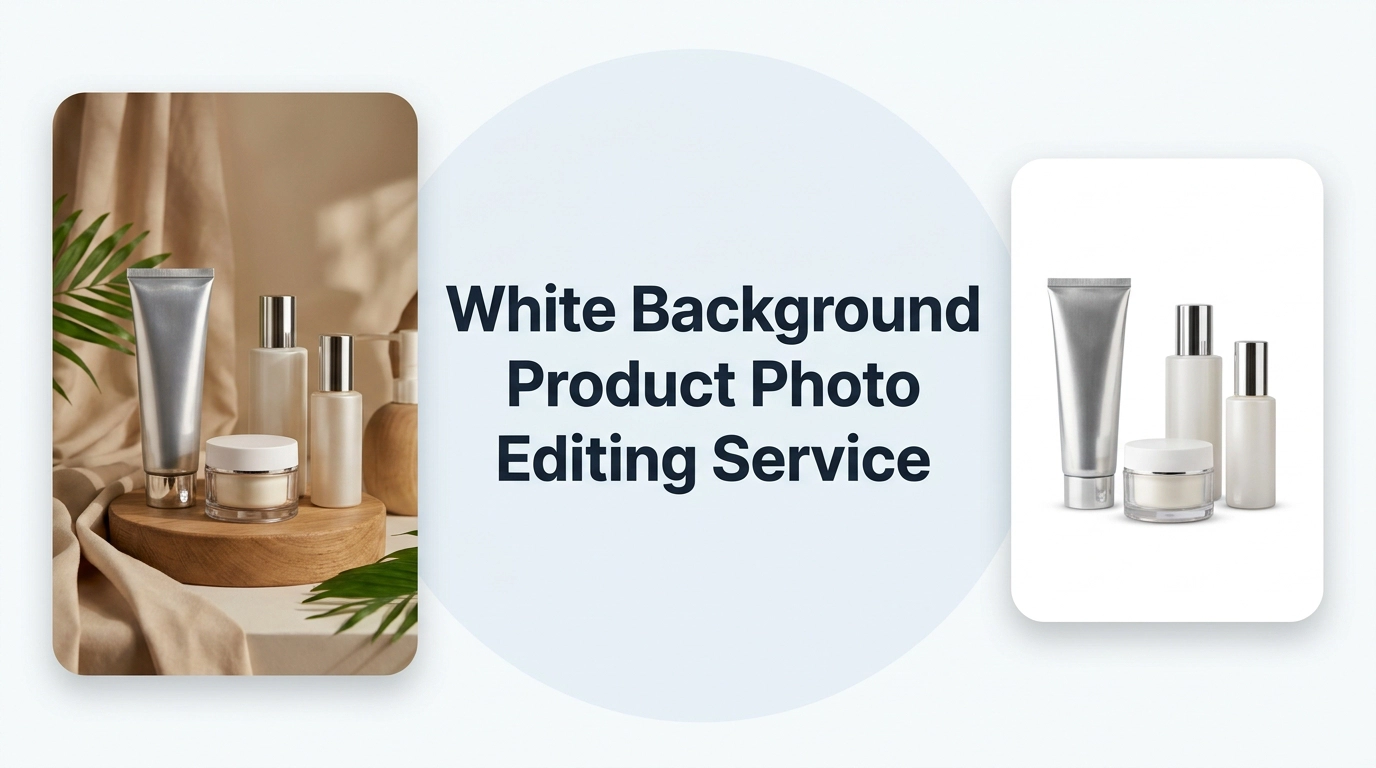
A white background product photo editing service makes your products look clean, consistent and ready to buy. Here’s the test. Open any marketplace in a new tab and scroll for ten seconds. Your eye lands on the sharp, tidy listings and skips the ones with a messy desk, a wrinkled sheet or half a kitchen in the frame. That decision takes under a second, before anyone reads a title or a price.
That’s why white backgrounds became the standard in online retail. There’s nothing fancy about them. They’re clear, and clear sells.
The hard part is volume. Cutting out one mug takes a few minutes. Cutting out 600 SKUs, each shot from four angles, with matching shadows and a true white (RGB 255, 255, 255) that passes Amazon and eBay image checks, is a different job. That’s where a professional white background product photo editing service earns its fee.
In this guide, you’ll learn what the service includes, how it compares with automated tools, what it costs, what marketplaces expect, how to brief an editor, and which small mistakes quietly cost sellers sales and returns.
What Is a White Background Product Photo Editing Service?
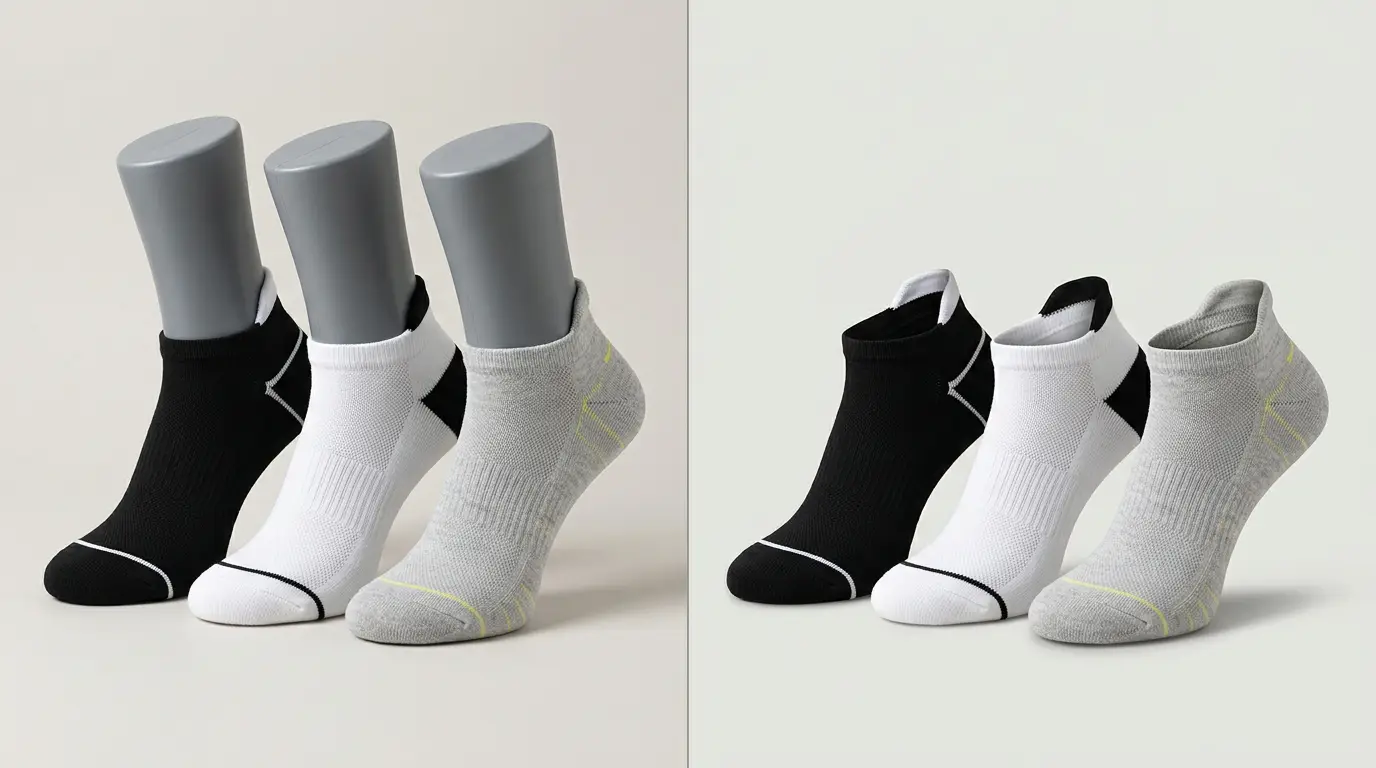
A white background product photo editing service is a team of professional editors who cut your product out of its original photo, place it on a clean white background, and polish the result so it’s ready for your store or marketplace listing. You upload the files, they return finished images, usually within 6 to 24 hours, and you pay per image. The price depends mostly on how complicated the cutout is. Hand-edited work costs more than automated tools, but it handles hair, jewelry, glass and mesh far better. If you sell on Amazon, Shopify, eBay or Etsy and have more than a few dozen images, outsourcing is usually cheaper than your own time.
Key Takeaways
- The service replaces your original background with clean white and fixes the details around it: edges, dust, color, shadows.
- Amazon requires a pure white background (RGB 255, 255, 255) on main images. Other marketplaces have similar rules or strong preferences.
- Hand editing wins on complex products. Automation wins on speed for simple ones.
- Price is driven by image complexity, added services, volume and turnaround, not just image count.
- Always run a free or small test batch before sending your whole catalog.
- Better source photos mean cheaper, faster, cleaner edits.
What Does a White Background Photo Editing Service Actually Do?

In plain terms, an editor isolates your product from everything around it. In practice that covers several jobs, and a good provider does all of them without being asked:
- Cutout: Drawing a precise outline around the product, often with a technique called a clipping path.
- Edge refinement: Smoothing jagged edges and handling fine detail like fur, hair, fringe or chain links.
- Cleanup: Removing dust, scratches, fingerprints, stray threads and anything else that shouldn’t be there.
- Color and exposure correction: Making the product look the way it does in person, not the way your lights made it look.
- Shadow creation: Adding a soft, natural shadow so the item sits on the page instead of floating.
- Export: Delivering files at the right size, format and resolution for your channel.
Notice what this isn’t. It isn’t just deleting a background. Deleting is the easy ten percent. The other ninety is what separates a listing that looks professional from one that looks pasted together.
Why White Backgrounds Still Matter in 2026

Every few years someone declares that lifestyle imagery will replace white backgrounds. It hasn’t happened, and here’s why.
Marketplaces demand it. Amazon’s main image rule is the best-known example, but other platforms lean the same way. A clean first image is simply the entry ticket.
Shoppers compare. When someone is choosing between five similar blenders, a row of matching white-background images lets them compare shape, size and features at a glance. Mixed backgrounds make that harder.
One image works everywhere. A clean cutout can be dropped onto banners, ads, email templates and social posts without a reshoot. That’s real money saved over a year.
It reduces returns. Honest, accurate color and detail set the right expectations. A product that arrives looking like its photo is a product that stays sold.
Brand consistency. Fifty products with fifty different backdrops feel like a flea market. Fifty on white feel like a store.
Marketplace Image Requirements at a Glance
Rules change, so treat this table as a starting point and confirm the current guidelines on each platform before you upload.
| Platform | Background expectation for main image | Notes |
| Amazon | Pure white (RGB 255, 255, 255) | Product should fill most of the frame; larger images enable zoom. Amazon is the strictest of the group. |
| Walmart | Plain white background | Clean, high-resolution primary image expected. |
| eBay | Plain, uncluttered background strongly recommended | Larger images support zoom and look better on mobile. |
| Etsy | No strict white rule | A bright, clean first photo tends to perform better in search. |
| Shopify | Set by your theme and your own standards | Consistent backgrounds and aspect ratios make collections look polished. |
| Google Shopping | Clean, uncluttered product image | No promotional text or watermarks on the main image. |
One practical tip: if you sell on several channels, edit to the strictest standard (pure white, generous resolution) and you’ll rarely need to redo anything.
How the Editing Process Works, Step by Step

Knowing what happens behind the scenes helps you judge quality and write better briefs. A typical professional workflow looks like this.
- Intake and assessment: The provider reviews your files, checks resolution and flags problems such as heavy blur, severe shadows or cropped products. Good providers quote based on this review.
- Cutout: The editor traces the product by hand, placing anchor points around its outline. Straight edges get straight lines, curves get smooth ones. This is the step that decides whether the final result looks crisp or amateur.
- Edge refinement: Anything soft or fine, like a wool sweater, a pet product with fur or a model’s flyaway hair, needs more than a simple outline. Editors use masking techniques to keep natural texture without leaving a harsh border or a leftover halo of the old background.
- Retouching: Dust, creases, glue marks, reflections of the photographer and other flaws get cleaned up. The goal is a product that looks new, not a product that looks fake.
- Color matching: The editor checks the colors against your reference or the physical product. Skipping this step is a top cause of returns, especially for fashion and home decor.
- Shadow work: A natural shadow, a soft drop shadow or a reflection is added, depending on your style. Transparent or glossy items usually need extra care here.
- White background check: The background is set and verified so it reads as true white, not light gray. This matters a lot for marketplace compliance.
- Quality control and delivery: A second pair of eyes should review the image before it reaches you. Files then come back in your requested format and size, usually JPEG, PNG or TIFF.
Hand-Edited vs Automated vs DIY: Which Should You Pick?

There are three realistic options, and none is wrong for everyone.
| Hand-edited service | Automated tool | DIY in Photoshop | |
| Quality on simple products | Excellent | Good to excellent | Excellent |
| Quality on complex products | Excellent | Often inconsistent | Excellent if you’re skilled |
| Speed on large batches | Fast (team-based) | Fastest | Slow |
| Cost per image | Low to moderate | Lowest | Free, but your time isn’t |
| Consistency across a catalog | High | Varies by image | Varies by your energy that day |
| Best for | Growing stores, complex items | Simple items, tight budgets | Small catalogs, hobby sellers |
Here’s my honest take. Automated tools have gotten genuinely good. For a plain box on a plain table, they’re often fine. But the moment your catalog includes jewelry, glassware, lace, furniture with thin legs, hair accessories or anything semi-transparent, the cracks show: chewed edges, missing fragments, strange halos. Fixing those by hand afterward often costs more time than sending the file to a human editor in the first place.
DIY is a fair choice if you enjoy it and have a small catalog. Just price your time honestly. If you earn more per hour running your business than an editor charges per image, you’re losing money by doing it yourself.
Many sellers end up with a hybrid: automation for the easy stuff, a human service for the hard stuff and for hero images.
How Much Does White Background Photo Editing Cost?
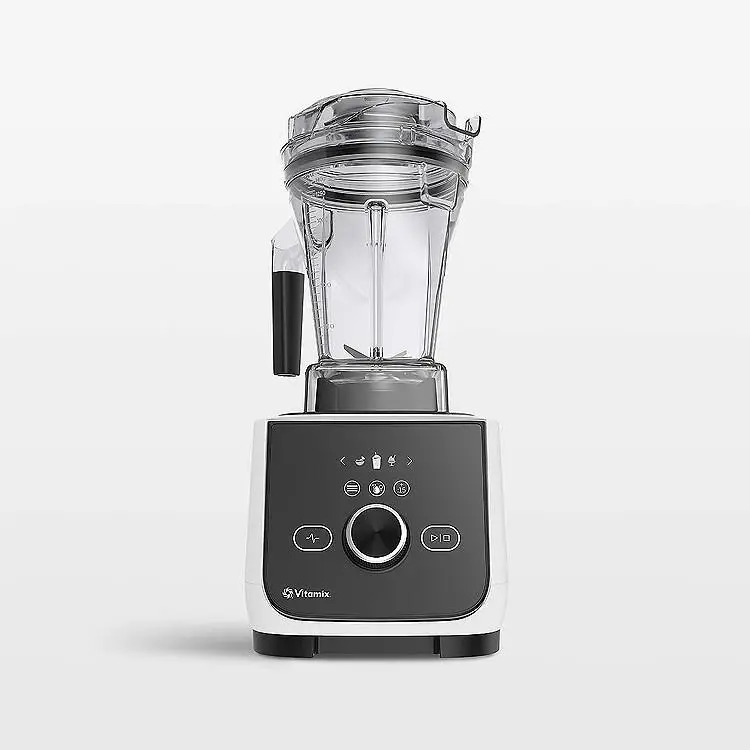
Prices vary widely, and that’s fine, because the work varies widely. Some providers advertise starting rates as low as 25 cents per image for simple edits. More complex work costs more, and you should expect a quote rather than a flat rate.
What moves the price:
- Complexity: A bottle on a plain table is quick. A bicycle, a birdcage or a model with curly hair against a wire fence takes real time.
- Services combined: Background removal plus shadow plus retouching adds up to more than background removal alone.
- Volume: Larger batches often get a better per-image rate.
- Turnaround: Standard delivery is commonly around 24 hours. Rush options, sometimes as quick as 6 hours, cost extra.
- Image quality: Blurry or low-resolution source files take longer to fix and sometimes can’t be fixed at all.
A realistic way to budget: Take your catalog size, multiply by the number of angles per product, and request a quote on a sample set of your actual images, including a couple of your hardest ones. Don’t judge a provider on a quote for their easiest image.
Watch for hidden costs: Ask whether revisions are free, whether rush fees apply automatically, whether there are minimum orders and whether file format conversions are extra. A low headline price with expensive add-ons isn’t low.
When Is It Worth Outsourcing?
Outsourcing makes sense when one or more of these is true:
- You have more than roughly 30 to 50 images and a deadline.
- Your products have difficult edges or materials.
- You’re launching a catalog, changing platforms or refreshing a whole range.
- You’re a photographer who’d rather shoot than edit.
- Your editing backlog is delaying listings, and every day a product isn’t live is a day it isn’t selling.
It probably doesn’t make sense when you have five simple images a month and the patience to learn a free tool. Be honest about which camp you’re in.
How to Choose a White Background Editing Provider

This is the part where most sellers rush and regret it. Take an afternoon and run a proper comparison.
What to check:
- Hand-edited or automated? Ask directly. Some services advertise human editing but run everything through software first.
- Samples on hard images: Ask for before-and-after examples that match your product type, not a gallery of coffee mugs.
- A free trial or small test: Several providers offer a couple of free images. Use them on your trickiest files.
- Transparent pricing: An instant quote tool or a clear price list beats a vague ‘contact us’.
- Turnaround guarantees: Confirm standard and rush timelines in writing.
- Revision policy: You want free fixes when the work doesn’t match your brief.
- Independent reviews: Check third-party platforms like Trustpilot, not just testimonials hosted on the provider’s own site. Read the three-star reviews too, they’re usually the most informative.
- Security and file handling: If you’re sending unreleased products, ask how files are stored and who can access them.
- Communication: Does someone answer questions quickly and clearly? That tells you a lot about how problems will be handled later.
Red flags:
- Prices so low they can’t possibly include human review
- No samples, or samples that look suspiciously identical to stock galleries
- No stated revision policy
- Pressure to commit to a large package before testing
How to Shoot Photos That Edit Well

Editors can work miracles, but they can’t create detail that was never captured. A few habits at the shooting stage cut your editing cost and improve the result.
Use a plain, light backdrop: A white or light gray sweep makes edges easier to trace. Avoid backgrounds that share colors with your product, like a white shirt on a white sheet with no contrast.
Light it softly and evenly: Harsh light creates hard shadows and blown highlights that are difficult to repair. Large soft sources, such as a light tent or a window with diffusion, give cleaner results.
Shoot higher resolution than you need: Extra pixels give the editor room to refine edges and give you flexibility later.
Keep the whole product in frame with breathing room: Cropping tight to the edge leaves no margin to work with.
Hold angles and distances consistent: If every shirt is shot from the same height and distance, the final catalog will look uniform without extra effort.
Clean the product first: Lint rollers, microfiber cloths and a steamer save more editing time than any software.
Mind reflective and transparent items: Glass, chrome and glossy packaging reflect everything nearby, including you. Use black cards or diffusion to control reflections, and tell your editor what the object is made of.
How to Brief Your Editor
A clear brief is the cheapest quality upgrade available. Include:
- Final dimensions and format, for example 2000 x 2000 px, JPEG, sRGB
- Background: pure white, or a specific hex value if your brand uses one
- Shadow style: none, natural, drop shadow or reflection
- Margins: how much of the frame the product should fill
- Color references: a photo of the real product or a brand color code
- Special notes: items that should stay (labels, stitching) or go (tags, price stickers)
- Examples of images you like, and ones you don’t
Save the brief as a template and reuse it. Consistency across batches is half the battle.
Common Mistakes to Avoid
Picking on price alone: The cheapest option often costs more in revisions, delays and returns.
Accepting off-white backgrounds: Light gray might look white on your monitor and still fail a marketplace check. Verify the pixel values.
Skipping shadows: A product with no shadow can look flat and cut-out. Even a subtle one adds believability.
Over-editing: Smoothing every texture and boosting every color makes products look different from reality. That’s a fast path to refunds and bad reviews.
Ignoring file specs: Sending a 600-pixel image to a platform that wants 2000 pixels leaves nothing to fix.
Not testing first: Always start small. A ten-image test teaches you more than any sales page.
Forgetting the rest of the gallery: The main image is white, but your other slots should still earn their place with detail shots, scale references and lifestyle context.
Frequently Asked Questions
Do I need a pure white background for Amazon?
Yes, for main product images. Amazon asks for a pure white background (RGB 255, 255, 255). Secondary images have more freedom. Check Amazon’s current image guidelines before uploading because requirements can change.
How long does white background photo editing take?
Most services deliver in about 24 hours as the standard option, and many offer rush delivery in as little as 6 hours for an extra fee. Large or complex batches can take longer, so confirm timing when you get your quote.
How much does it cost to remove a background from a product photo?
Simple edits can start at around 25 cents per image with some providers, while complex images and added services like shadows or retouching cost more. The best way to know is to request a quote using your real images.
Is hand editing better than automatic background removal?
For simple, high-contrast products, automation can be good enough. For anything with fine edges, transparency or reflections, hand editing generally produces cleaner and more reliable results.
Can I keep a shadow under my product on a white background?
Yes. Natural shadows, drop shadows and reflections are common add-ons. Note that Amazon-style pure white requirements apply to the background, and a soft shadow can still look natural, but check whether your platform allows it on main images.
What file format should I request?
JPEG is the safe choice for most marketplaces. PNG helps if you need transparency for banners or design work, and TIFF suits print or archival use. Ask for sRGB color so colors display consistently online.
Can a service handle hundreds or thousands of images?
Yes. High-volume work is where outsourcing shines. Team-based providers can process large batches in parallel, and bulk pricing often applies. Send a pilot batch first, then scale up once quality is confirmed.
What if I’m not happy with the results?
A reputable provider will offer revisions. Confirm the policy before you order and keep your original brief handy, so you can point to specific requirements that weren’t met.
Do I need to supply raw files?
Not always. High-quality JPEGs are fine for most work. Raw files give editors more flexibility on color and exposure, so send them if you have them and your provider accepts them.
Final Thoughts
A white background looks simple, and that’s exactly why it’s easy to underestimate. Behind a clean listing image there’s careful cutout work, color accuracy, believable shadows and a lot of consistency. A good editing service takes that off your plate so you can spend your time on sourcing, marketing and customers.
Start small. Send a handful of your hardest images, compare the results, check the pricing against your real catalog size and pick the provider whose work you’d be happy to put your brand name beside. Then scale from there.
If you’re ready to see what clean, consistent product photos can do for your listings, request a quote or a free trial and test a few images today.