Professional Photo Editing Services matter more now than they ever have. Our feeds are crammed with cookie-cutter, machine-made content and synthetic AI images, and people have grown much sharper at spotting work that feels hollow. If you run a high-end photography agency, a busy wedding studio, or a premium commercial brand, you already know that stock presets and a few global sliders won’t cut it anymore. Clients want two things at once: clean, technically flawless images that still feel like a real person touched them.
Post-production isn’t just the last box to tick before delivery. It’s the stage where a raw file becomes finished commercial art. Getting that result again and again, across hundreds or thousands of images, means leaving basic tools behind and building a smarter, non-destructive workflow.
In this guide, we’ll walk through advanced editing techniques, the niche trends gaining momentum, and the operational changes that help top creators protect their quality while growing their capacity.
1. The Shifting Landscape of Premium Visuals
The modern digital ecosystem processes billions of images daily. This saturation has changed consumer psychology and client expectations. Audiences have developed a sharp eye for over-processed visuals. The trend of hyper-smooth skin, artificial plastic structures, and aggressive HDR filters is declining.
Premium markets now favor authenticity. High-paying commercial clients, luxury bridal parties, and editorial directors seek images that feel real, tangible, and observed rather than manufactured.
The challenge for modern studios is achieving this raw, organic aesthetic while ensuring the final image remains technically flawless. Professional post-production bridges this gap by correcting technical imperfections while preserving the unique characteristics of the original capture.
2. Core Advanced Retouching Techniques
High-end post-production relies on specialized, non-destructive methodologies. These techniques require hours of pixel-level precision, a deep understanding of light behavior, and strict structural discipline.
High-End Frequency Separation
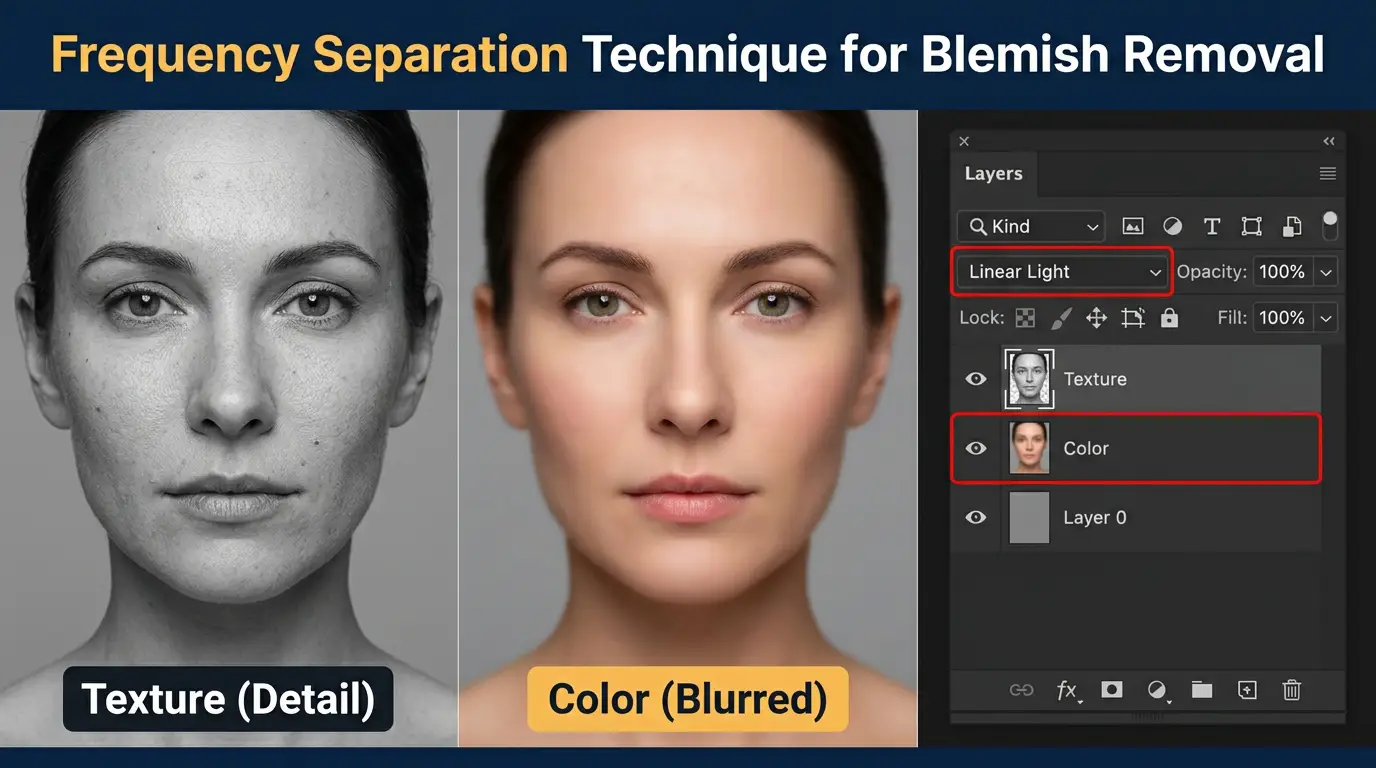
Frequency separation splits a digital image into two distinct components: high frequencies and low frequencies.
- High-Frequency Layers: These retain the fine structural details of the image, such as skin pores, hair strands, fabric textures, and sharp edges.
- Low-Frequency Layers: These carry the underlying color data, tonal transitions, shadow gradients, and overall lighting information.
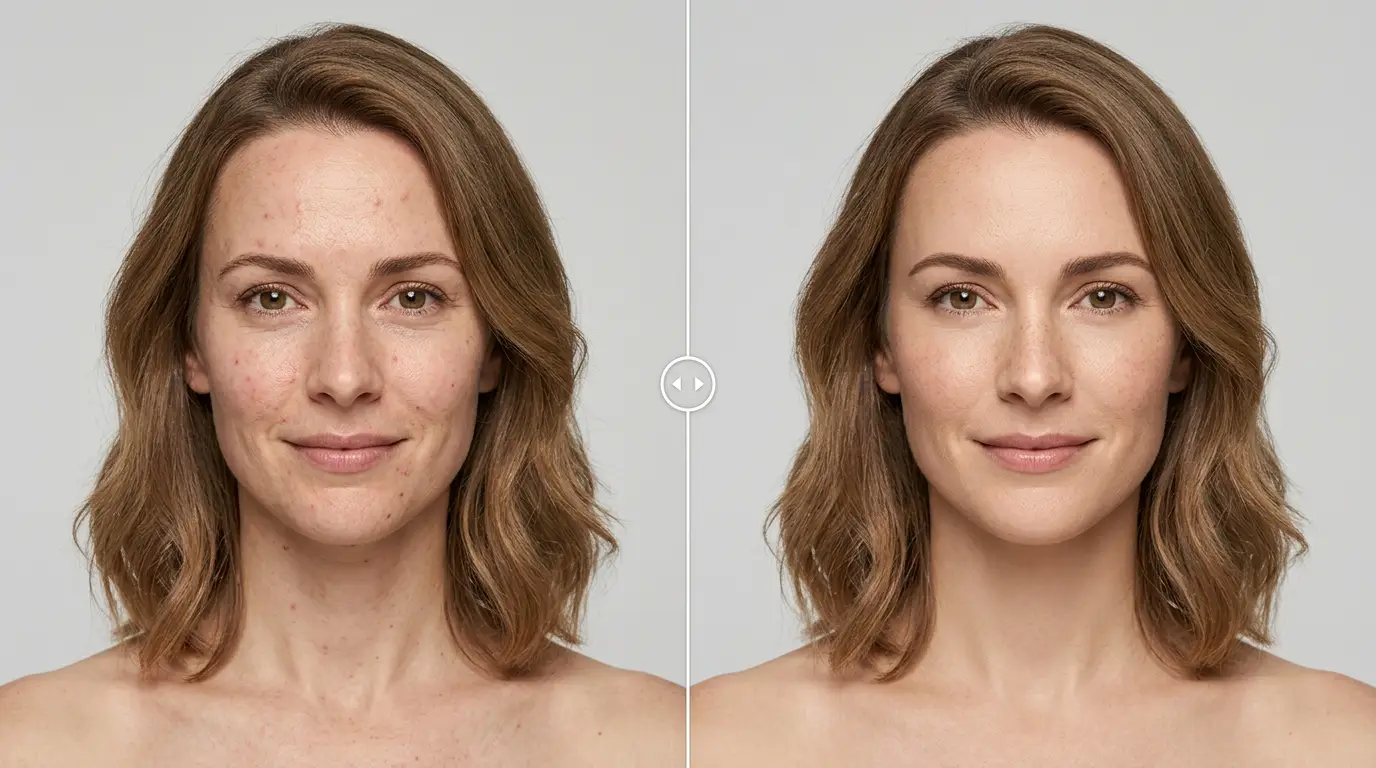
By separating these components, editors can smooth out uneven blotchiness, remove harsh transitions, and correct skin tones on the low-frequency layer without altering the natural textures on the high-frequency layer. This avoids the flat, “plastic” look common in low-end automated filters, ensuring portraits look natural and magazine-ready.
Advanced Micro-Dodge and Burn
Dodging (lightening) and burning (darkening) is a traditional darkroom technique adapted for digital workflows. High-end studios use this approach at a micro level, adjusting exposures on a pixel-by-pixel scale.
Instead of global contrast adjustments, editors use low-opacity brushes on neutral grey layers to smooth out micro-tonal variations. This technique removes blemishes, shapes facial geometry, and highlights structural elements by balancing how light rolls across surfaces. It preserves every single pore, maintaining absolute realism while gently elevating the subject.
Global Contrast vs. Micro-Dodge and Burn
| Metric | Global Contrast Adjustments | Advanced Micro-Dodge & Burn |
| Workflow Impact | Destructive compression of highlights and shadows. | Non-destructive pixel-level exposure balancing. |
| Texture Quality | Tears or blurs micro-structures; clips data. | Preserves every natural pore, fiber, and detail. |
| Tonal Transitions | Often creates muddy midtones or harsh lines. | Creates smooth transitions across surfaces. |
| Time Investment | Seconds per image using automated sliders. | Hours per frame of manual, meticulous brushwork. |
3. High-Demand Photography Trends and Niches
To command premium rates, agencies must understand and offer the specific visual styles currently dominating the commercial market.
Authentic Skin and Fine Art Texture Preservation
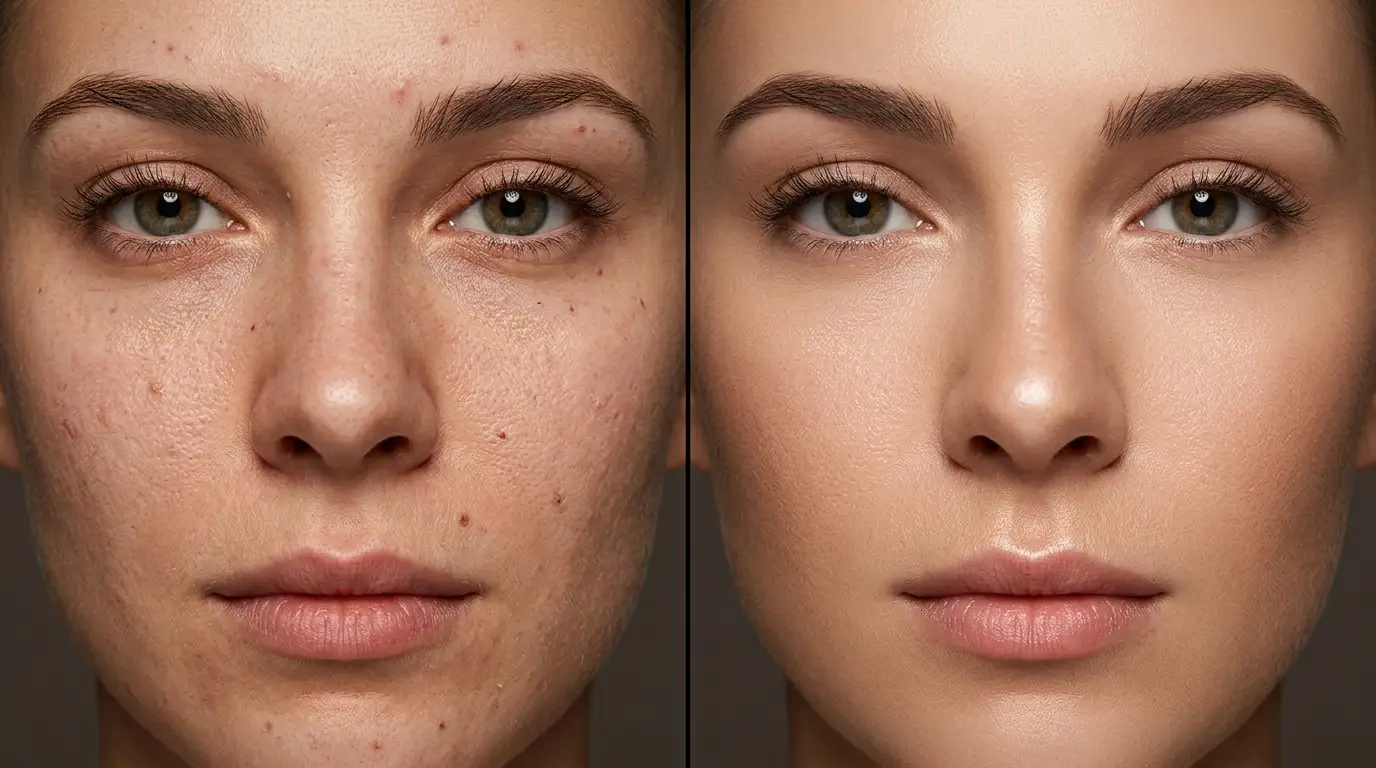
Clean portraiture and editorial beauty campaigns now focus heavily on texture preservation. The goal is to deliver an idealized version of reality without stripping away human identity.
This requires meticulous work with cloning stamps and healing brushes set to current active layers, manually removing temporary blemishes, stray lint, or dust while leaving permanent features like moles, freckles, and unique character lines untouched.
Cinematic Color Grading and Narrative Tonal Mapping
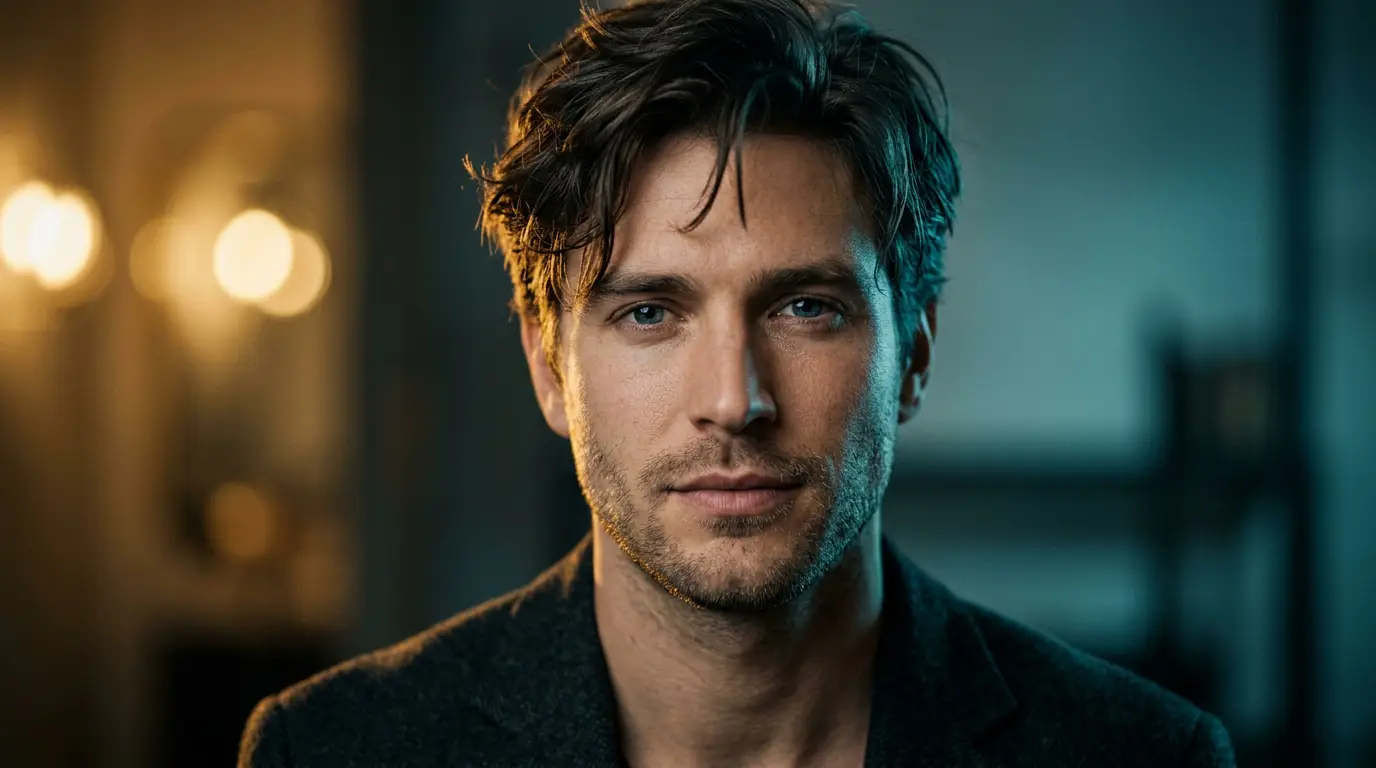
Color grading shapes the emotional tone of a visual narrative. Modern trends have moved away from hyper-saturated, bright digital looks toward cinematic color palettes.
- Split Toning: Injecting subtle, complementary cool tones into the shadows while maintaining warm, natural highlights.
- Muted Palettes: Utilizing sophisticated, earthy tones like sage, deep ochre, slate grey, and dusty rose.
- Lossless Color Channels: Adjusting individual hues, saturations, and luminances to guide the viewer’s eye through the frame without causing color degradation.
The Analog Film Resurgence and Nostalgic Restoration
The demand for analog aesthetics remains strong across fashion and lifestyle photography. High-end editors replicate the organic warmth of classic film stocks on modern, high-resolution digital files.
This involves applying custom, non-linear tone curves to soften highlight roll-offs, gently lifting the black point to create rich matte shadows, and introducing realistic, mathematically modeled film grain. Editors also apply subtle halation effects around high-contrast edges and organic light leaks to give digital captures a classic, timeless feel.
4. Building an Efficient, High-Volume E-Commerce Pipeline
While artistic portraiture requires delicate, custom work, commercial e-commerce production demands absolute consistency, high volume, and rapid delivery. Online store images serve as a digital storefront, where clear, clean product photos directly impact conversions and reduce return rates.
Precise Clipping Paths and Background Removal
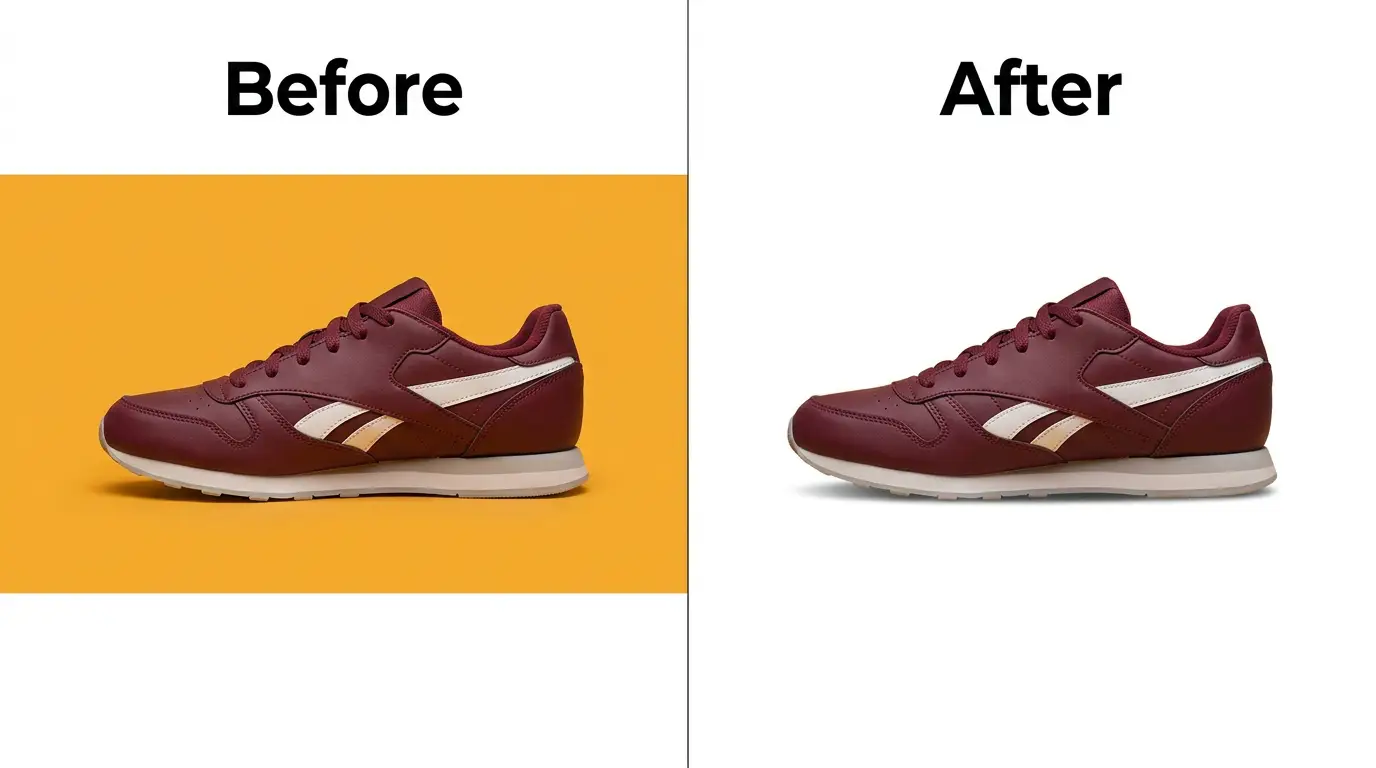
Large online marketplaces enforce strict technical standards for primary listing images. For instance, platforms like Amazon Seller Central require a pure white background (RGB 255, 255, 255), with the product filling 85% or more of the frame.
Achieving this cleanly requires using manual pen tools in software like Adobe Photoshop to draw vector paths around the product. This approach yields smooth, clean cutouts that preserve sharp corners and natural edges, outperforming automated AI tools which often blur complex boundaries or miss fine details.
Multi-Clipping Paths for Color Variants
For products offered in multiple colors or materials, shooting every option under identical studio conditions can be cost-prohibitive. Multi-clipping paths allow editors to isolate individual components of a single product image—such as buttons, zippers, linings, and main fabrics.
Once these components are isolated on separate layers, editors use color correction techniques to adjust the hue and saturation of specific parts. This matches physical product swatches exactly, allowing brands to generate consistent variant images from a single master shot.
Advanced Image Masking for Intricate Details
Standard clipping paths work well for solid objects with hard edges, but complex subjects like hair, fur, sheer fabrics, and fine lace require advanced image masking.
Editors use custom contrast channels, calculations, and refined brush masks to isolate thousands of semi-transparent pixels. This ensures that when a model wearing a knit sweater or a product with fine bristles is placed against a new background, the final composite looks seamless and free of halo artifacts.
5. Adding Realism with Professional Shadow Creation
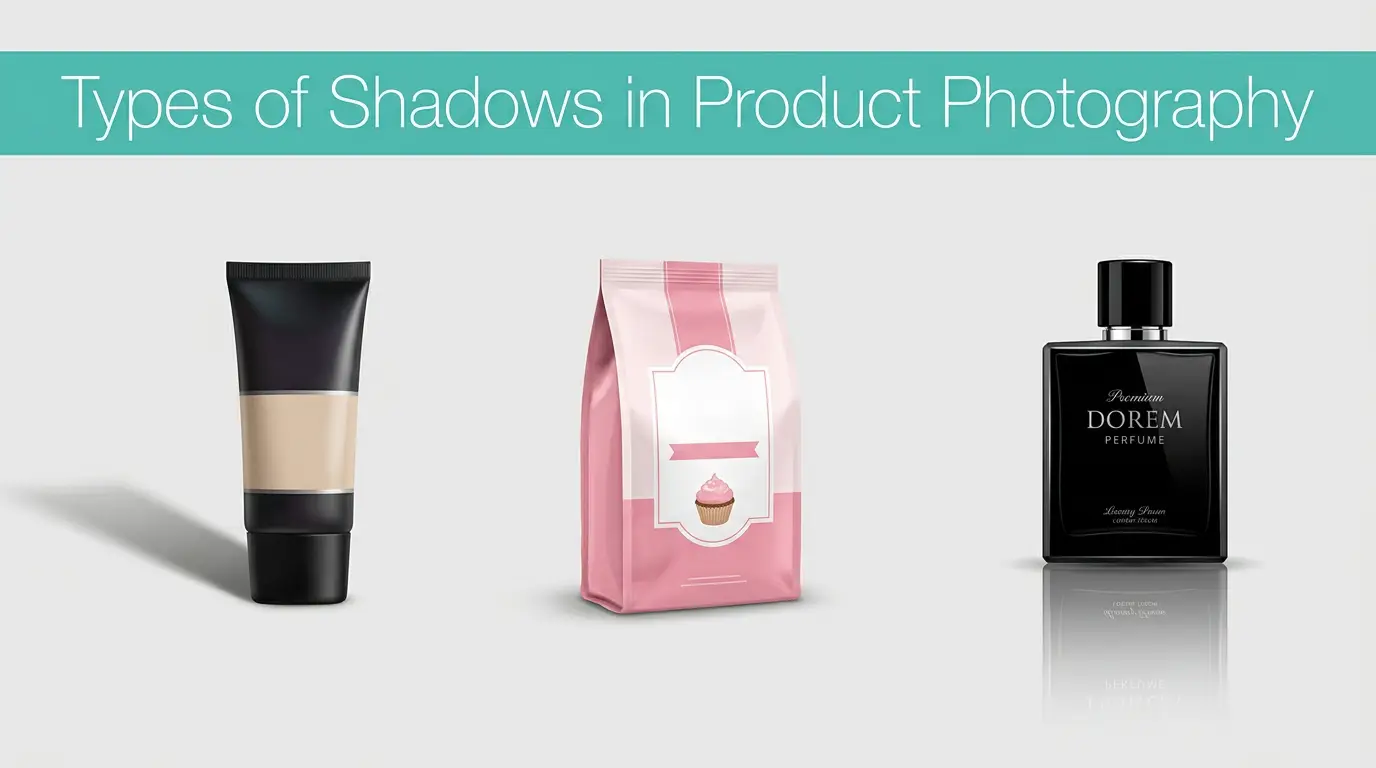
Removing a background can leave a product looking flat or unnaturally detached from the frame. Professional editors resolve this by manually generating custom digital shadows that ground the object and provide realistic depth.
Natural Drop Shadows
A natural drop shadow mimics soft, ambient overhead lighting. Editors build these by duplicating the product’s base shape, applying soft Gaussian blurs, and scaling the opacity down. The shadow is dense directly beneath the contact point and diffuses outward, accurately replicating how light wraps around a physical object on a real surface.
Reflection and Floating Shadows
Different products require specialized shadow styles to look their best:
- Reflection Shadows: Ideal for luxury items, glassware, jewelry, and high-end cosmetics. Editors invert the primary object, fade its opacity using linear gradients, and add a subtle distortion layer to create a clean, mirror-like finish.
- Floating Shadows: Commonly used for lightweight apparel or athletic footwear. This technique places a soft, condensed horizontal oval shadow directly underneath the item, creating the illusion that the product is suspended in mid-air.
6. Eliminating Distractions and Improving Structural Fit
Commercial apparel photography requires presenting garments in a clean, appealing way that showcases their true shape and fit without distracting folds or imperfections.
Ghost Mannequin Assembly
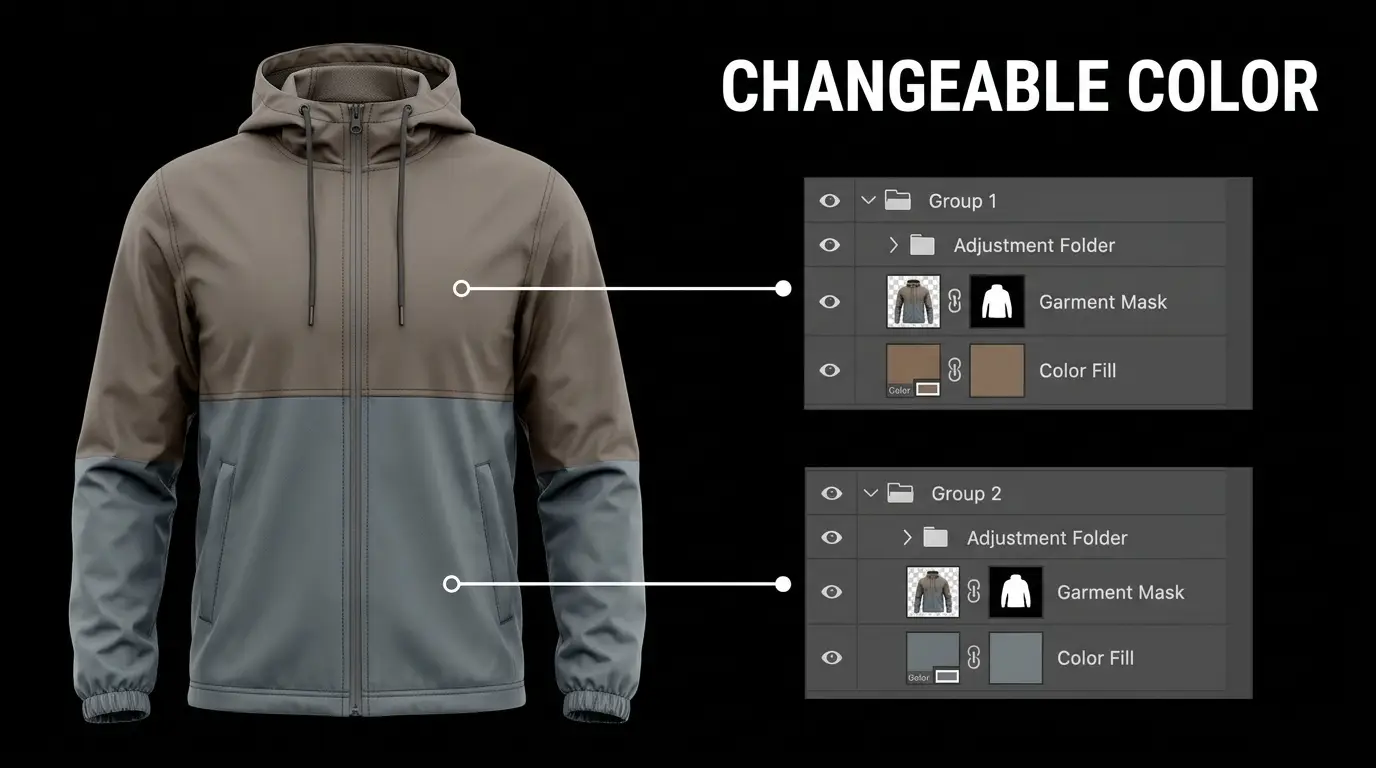
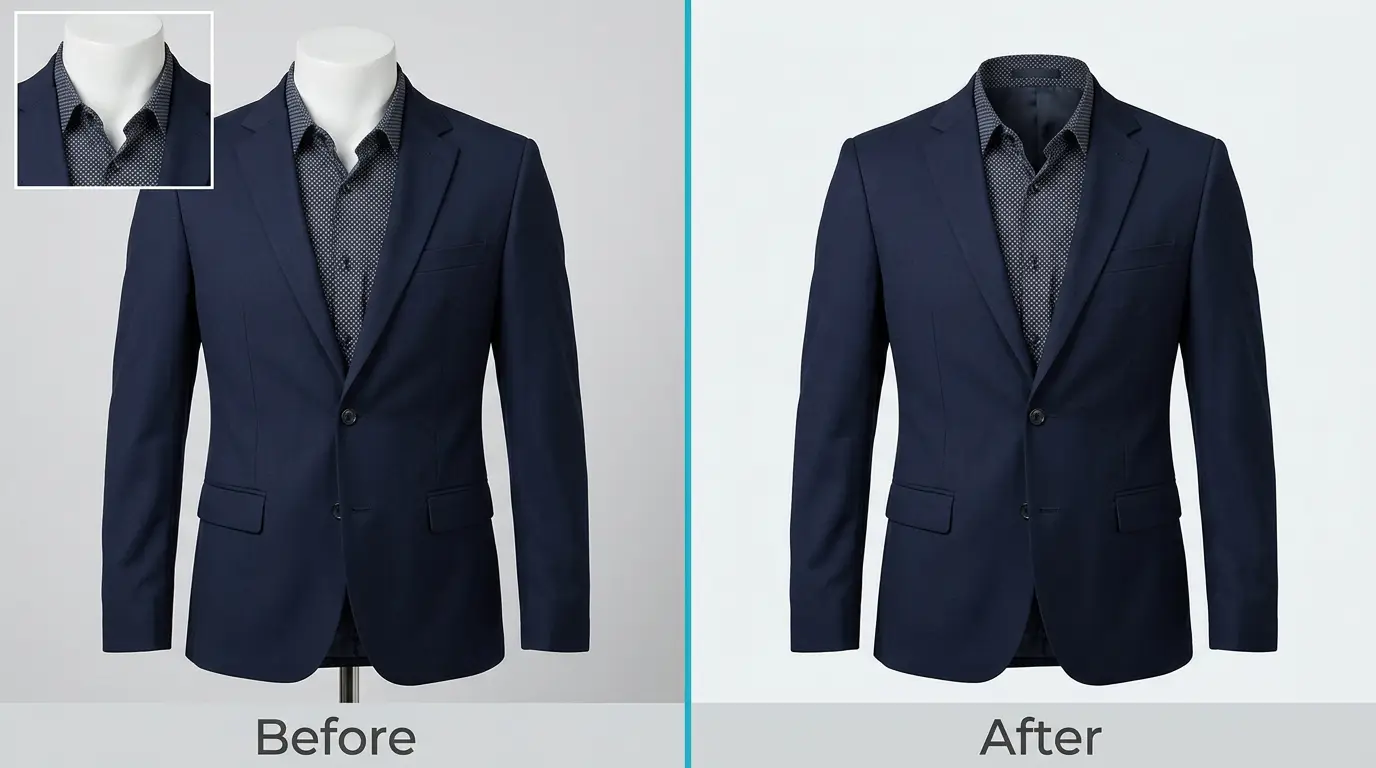
Ghost mannequin editing removes the distracting presence of studio dummies or fit models from apparel images.
Photographers shoot the garment first on a physical mannequin, and then take secondary reference shots of the inner tags, linings, and necklines. Editors combine these frames using precise clipping paths to create a seamless 3D view. This showcases the true fit, drape, and interior quality of the clothing, helping shoppers visualize how the garment looks when worn.
Fine Retouching and Digital Decluttering
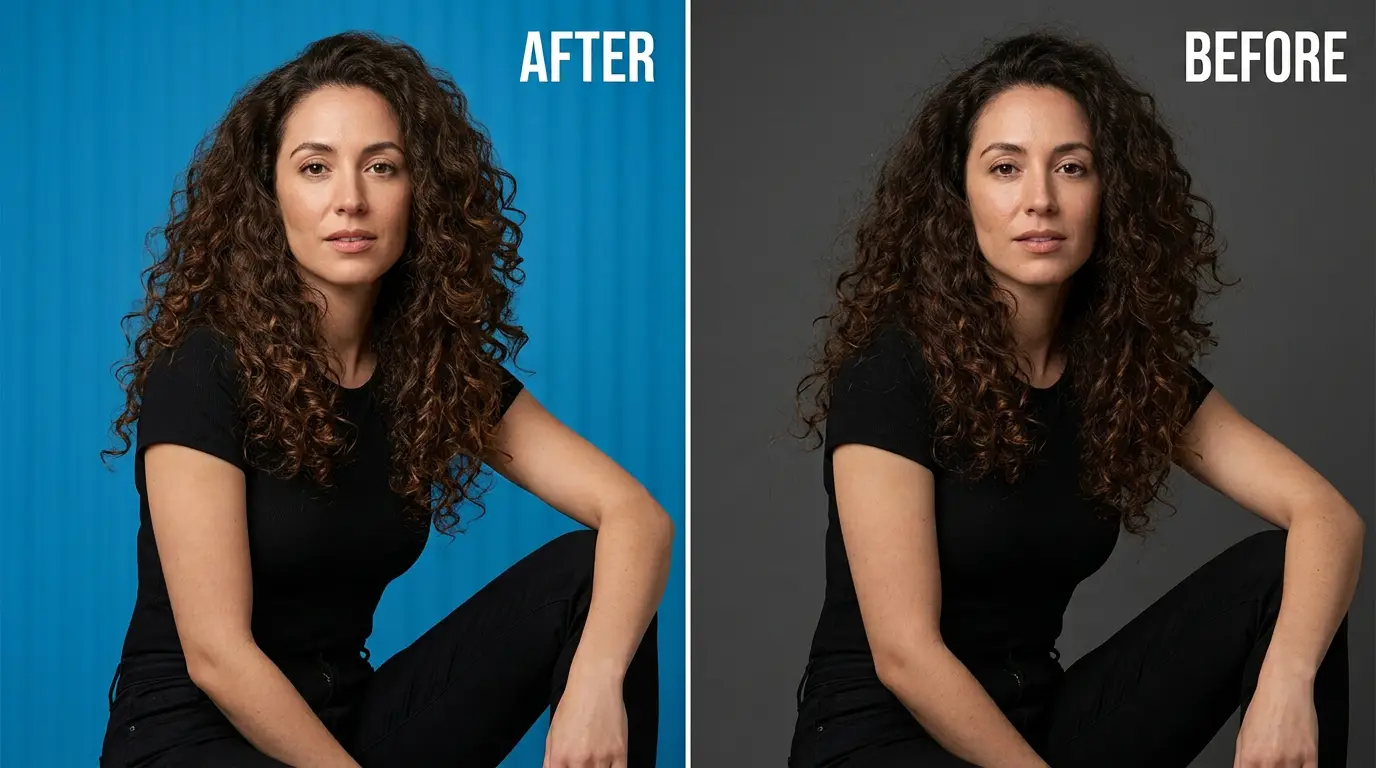
No item is perfectly pristine straight from a shipping container. Studio lights can highlight minor manufacturing flaws, fine wrinkles, loose threads, or dust particles that are invisible during a busy shoot.
Editors use clean healing and patch tools to eliminate these minor flaws. For clothing, they smooth out heavy wrinkles while retaining the fabric’s natural drape. For hard goods, they eliminate reflections, smudges, and surface dust, ensuring the item looks polished while remaining an accurate representation of the physical product.
7. Streamlining Production with Modern Software Integration
Outsourcing post-production shouldn’t introduce operational friction. High-end workflows use modern asset management techniques to blend external editing support into a studio’s day-to-day operations.
Working with Lightroom Smart Previews
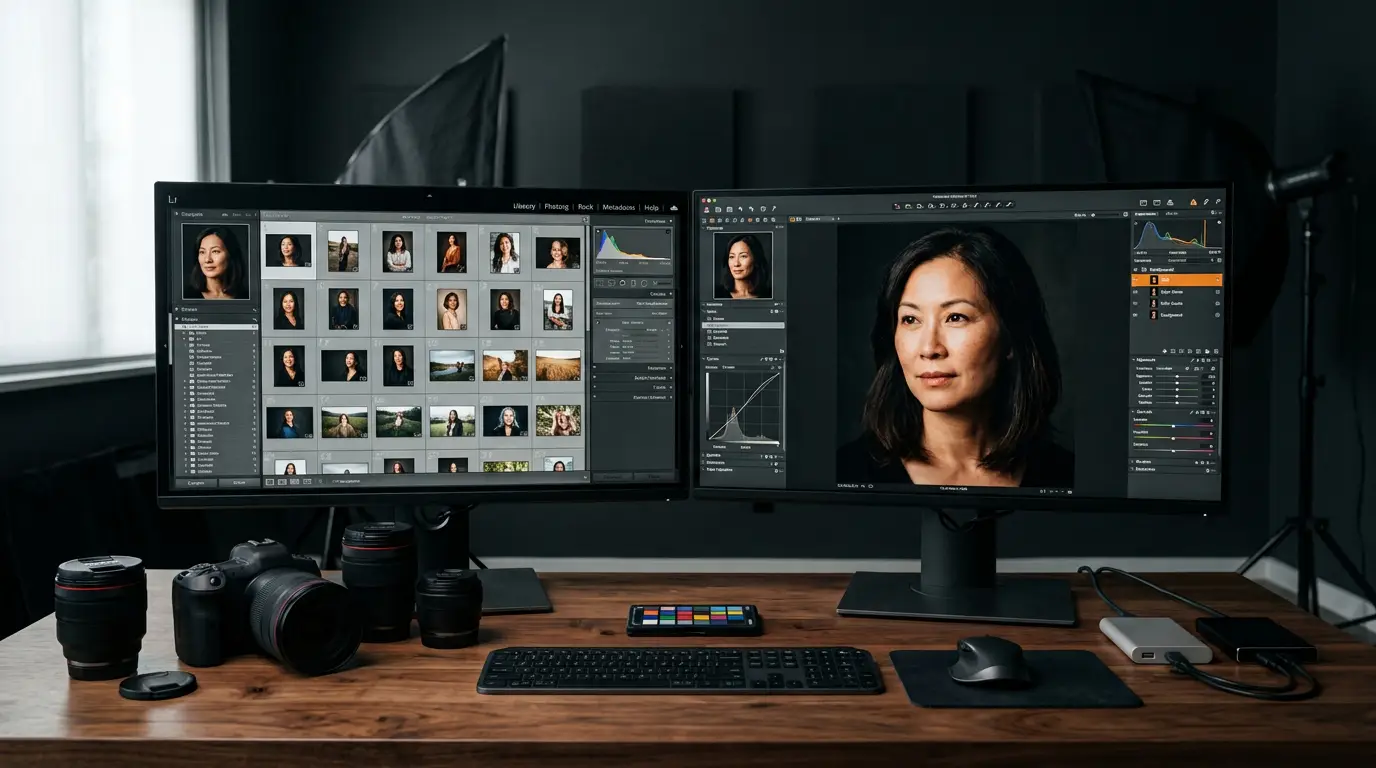
Uploading hundreds of gigabytes of uncompressed RAW files can strain studio internet connections and delay project timelines. A smart solution is utilizing Lightroom Smart Previews.
Smart Previews are lightweight, lossy DNG files based on the original RAW data, packed at a fraction of the original file size. Studios can export an entire project catalog as Smart Previews and upload it in minutes. Editors apply all necessary adjustments, color grading, and corrections directly to this metadata catalog and send the small file back. The studio then imports the catalog locally, automatically applying the edits to their original, full-resolution RAW files for final rendering.
Managing Lossless RAW Workflows
For complex commercial projects, beauty editorials, or high-end fashion shoots, working directly with original RAW files is essential.
High-end post-production services maintain secure, fast cloud servers to handle large file transfers. This workflow preserves all embedded camera profiles, extended dynamic range data, and original sensor metadata, ensuring the editing team has the maximum amount of color information available for complex adjustments.
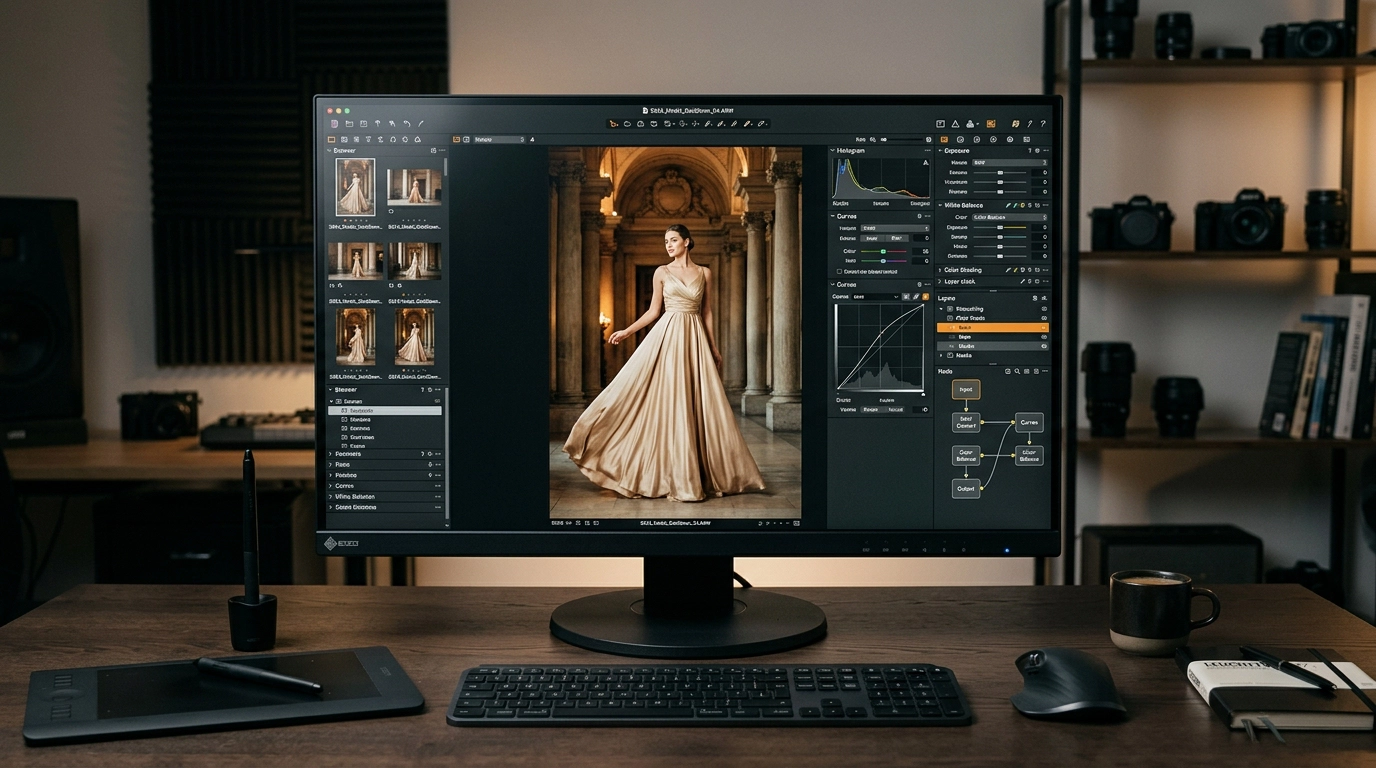
Labeled, Layered Adobe Photoshop Deliverables
When heavy compositing, frequency separation, or micro-retouching is required, files are delivered as organized, non-flat PSD or TIFF files.
1. Group: Fine Art Tonal Adjustments (Curves, Color Balance Masks)
2. Group: High-Frequency Textures (Skin Pores, Hair Path Adjustments)
3. Group: Low-Frequency Colors (Smooth Gradient Corrections)
4. Group: Master Background Isolations (Vector Pen Path Outlines)
Maintaining organized layer structures gives art directors and lead photographers absolute creative control. If a client requests a minor adjustment to a specific color grade or skin texture, the studio can open the labeled layers and make the change instantly without redoing the entire edit.
8. Resolving Post-Production Bottlenecks to Scale Your Business
The primary factor limiting the growth of a successful photography business is rarely creative vision; it is time. Post-production can easily turn into an operational bottleneck that keeps business owners tied to their desks for hours.
The Cost of In-House Asset Management
Running an internal editing team brings significant overhead costs, including expensive software licenses, high-end hardware upgrades, workspace real estate, and ongoing management time.
Additionally, photography workloads fluctuate throughout the year. Studios often experience quiet seasons followed by intense rushes, making it difficult to balance fixed staffing costs with variable incoming revenue.
Strategic Outsourcing as a Scaling Tool
Partnering with a specialized, external photo editing service transforms variable post-production workloads into a scalable, on-demand resource.
This model allows studios to adjust their production capacity up or down based on current volume without changing their fixed overhead costs. Handing over time-consuming pixel manipulation allows creative directors to focus on client acquisition, live shooting, marketing strategy, and building meaningful brand relationships.
9. Comprehensive Comparison of Specialized Image Processing Services
To help you determine which adjustments match your current business needs, this table breaks down the main post-production categories, their technical requirements, and their impact on different industries.
| Production Category | Technical Tools Used | Ideal Business Target | Operational Impact |
| Clipping Path & Masking | Pen Tool Vectors, Channel Calculations, Refined Contrast Masks. | E-commerce Stores, High-Volume Retailers, Digital Agencies. | Ensures clean product cutouts that satisfy strict marketplace listing guidelines. |
| High-End Retouching | Frequency Separation, Micro-Dodge & Burn, Manual Texture Healing. | Fashion Editors, Portrait Studios, Luxury Beauty Brands. | Delivers clean, print-ready portraiture while preserving natural skin textures. |
| Color Correction Variants | Multi-Path Isolation, Hue/Saturation Mapping, Lossless Tonal Curves. | Commercial Brands, Apparel Retailers, Catalog Designers. | Generates consistent product variant colors from a single master studio shot. |
| Advanced Shadow Compositing | Gaussian Diffusion Blurs, Opacity Gradients, Surface Distortions. | Luxury Product Advertisers, Cosmetic Brands, Footwear Stores. | Adds realistic depth and dimension, preventing isolated products from looking flat. |
10. Frequently Asked Questions
What is the difference between image editing and high-end photo retouching?
Image editing generally covers broad, global adjustments applied to an entire photo or collection, such as correcting exposure, balancing white points, and aligning basic contrast sliders. High-end photo retouching involves detailed, localized adjustments on a pixel-by-pixel level. This includes manually cleaning up surface blemishes, smoothing out tones using frequency separation, and reshaping lighting details through micro-dodge and burn techniques.
Why should my studio use Lightroom Smart Previews instead of uploading full RAW files?
Lightroom Smart Previews are highly compressed, lightweight versions of your original image data. They allow external teams to perform all necessary color corrections, sorting, and exposure adjustments on a tiny fraction of the file size. This significantly speeds up upload times, saves internet bandwidth, and lets you apply the finished adjustments to your high-resolution original RAW files locally in minutes.
How do professional color correction services reduce product return rates for e-commerce brands?
A primary reason consumers return online purchases is a discrepancy between the product color shown on screen and how it looks in person. Professional editors eliminate color distortion caused by studio lights, calibrating tones to match physical swatches exactly. This ensures customers receive an item that matches their expectations, building trust and reducing return rates.
Can automated AI tools match the quality of manual vector clipping paths?
While automated AI tools continue to improve for quick, casual adjustments. They often struggle with complex edges, transparent materials, fine details like loose hair, or low-contrast backgrounds. Manual vector paths created with the pen tool provide sharp, clean edges, giving you the pixel-perfect quality required for premium commercial print layouts and high-end e-commerce displays.
What file formats should I request from my post-production partner?
The right format depends on your workflow requirements:
- For straightforward e-commerce listings, clean, compressed web-ready JPEGs or transparent PNGs are usually best.
- For advanced commercial retouching or complex creative projects, you should request uncompressed, layered PSD or TIFF files. This preserves all editing layers, masks, and adjustment groups, allowing your local creative team to make quick final tweaks whenever needed.
11. Partner with Grasigner: Your 24/7 Virtual Photo Editing Studio

Managing endless post-production queues shouldn’t limit your studio’s creative momentum or compromise your standards of quality. Grasigner provides fast, reliable, and professional photo editing services designed to act as a seamless extension of your creative pipeline.
Our team of over 60 certified production professionals specializes in high-volume clipping paths, precise background removal, advanced image masking, and high-end portrait retouching. We help you eliminate operational bottlenecks, reduce production costs by up to 40%, and deliver beautiful, consistent images on time, every time.
Submit Your 2-Image Free Trial Today Upload your raw files or Lightroom catalog, specify your brand aesthetic, and let our experts return polished, commercial-grade imagery within our rapid 6-hour turnaround window with no advanced payments required.