Photoshop Image Masking Service
Professional Photoshop image masking service for precise cutouts & flawless edits. Perfect for eCommerce, ads & more. Quick turnaround & affordable rates.
Boost Sales with Professional Photoshop Image Masking
Starting at $0.99 per image
What Is Photoshop Image Masking Service?
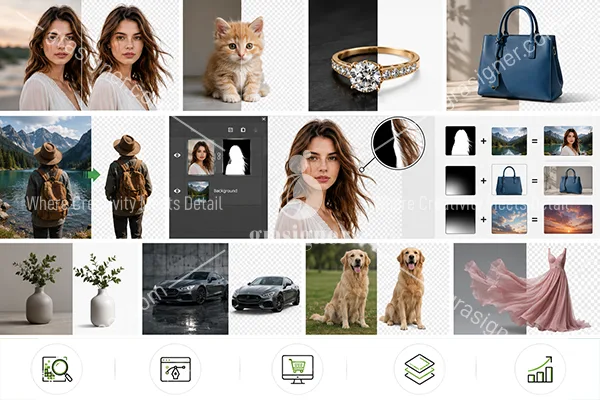
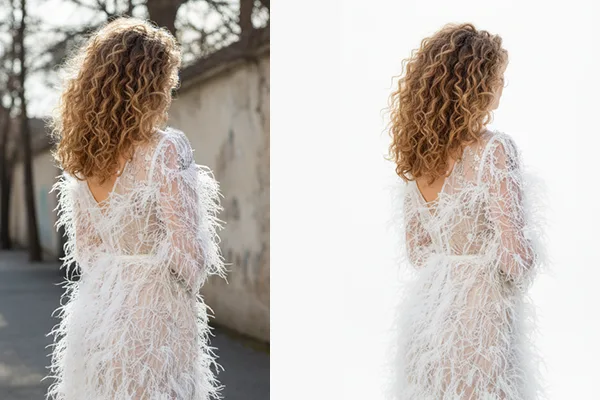
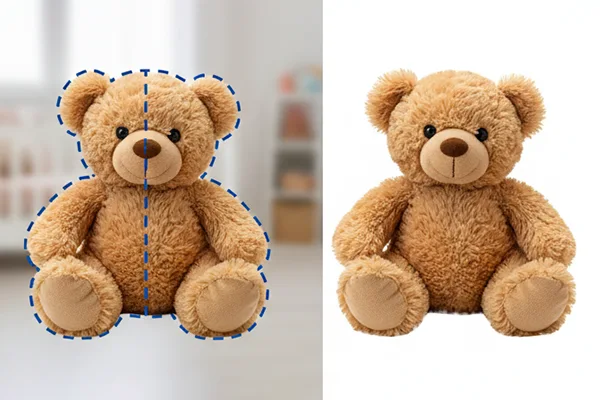
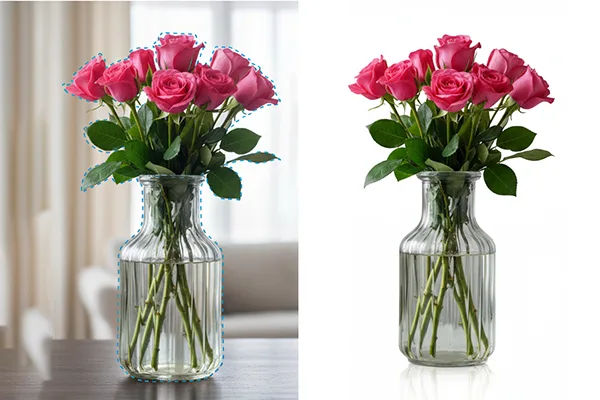
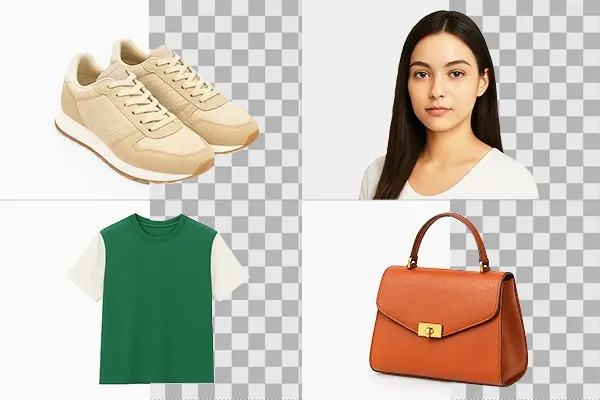
Photoshop image masking is an exact editing method that isolates objects and retains intricate details like hair, fur, lace, and transparency. Results are clean and natural, ideal for eCommerce, advertising and product photography.
Professional editors handle complicated images with sophisticated tools such as layer masks and alpha channels to deliver perfect backgrounds and realistic edges. Image masking is best suited for jewellery, clothing and complex products. It enhances the visual quality, gives a premium feel and increases online sales.
-
Maintains fine detail
-
Delivered clean pro results
-
Ideal for e-commerce images
-
Advanced masking tools.
- Boosts image quality & sales
Why do you need an Image Masking Service?
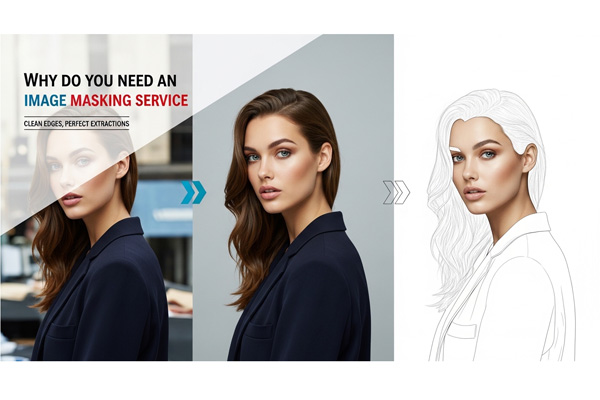
When editing photos, especially those with difficult backgrounds or fine details like hair, fur, or transparent objects, image masking is essential for accurate photo editing. An online image masking service is free and can give you professional results without expensive software or advanced skills.
If you are into e-commerce, photography, or graphic design, a simple image masking service can help you enhance your visuals, save time, and maintain quality. Masking makes your images look clean and professional. Perfect for clean cutouts, realistic shadows, and seamless integrations. Try it today for the perfect edit!
-
Preserves fine detail
-
Great background remover
- Improved image quality and attractiveness
Get Flawless Photos with Our Expert Image Masking Service
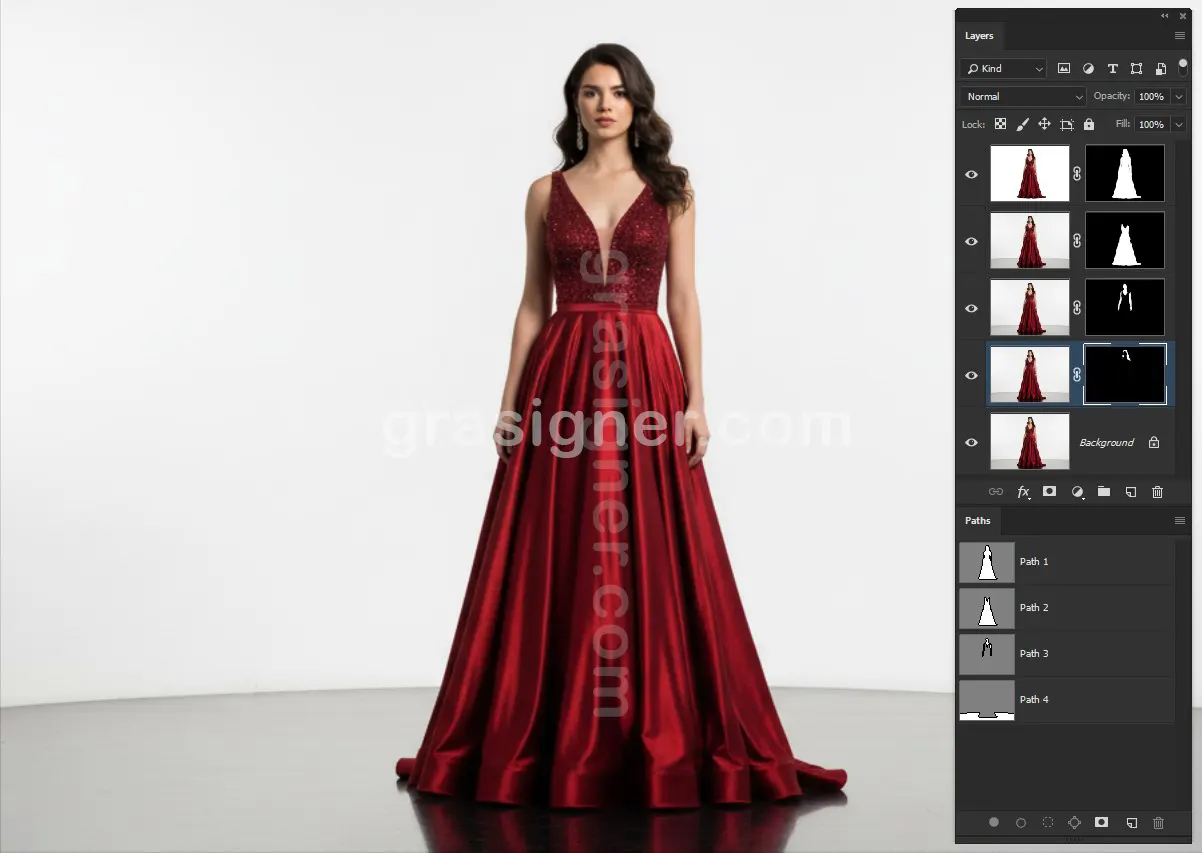
Layer Masking
Learn Photoshop layer mask skills for non-destructive editing! With a Photoshop mask layer you can gradually hide or reveal parts of an image, perfect for blending, adjustments and composites.
Layer masking in Photoshop guarantees a non-destructive workflow if you’re after accuracy in portraits, graphics or creative effects. Great for designers and photographers looking for clean and professional edits. Learn to use layer masks for perfect, flexible control of your images.
-
Editing with Layer Masks (Non-destructive)
-
Easily Show/Hide Parts of Pictures
-
Great for blending, tweaks and effects.
- Professional & Flexible
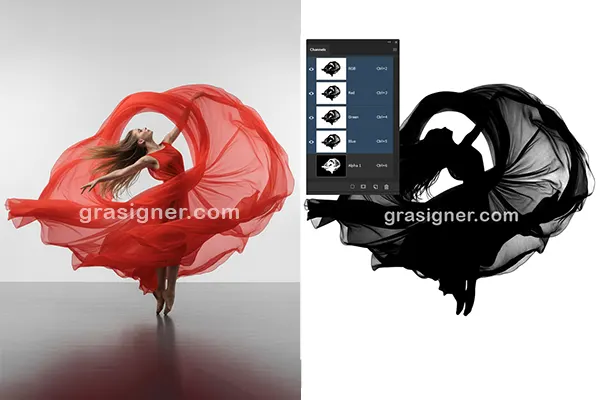
Alpha Channel Masking
Master perfect transparency control with alpha channel masking methods! In Photoshop you can save a complex selection of hair, smoke or glass with soft edges with an alpha channel mask. The alpha channel mask in After Effects is a tool used in motion graphics that allows for seamless compositing and dynamic effects.
Alpha channel masking is the perfect tool for high-end photo edits, VFX & digital art. It guarantees professional results with clean cutouts. Advanced masking for perfect visuals. Great for designers and editors who demand accuracy.
-
Precise transparency control
-
Nice for fine details
- Clean professional cutouts
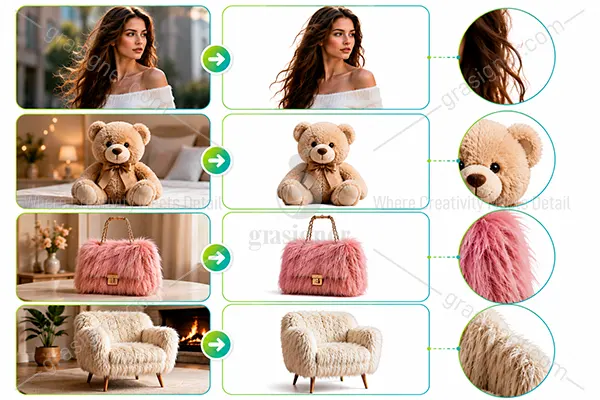
Fur & Hair Masking Service
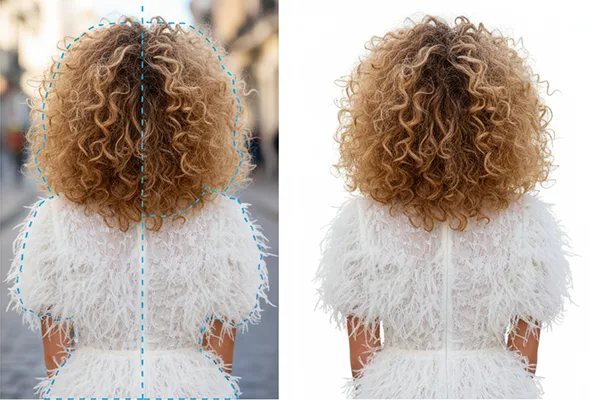
Looking for perfect hair cutouts? Our hair masking service delivers pixel perfect results for fur, wispy strands and complex edges for portraits, fashion and pet photography. Save time and boost quality by outsourcing hair masking services to our expert editors.
We make sure that the selections look natural and have lots of detail for advertisements, e-commerce or creative projects. Studio-level masking, without the fuss. Ideal for photographers and brands.
-
Pixel perfect hair & fur cutouts
-
Works on wispy strands & difficult edges
-
Results that are natural and studio-quality
- Great for portraits, fashion & eCommerce
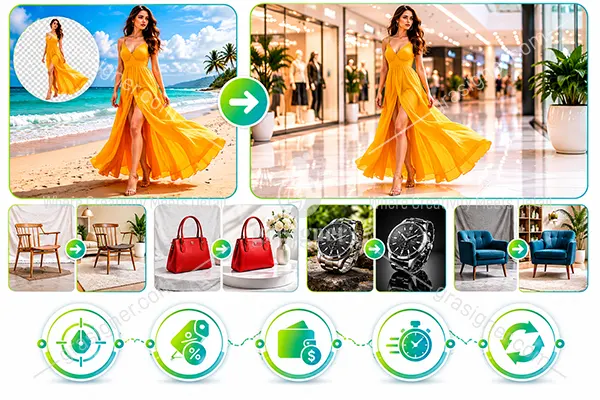
Photoshop Collage Masking
Basically, it is the process of combining different objects from different backgrounds into one image. Photoshop collage masking allows you to place an object onto a new background and create a completely new photo.
For example, a model can be moved from a beach scene to a shopping mall using this technique, giving a natural and realistic result.
-
Accurate and clean finishing
-
Discount available on bulk orders
-
Flexible and affordable pricing
-
Fast turnaround time
- Unlimited revisions for your satisfaction
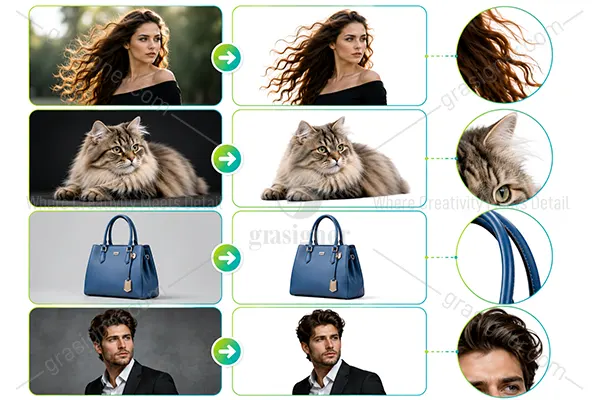
Refine Edge Masking
In Photoshop, get ultra-precise cutouts with an edge mask refined! Our refine mask edge technique is perfect for tricky selections such as hair, fur, or fine details, and guarantees smooth, natural edges every time – whether you’re retouching portraits or enhancing product photography.
Photoshop refine edge tools help you get professional results in no time. Ideal for photographers and designers who demand perfection, turn rough selections into flawless masks with pixel-perfect precision!
-
Super-Accurate Hair & Fur Cutouts
-
Seamless, natural, flawless edges
-
Perfect for portraits & product photography
- Professional, pixel-perfect works.
Contact Us Now to Avoid Delays

Lose Customers And Clients
Don’t let poor images cost you clients—our clipping path services deliver professional, high-quality visuals that build trust and drive sales.
Ruin Your Brand Image
Elevate your brand with stunning, high-quality images—our expert editors ensure visuals that captivate and leave a lasting impression!
Miss Deadlines
Skip the stress and missed deadlines—let us handle color correction, clipping paths, and edits while you focus on success!
Spend Loads Of Money
Get premium, hand-drawn clipping paths and flawless edits without breaking the bank—affordable quality, stunning results!
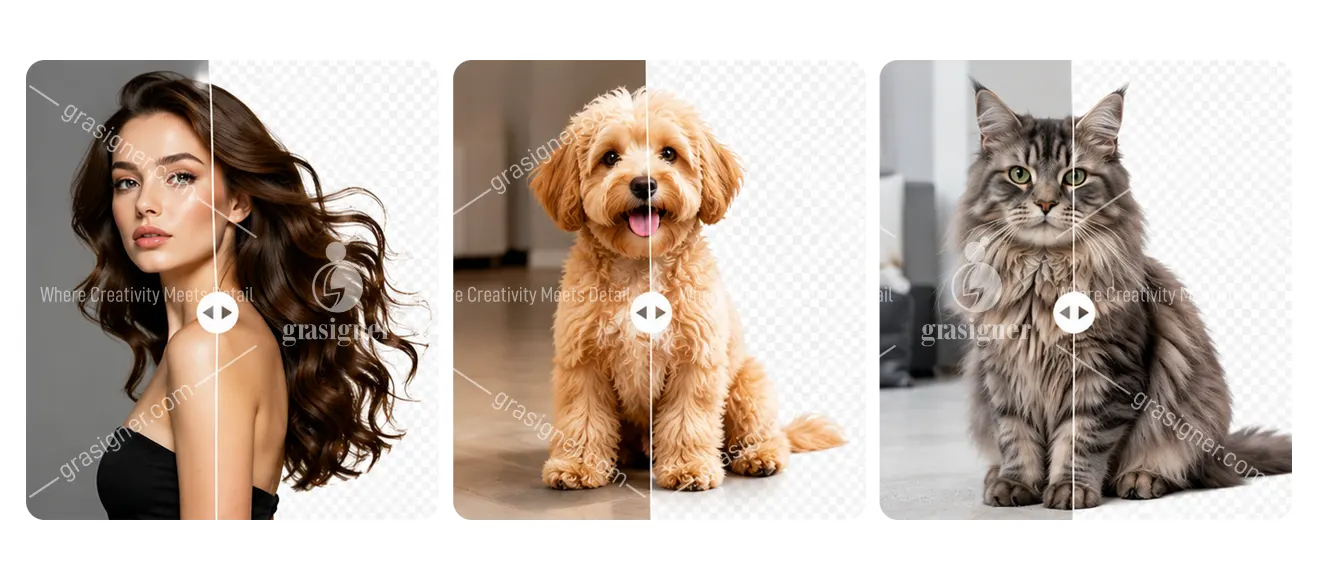
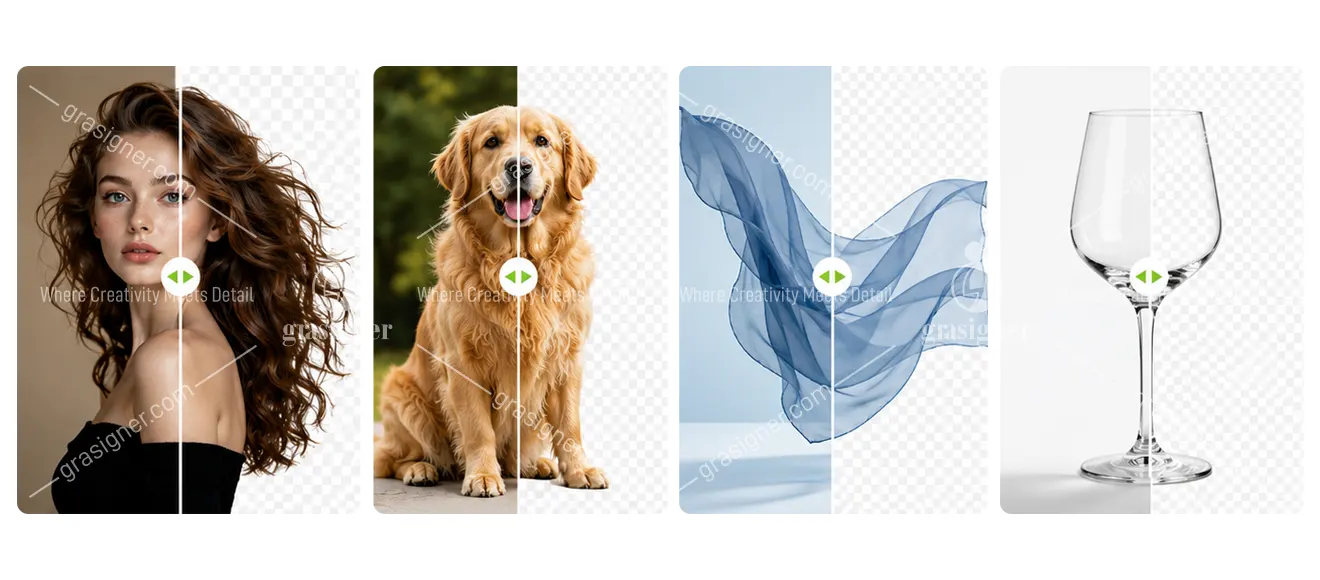
Explore our work!
Take a closer look at our professional Photoshop Image Masking Service work — precision, quality, and perfection in every image.
Photoshop Image Masking Services FAQ
Image masking is a Photoshop technique that hides or reveals parts of a layer using a mask rather than permanently deleting pixels. Unlike a clipping path which draws a hard vector outline, masking works at the pixel level, allowing soft, feathered, or semi-transparent edges to be preserved naturally. It is the preferred technique for subjects like hair, fur, smoke, glass, and fine fabric where a hard edge would look artificial.
A clipping path uses a hard vector outline to separate a subject from its background ideal for products with clean, well-defined edges like boxes, shoes, or bottles. Image masking works at the pixel level and is designed for subjects with soft, complex, or semi-transparent edges that a hard path cannot follow accurately such as hair strands, animal fur, lace fabric, smoke, or glass. If your subject has clearly defined edges, use a clipping path. If it has fine or wispy edges, image masking is the right choice.
Image masking is essential for any subject with complex, soft, or semi-transparent edges. Common examples include portrait and model photos with loose or flyaway hair, animals with thick or detailed fur, transparent or glass objects like bottles and vases, smoke, fire, or mist effects, fine fabrics like lace, chiffon, or mesh, and composite or creative advertising images with multiple layered elements.
Our editors select the most appropriate technique for each image:
1. Layer Masking
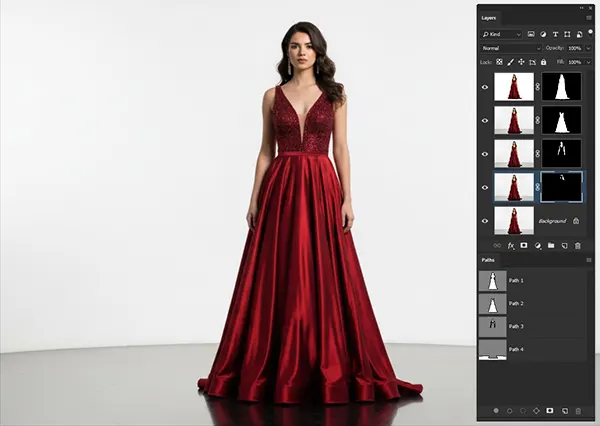
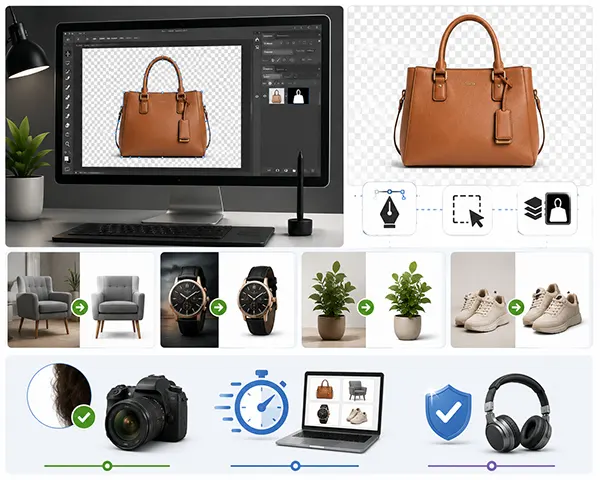
2. Channel Masking - Channel Masking per image
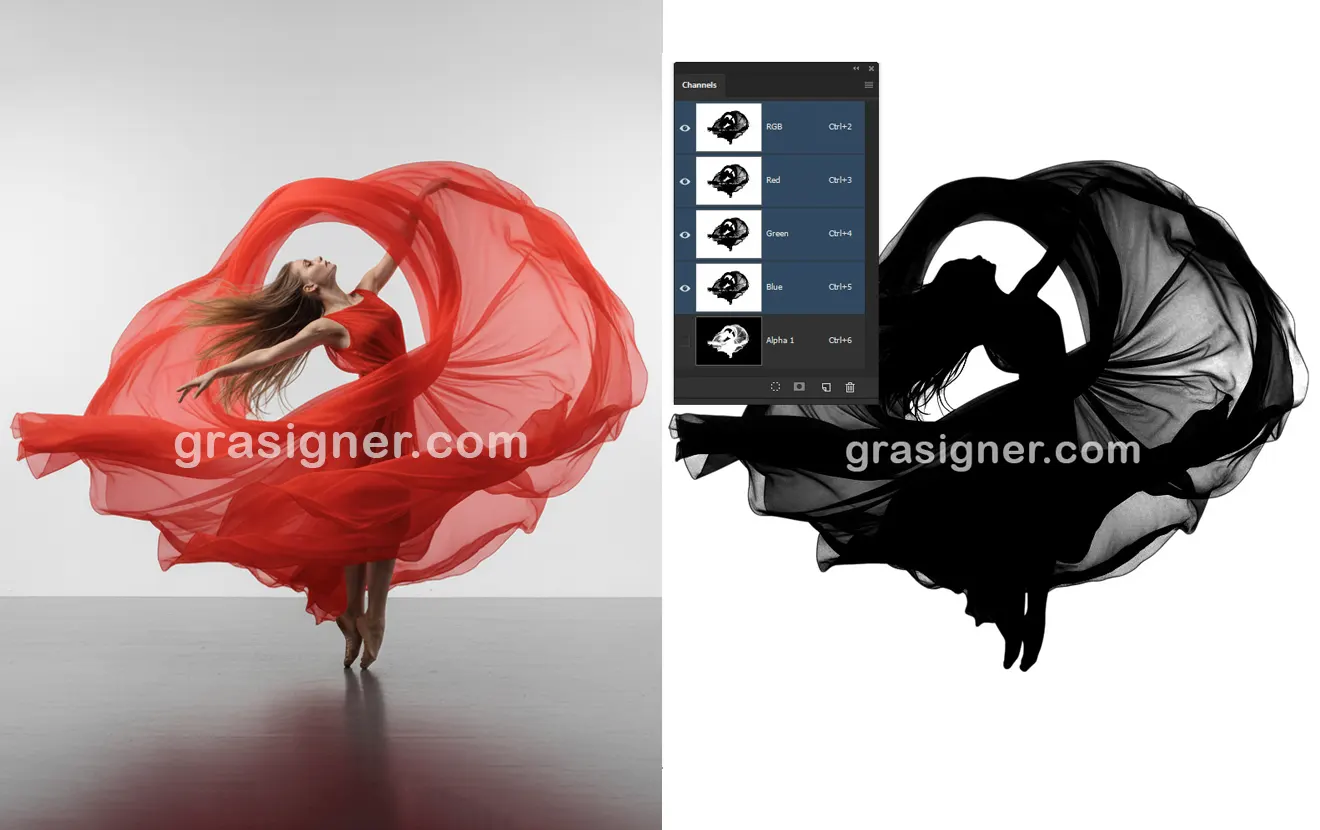
3. Alpha Channel Masking
4. Hair & Fur Masking
5. Transparent Object Masking
6. Collage Masking
Yes, hair masking is one of our most requested and most refined specialties. Our editors use Photoshop’s Refine Edge and Select and Mask tools combined with manual channel and layer masking techniques to capture individual strands, flyaway, and curls with precision. The result is a natural-looking cutout with no fringing, halo effect, or missing hair detail even on complex or windswept hairstyles.
Yes, Transparent object masking is one of the most technically demanding types of image editing. Our editors use alpha channel masking techniques that preserve the partial transparency of glass, crystals, bottles, and similar materials so the subject still looks genuinely see-through when placed on a new background, rather than solid or artificially opaque.
Yes, Layer masking in Photoshop is fully non-destructive the original pixels are never deleted, only hidden by the mask. If we deliver your file as a PSD with the mask embedded, you can adjust, paint over, or remove the mask at any time without damaging the original image. This gives you full flexibility to refine or change the edit later in your own workflow.
We deliver masked images in any format you need PNG with transparent background for maximum flexibility, JPEG with white or custom background, or a layered PSD file with the mask fully intact and editable. For composite or advertising projects, a PSD with named layers is usually the most useful format. Just specify your preference when placing your order.
Most standard masking orders are completed and delivered within 12 to 24 hours. Hair and fur masking, transparent object masking, and complex composite images may take longer depending on detail level and volume. We always agree on a delivery timeline before work begins, and rush delivery is available for urgent projects.
Yes, and many clients combine these services in a single order. We can mask your subject, remove or replace the background, add a shadow, and perform beauty or product retouching all at once. Bundling services saves time, ensures the edits work cohesively together, and is often more cost-effective than ordering each service separately.
Yes, Submit up to 2 images for a free trial with no commitment, no contract, and no minimum order. This lets you evaluate the quality of our masking work including edge accuracy, hair detail, and transparency handling before placing a paid order.

How It Works?
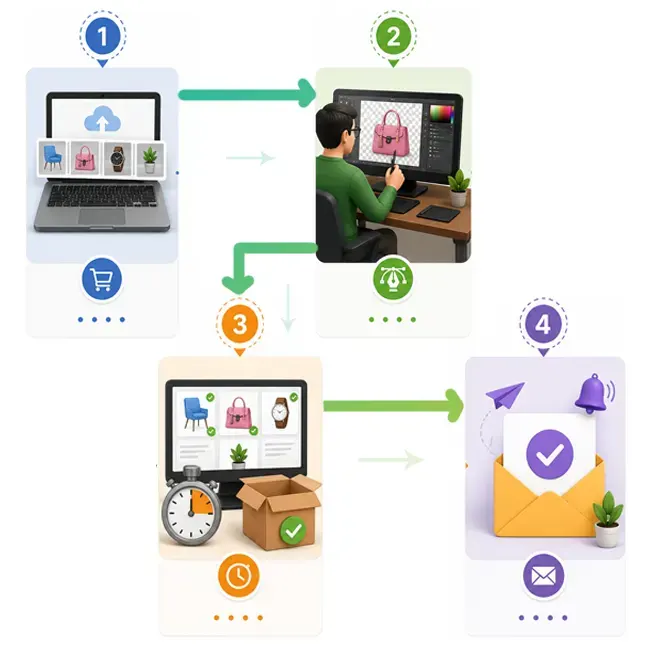
Order your edits
Upload your images. Tell us a bit about what you need, and get a clear, budget-friendly price on the post.
Our designer edits your images by hand
Our pro designers will tackle those tedious image edits, while you get back to the fun stuff.
Get your images back in as little as 6 hours
We’ll double-check your images to make sure they’re pixel perfect, and then send them right over.
You will received a notification email
As soon as your job is finished, we will send you an email. So, be relax and have fun!