Jewelry Photo Retouching Services can decide whether a shopper buys your ring or clicks away. Picture two online stores selling the same gold ring at the same price. One shows a dull shot with fingerprints, dust specks, and a grayish background. The other shows a crisp, bright image where every stone sparkles. Which one gets the sale? You already know.
In this business, your photos do the selling for you. Nobody can pick up the ring, feel the weight of a necklace, or watch a diamond catch the light. The picture is all they have to go on. That’s why jewelry photo retouching isn’t a nice extra. For any online jewelry seller, it’s one of the smartest investments you can make.
This guide covers what jewelry photo retouching is, how the process works, which techniques matter most, and how to choose the right provider for your store. Whether you run a small Etsy shop or a large ecommerce brand, you’ll find simple, practical steps you can use right away.
What Is Jewelry Photo Retouching?
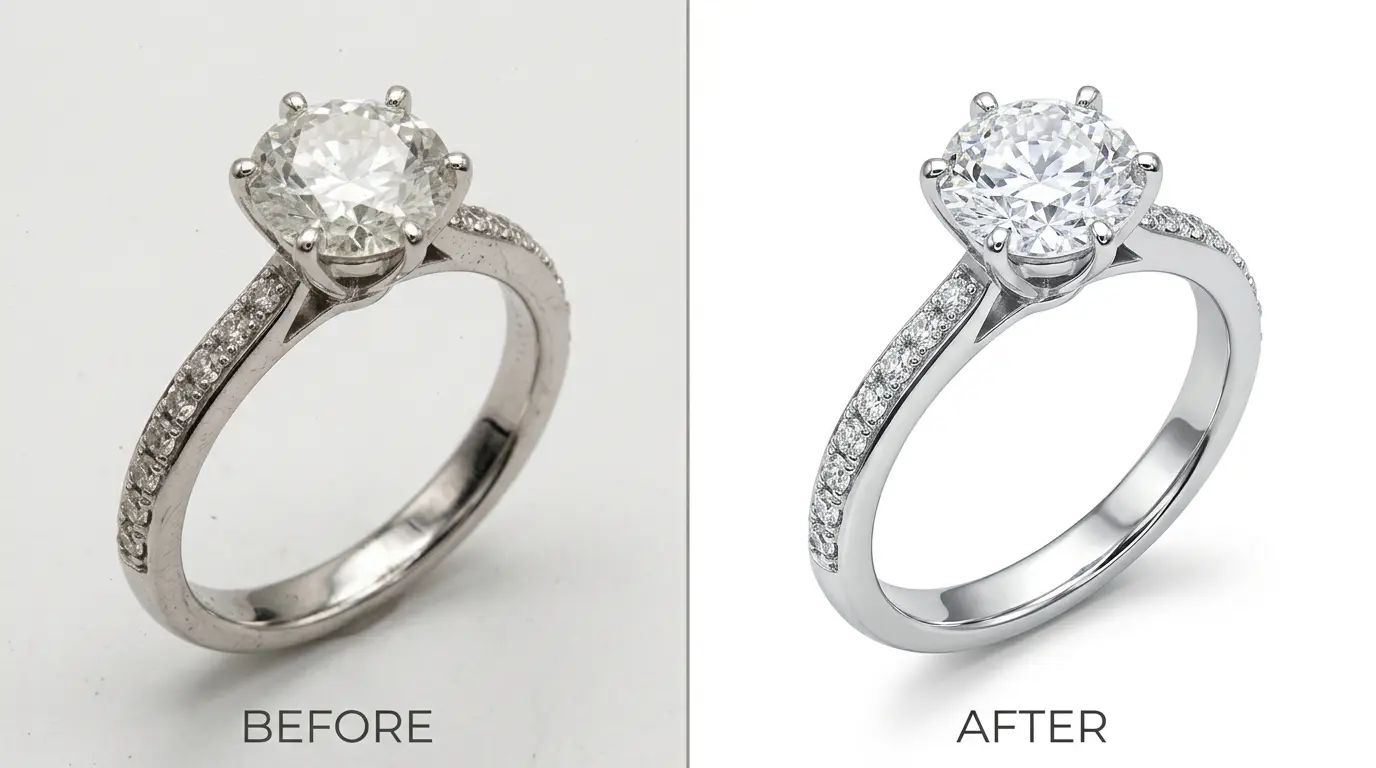
Jewelry photo retouching is the process of cleaning up and improving photos of rings, necklaces, earrings, bracelets, watches, and other pieces so they look their best online. It goes far beyond a quick filter or a brightness slider.
A skilled retoucher works on each image one piece at a time. The job can include:
- Removing dust, scratches, fingerprints, and smudges
- Fixing color so gold looks like gold and silver looks like silver
- Cutting out the background so the piece stands alone
- Bringing out the sparkle in diamonds and gemstones
- Smoothing metal surfaces without making them look fake
- Adding natural shadows and reflections
- Making sure every photo in your catalog looks like it belongs to the same brand
The goal is not to change the jewelry. The goal is to show it the way it looks in real life under perfect conditions. A good retoucher makes the photo match the piece, only cleaner and sharper.
Why Jewelry Photo Retouching Matters So Much
Jewelry is different from most products. It is small, shiny, and packed with detail. Those three things make it very hard to photograph well.
Metal reflects everything around it, including the camera, the room, and the photographer. Gemstones bounce light in many directions, so one wrong angle can make a diamond look flat. Even a tiny speck of dust looks huge when a camera zooms in on a ring.
Because of this, almost no jewelry photo comes out of the camera ready to publish. Even top studios with expensive lighting rely on retouching to finish the job.
Here is why it matters for your business:
It builds trust. Online shoppers are cautious, especially when they are about to spend hundreds or thousands of dollars. A clean, sharp, professional image tells them you care about quality. A messy image makes them wonder what else you overlooked.
It supports your price. People judge value with their eyes. A well-retouched photo makes a piece look more valuable, which helps you charge fair prices without constant discounts.
It lowers returns. When colors and details are accurate, customers know what they are getting. Fewer surprises mean fewer returns and fewer unhappy reviews.
It makes your brand look bigger. A small shop with polished images can look as professional as a major retailer. Great photos level the playing field.
How Jewelry Photo Editing Increases Ecommerce Conversions
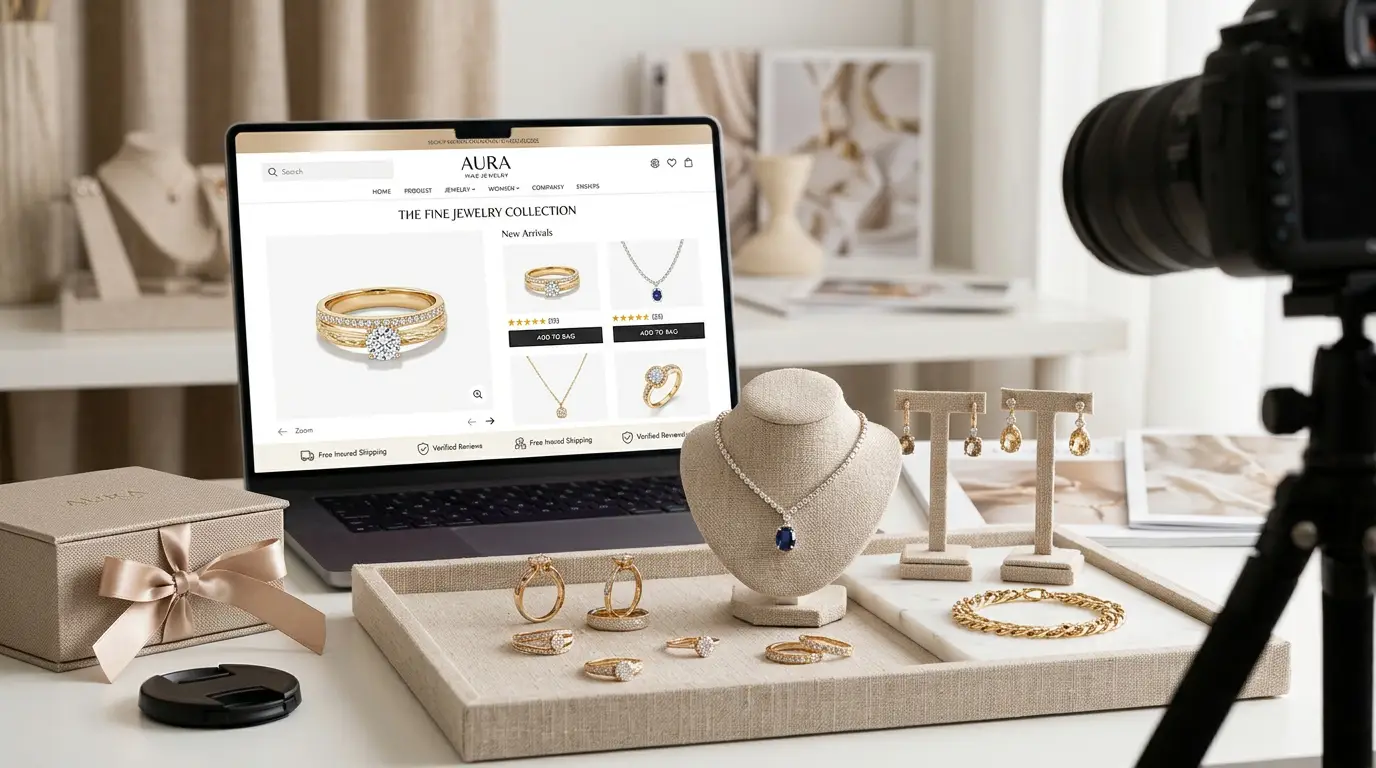
A conversion happens when a visitor does what you want, such as adding an item to the cart or completing a purchase. Photos affect every step of that path.
Photos Replace the Touch Test
In a physical store, a customer can pick up a bracelet, turn it over, and try it on. Online, the photo has to do all of that work. When the image is crisp and detailed, shoppers can picture the piece in their hands. That mental picture is often what moves them from browsing to buying.
Clear Images Reduce Doubt
Every bit of doubt slows down a sale. Is that stone really that blue? Is there a scratch on the band? Clean, accurate photos answer these questions before the customer has to ask them.
Good Photos Keep People on the Page
Visitors decide within seconds whether to stay or leave. Bright, attractive images grab attention and encourage people to scroll, zoom, and explore. More time on the page usually means more sales.
Consistent Images Make Shopping Easier
When all your products share the same background, lighting style, and size, your store feels organized. Shoppers can compare items quickly and move through your catalog with confidence.
Better Photos Work Everywhere
The same retouched images can be used on your website, marketplace listings, social media, email campaigns, and online ads. Strong visuals get more clicks and more shares, which brings more traffic to your store.
Core Techniques Used in Jewelry Photo Retouching
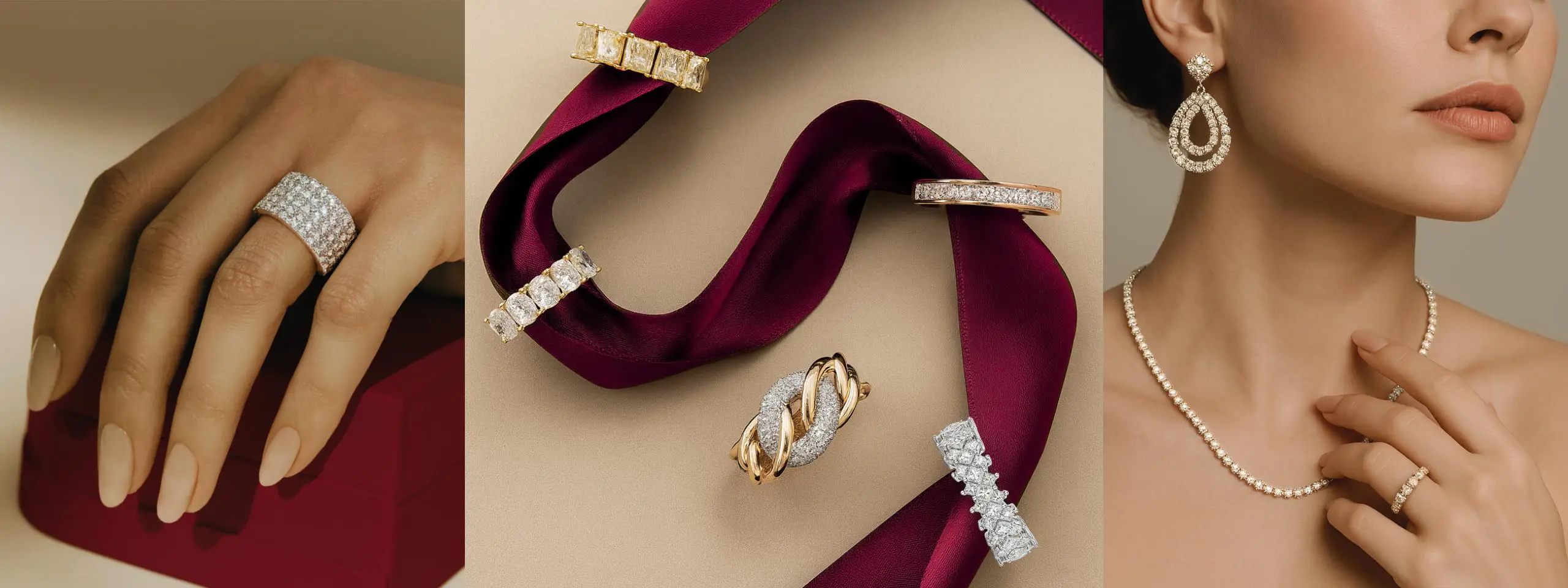
Let’s look at the main techniques professional retouchers use. Knowing these will help you judge the quality of any service you hire.
1. Color Correction
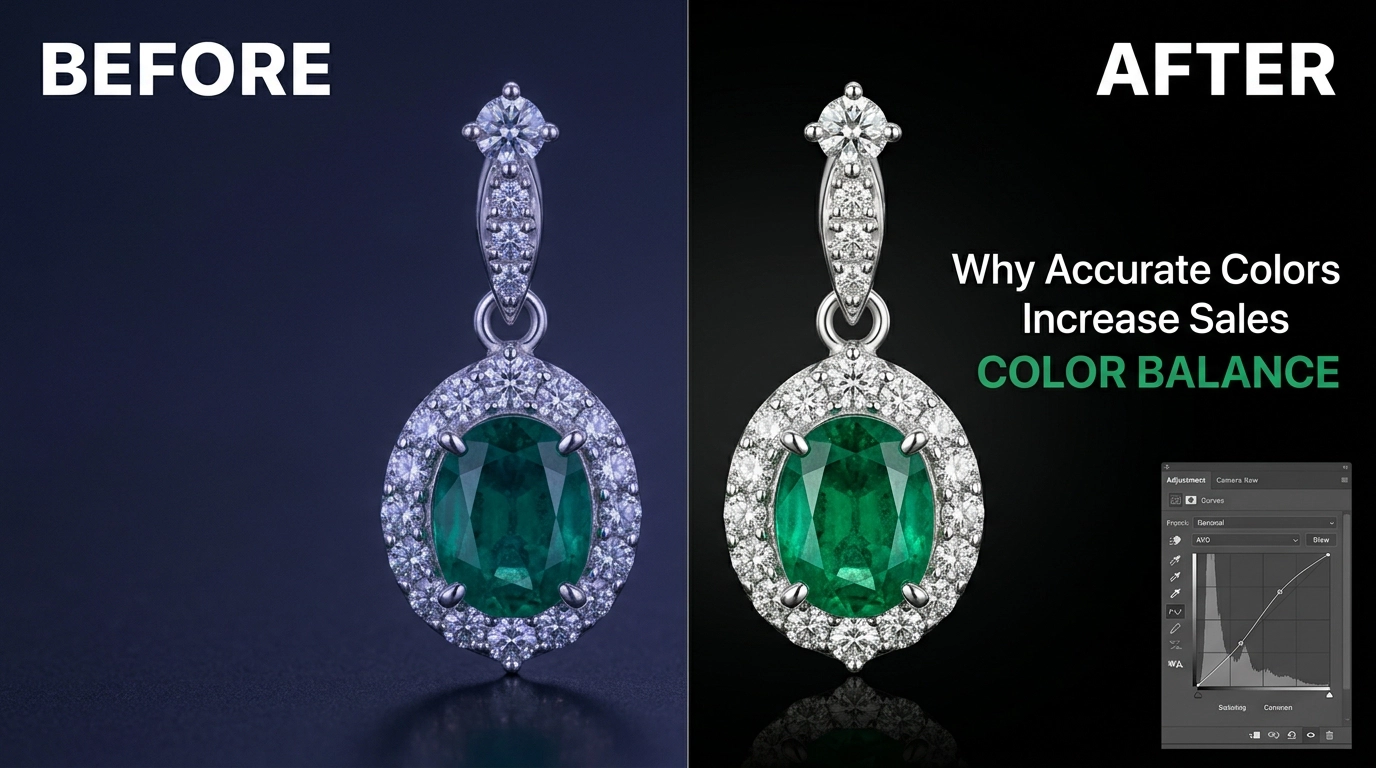
Color is one of the biggest problems in jewelry photography. Yellow gold, white gold, rose gold, and platinum can all look different depending on the light in the room. A camera might also add a blue or yellow tint to the whole picture.
Color correction fixes these problems. The retoucher adjusts white balance, tone, and saturation so the metal and stones match the real piece. This matters a lot for gemstones. A ruby that looks pink or an emerald that looks gray can lead to angry emails and returns.
Good color work is subtle. When it is done right, nobody notices it. They just see a beautiful, believable piece of jewelry.
2. Clipping Paths and Background Removal
A clipping path is a precise outline drawn around the jewelry. Once the outline is in place, the retoucher can remove the old background and replace it with something cleaner.
Most ecommerce stores use a pure white background. Many marketplaces require it. White backgrounds keep the focus on the product, load fast, and look neat in a grid of items.
Jewelry makes this task tricky. Chains have tiny gaps between links. Earrings have fine hooks. Hoops and rings have open centers. A rushed job leaves rough edges or leftover color around the piece. A careful retoucher traces every curve and every gap by hand, so the edges look clean and natural.
3. Dust, Scratch, and Blemish Removal
Even a brand new ring can have tiny marks, lint, or fingerprints. Under studio lights and a macro lens, those flaws become very easy to see.
Retouchers zoom in and clean these marks one by one. The trick is to remove temporary flaws like dust and smudges without erasing real design details, such as hand-engraved lines or textured finishes. Cleaning a photo is fine. Hiding the true character of the piece is not.
4. Diamond and Gemstone Enhancement
Stones should sparkle. In many raw photos, they look cloudy, dark, or flat. Retouchers bring back the brilliance by adjusting highlights, contrast, and sharpness inside the stone.
They might also clean up distracting reflections on the facets or add soft highlights so the stone looks lively. This step takes skill. If the retoucher goes too far, the stone looks fake, and customers can tell. The best results look like the stone in real life on its best day.
5. Metal Smoothing and Polishing
Polished metal should look smooth and bright. In photos, it often looks uneven, patchy, or full of messy reflections.
Retouchers smooth out rough areas, balance the shine, and fix distorted reflections. Done well, a gold band looks warm and glowing, and a silver chain looks cool and crisp.
6. Shadows and Reflections
When you remove a background, the piece can look like it is floating or pasted onto the page. Adding a soft natural shadow or a gentle reflection fixes that. It gives the jewelry depth and makes it look grounded and real.
Some brands prefer no shadow for a very clean catalog look. Others like a soft shadow under the piece. Either way, consistency is the key.
7. Sharpening and Detail Work
Sharp photos feel premium. Retouchers use careful sharpening to bring out fine details like prongs, milgrain edges, and tiny engravings. Too much sharpening, though, can create harsh lines and a crunchy look. A balanced result keeps the image crisp but natural.
8. Focus Stacking and Image Blending
Because jewelry is small and shot up close, the camera often can’t keep the whole piece in focus at once. Photographers solve this by taking several shots at different focus points. Retouchers then blend them into one fully sharp image. This is common in high-end work and makes a big difference for rings and detailed pieces.
9. Resizing and Consistency
Finally, the retoucher makes sure the images are sized correctly and look alike. That means the same canvas size, the same margins around the product, and the same overall look. This final step may sound minor, but it gives your store a polished, professional feel.
High-End Jewelry Retouching: What Makes It Different?
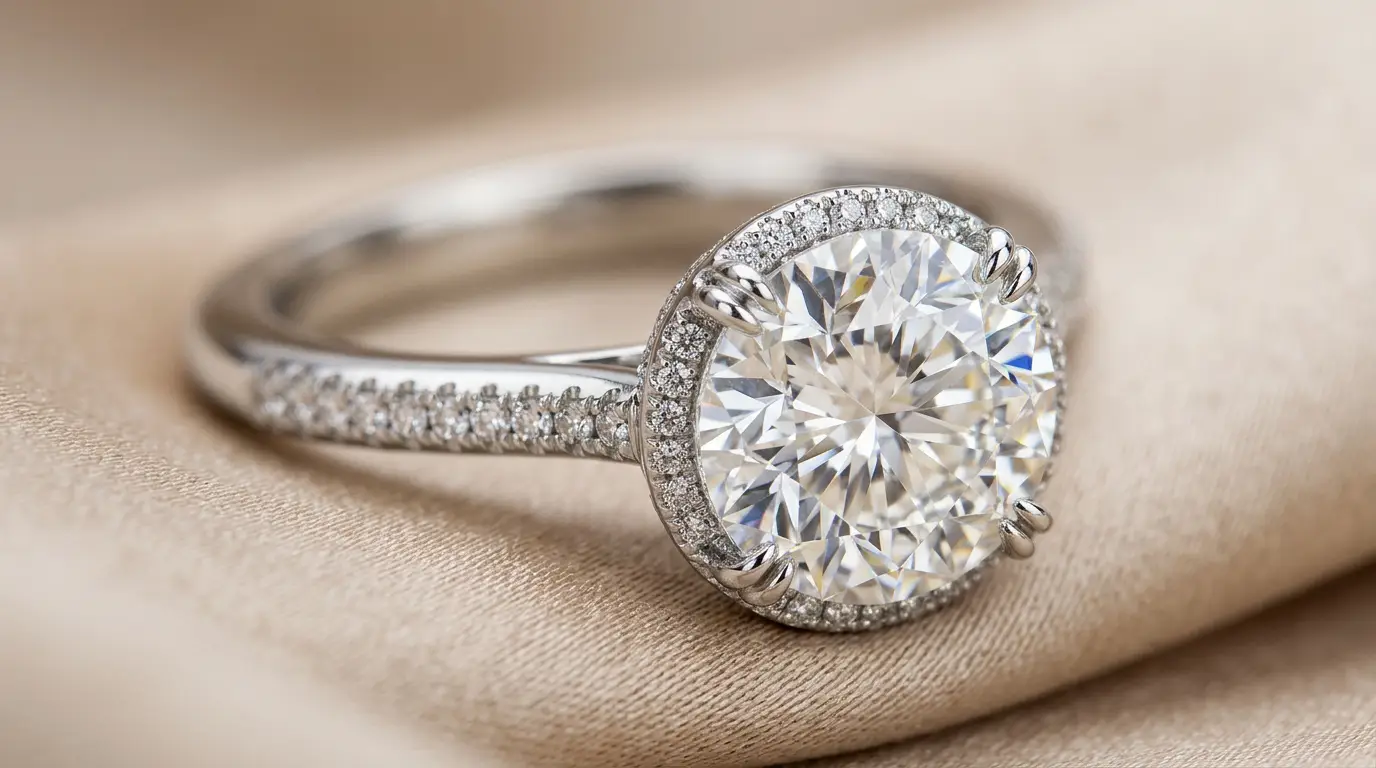
Luxury jewelry buyers have high expectations. They are paying more, so they look closer. For fine diamonds, designer watches, and custom pieces, basic editing is not enough.
High-end jewelry retouching usually includes:
- Extra-detailed cleanup. Every facet, claw, and edge is checked at high zoom.
- Careful color matching. Stones and metals are matched to the real item, sometimes using reference samples.
- Natural-looking enhancement. The sparkle looks real, not painted on.
- Multiple review rounds. Quality control happens more than once.
- Large, high-resolution files. Luxury shoppers love to zoom in, so the images must hold up at big sizes.
If you sell premium pieces, choose a service with real experience in luxury work. Ask to see samples of diamonds, platinum, and complex designs. A company that mainly edits clothing or furniture photos may not understand how to handle sparkle and reflections.
The Process: From Raw Photo to Finished Image
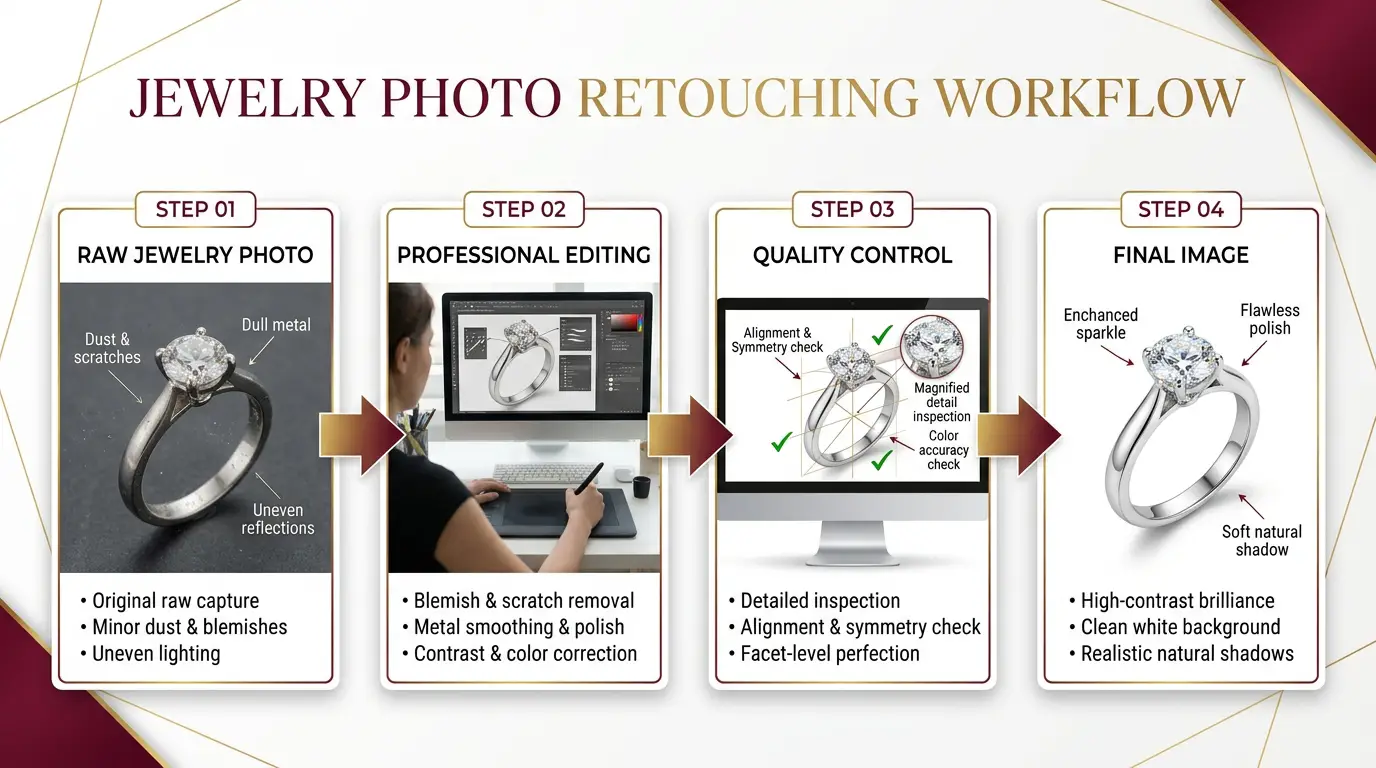
Here is what usually happens when you work with a professional retouching service.
Step 1: You shoot the photos. Take clear images with good lighting, a steady camera, and a clean piece of jewelry. Shoot in RAW format if you can, because it gives the retoucher more room to fix color and detail.
Step 2: You send your files. Most services let you upload images through a website, a shared folder, or email. You explain what you want, such as white background, shadows, file size, and any style preferences.
Step 3: The retoucher gets to work. The team applies the techniques above: color correction, clipping paths, cleanup, stone enhancement, and finishing.
Step 4: Quality check. A good company reviews each image before sending it back. Another set of eyes catches mistakes that the first editor may have missed.
Step 5: You review the results. You look over the finished images and request changes if needed. Most services include a set number of free revisions.
Step 6: Final delivery. You receive the final files in the formats you asked for, ready to upload to your website, marketplace, or social accounts.
With a reliable service, this whole process can take as little as 24 to 48 hours, depending on the size of your order.
How to Get Better Photos Before Retouching
Retouching can fix a lot, but it cannot fix everything. Better starting photos save time, lower costs, and give better final results. Follow these simple tips:
- Clean the jewelry first. Use a soft cloth and gloves. This removes many problems before the camera ever sees them.
- Use soft, even light. A light tent or lightbox reduces harsh reflections and makes metal look smoother.
- Use a tripod. Shaky photos can’t be fixed completely. A tripod keeps everything sharp.
- Choose a simple background. A plain white or light gray surface makes background removal easier and cleaner.
- Shoot at several angles. Show the front, side, top, and a close-up of the details.
- Use a macro lens or macro mode. This captures the fine detail that buyers want to see.
- Keep the same setup every time. Use the same lighting, distance, and angle for every item so your catalog looks uniform.
Think of retouching as the final polish on a strong photo, not a rescue mission for a weak one.
Types of Jewelry Photo Editing Services
Not every service offers the same level of work. Understanding the main options helps you pick the right fit.
Basic Editing
This usually covers background removal, simple color fixes, and light cleanup. It works well for budget-friendly items, large catalogs, and marketplaces that need quick turnaround.
Standard Retouching
This adds more careful cleanup, shadow creation, and some gemstone enhancement. It suits most small and mid-sized jewelry stores.
Advanced or High-End Retouching
This is the top tier. It includes detailed stone work, focus stacking, precise metal work, and several rounds of quality control. It is the right choice for fine jewelry, diamonds, and luxury brands.
In-House Editing vs. Outsourcing
Some businesses hire their own editor. This gives you full control but costs more, since you pay salary, software, and training. Outsourcing to a professional service is often cheaper and faster, especially if your photo volume goes up and down during the year. You get expert skills without long-term costs.
What to Expect From a Quality Jewelry Retouching Service
A trustworthy provider should offer the following:
- A full range of services, including color correction, clipping paths, cleanup, and stone enhancement
- Fast, reliable turnaround times, with clear delivery dates
- Free revisions so you can request fixes without extra charges
- Clear pricing, with no hidden fees
- Consistent quality across large batches of photos
- Secure file handling, especially for expensive or custom pieces
- Friendly, responsive support that answers your questions quickly
If a company is vague about any of these, take that as a warning sign.
How to Choose the Right Jewelry Photo Retouching Service
With so many companies out there, picking one can feel overwhelming. Use this simple checklist.
Look at Their Portfolio
A portfolio shows you what the team can really do. Look for jewelry samples similar to yours. If you sell diamond rings, you want to see diamond rings. Check the edges, the sparkle, the color, and the overall feel. Do the images look clean and believable, or over-edited and fake?
Check Their Experience
Ask how long they have worked with jewelry. A team that has retouched thousands of pieces understands the problems that come with shiny metal and cut stones. Experience shows in the details.
Read Reviews and Testimonials
Look for honest feedback from real clients. Pay attention to comments about quality, speed, and communication. A few complaints are normal, but patterns of missed deadlines or poor work are red flags.
Ask About Turnaround Time
If you run seasonal sales or product launches, speed matters. Ask how long a typical order takes and whether they offer rush service for urgent projects.
Understand the Pricing
Most services charge per image, with prices based on how complex the editing is. Ask for a clear price list. Remember that the cheapest option is not always the best value. Poor-quality edits can cost you sales, which costs far more than a few extra dollars per image.
Ask About Revisions
Even great editors sometimes miss something or misunderstand your style. Make sure revisions are included and find out how many you get.
Test Their Communication
Send a few questions before you commit. Do they reply quickly? Are their answers clear? Good communication now usually means a smoother project later.
Take Advantage of a Free Trial
Many companies offer a free trial or a free sample edit. Use it. Send one or two of your trickiest images and see how they handle them. Compare color accuracy, edge quality, sparkle, and overall polish. If you are testing several services, send each one the same photo so you can compare fairly.
Questions to Ask Before You Hire
Before you sign up, ask these questions:
- How long will my images take to finish?
- How many revisions are included?
- Do you have experience with my type of jewelry?
- What file formats will I receive?
- How do you keep my photos private and secure?
- Do you offer discounts for large orders?
- Who will I talk to if I have a problem?
- Can I see a before-and-after sample?
A good company will answer all of these clearly and without pressure.
Common Jewelry Retouching Mistakes to Avoid
Even with a great service, a few mistakes can hurt your results. Watch out for these.
Over-editing. Too much smoothing, too much sparkle, or colors that are too bright make the piece look fake. Customers who feel misled are more likely to return their orders.
Changing the real product. Retouching should clean and enhance, not rebuild the piece. Never alter the size, shape, or stone quality in a way that misrepresents the item.
Ignoring color accuracy. Pretty is not enough. The color must match the real thing. Always compare the edited image to the actual piece.
Mixing styles. If one image has a heavy shadow and another has none, your store looks messy. Pick a style and stick with it.
Skipping the brief. If you don’t tell the retoucher what you want, you may get something very different. Give clear instructions, sample images, and any brand guidelines.
Choosing only on price. Rock-bottom pricing often means rushed work. Think about value, not just cost.
Tips to Get the Most From Your Retouched Images
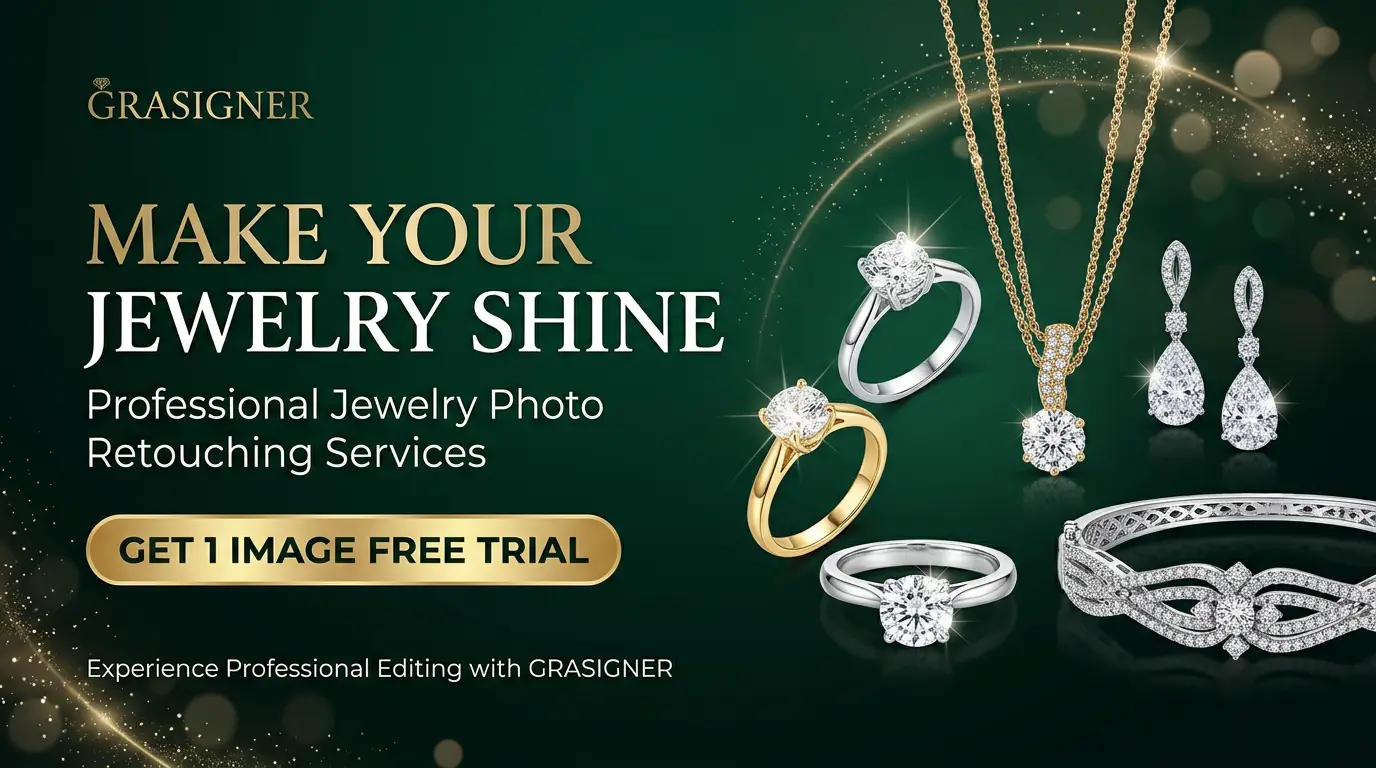
Once you have beautiful photos, make them work hard for you.
- Use zoom features. Let customers zoom in on stones and details on your product pages.
- Add lifestyle shots. Pair clean product images with photos of the jewelry being worn. This helps shoppers imagine owning it.
- Write good alt text. Describe each image with simple words, like “14k gold diamond solitaire ring.” This helps search engines and improves accessibility.
- Compress files wisely. Large images can slow your site. Use compression tools that shrink the file size without hurting quality.
- Name your files clearly. Use names like gold-diamond-ring-front.jpg instead of IMG_4829.jpg. This helps with search rankings.
- Share on social media. Sparkling images perform very well on Instagram, Pinterest, and Facebook. They can bring new visitors to your store.
- Test and learn. Try different image styles and watch your sales and click rates. Small changes can bring surprising results.
Is Jewelry Photo Retouching Worth the Cost?
This is the question most store owners ask, and the honest answer is yes, in almost every case.
Think about the math. If you spend a few dollars per image and it helps you sell even a handful more pieces each month, the service pays for itself quickly. For higher-priced jewelry, one extra sale can cover the cost of retouching an entire collection.
The benefits also add up over time. Great images lift your brand, build trust, reduce returns, and keep working for you across your website, ads, and social media. Unlike many marketing costs, a good photo keeps paying you back for as long as you use it.
Frequently Asked Questions
How can professional jewelry photo retouching improve my ecommerce sales?
It improves the quality and clarity of your product images. Clean, sparkling, accurate photos build trust, reduce doubt, and make your jewelry look more valuable. That leads to more clicks, more add-to-cart actions, and more completed purchases.
What kinds of flaws can jewelry retouchers fix?
They can remove scratches, dust, fingerprints, smudges, and stray reflections. They can also fix color problems, uneven metal surfaces, cloudy stones, and messy backgrounds.
Why is retouching so important in the jewelry industry?
Jewelry is small, shiny, and very detailed, so it is hard to photograph perfectly. Retouching fixes the problems that cameras cannot avoid. It also shapes how buyers see your brand, which directly affects sales.
Can I try a jewelry retouching service for free?
Many companies offer a free trial or sample edit. This lets you check their quality, speed, and communication before placing a bigger order.
How does outsourcing jewelry image retouching work?
You send your raw photos to a professional company, tell them what style you want, and they return the finished images. You can then upload them straight to your store. It saves you time and removes the need to hire your own editor.
What should I look for in a jewelry retouching company?
Look for strong jewelry experience, a solid portfolio, fair pricing, quick turnaround, free revisions, and good customer reviews. Clear communication is also a big plus.
How long does jewelry photo retouching usually take?
Small orders are often finished within 24 to 48 hours. Larger batches or high-end work may take longer. Many companies offer rush service if you need it.
What image format is best for jewelry photos?
JPEG works well for most online stores because the files are small and load quickly. PNG is useful when you need a transparent background. Some sellers also keep TIFF files for archives or print use.
Will retouching make my jewelry look fake?
Not if it is done well. Professional retouching should make the photo match the real piece. If your edited images look unnatural, ask for revisions or try a different service.
How does retouching help my brand image?
It gives all your photos a consistent, professional look. Customers notice this and start to see your brand as reliable and high quality, which builds loyalty over time.
Final Thoughts
In online jewelry sales, the picture is the product. Shoppers make decisions in seconds, and they base those decisions on what they see. Professional jewelry photo retouching helps your pieces look clean, bright, and trustworthy. Which is exactly what buyers want to see before they spend their money.
Start with good photography. Then work with a retouching service that has real jewelry experience, a strong portfolio, and clear communication. Use free trials to test the quality, give clear instructions, and keep your style consistent across your whole catalog.
When you do this well, your images do more than look nice. They build trust, support your prices, cut down on returns, and turn more visitors into happy customers. If you want your jewelry store to stand out in a crowded market, there is no better place to begin than with better photos.
Ready to see the difference? Send a few of your best pieces for a free sample edit today and compare the results with your current photos.