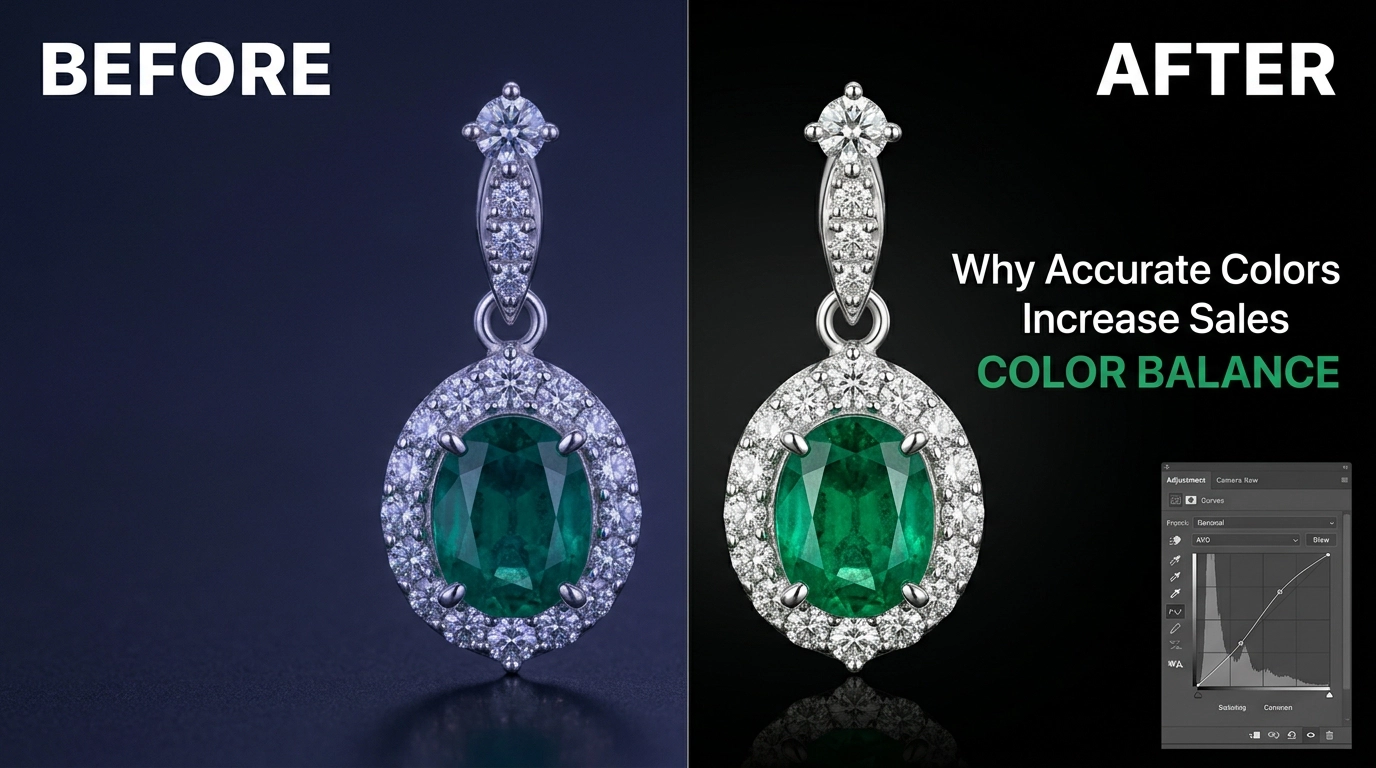
Jewelry color correction is the difference between a photo that sells a ring and one that quietly kills the sale. A piece can look stunning in person, then show up dull, yellowish, or oddly tinted on screen. And that gap between expectation and reality is one of the biggest silent killers of online jewelry sales.
Color accuracy isn’t a nice-to-have, it’s the foundation of trust. Shoppers zoom in expecting the metal tone, gemstone color, and brightness to match reality. A wrong white balance or a greenish cast can make even fine jewelry look cheap. And that leads to disappointed customers, bad reviews, and returns.
Jewelry is also just harder to shoot than most products. Metal reflects everything around it, gemstones bend light unpredictably, and tiny details like engraving or settings vanish the moment color isn’t handled right. Great lighting and composition mean nothing if the color’s off afterward.
In this guide, you’ll learn what jewelry color correction actually involves, the most common color problems, the tools and techniques pros use, and a step-by-step process you can apply to your own photos. So your images finally look as good as the jewelry itself.
What Is Jewelry Color Correction?
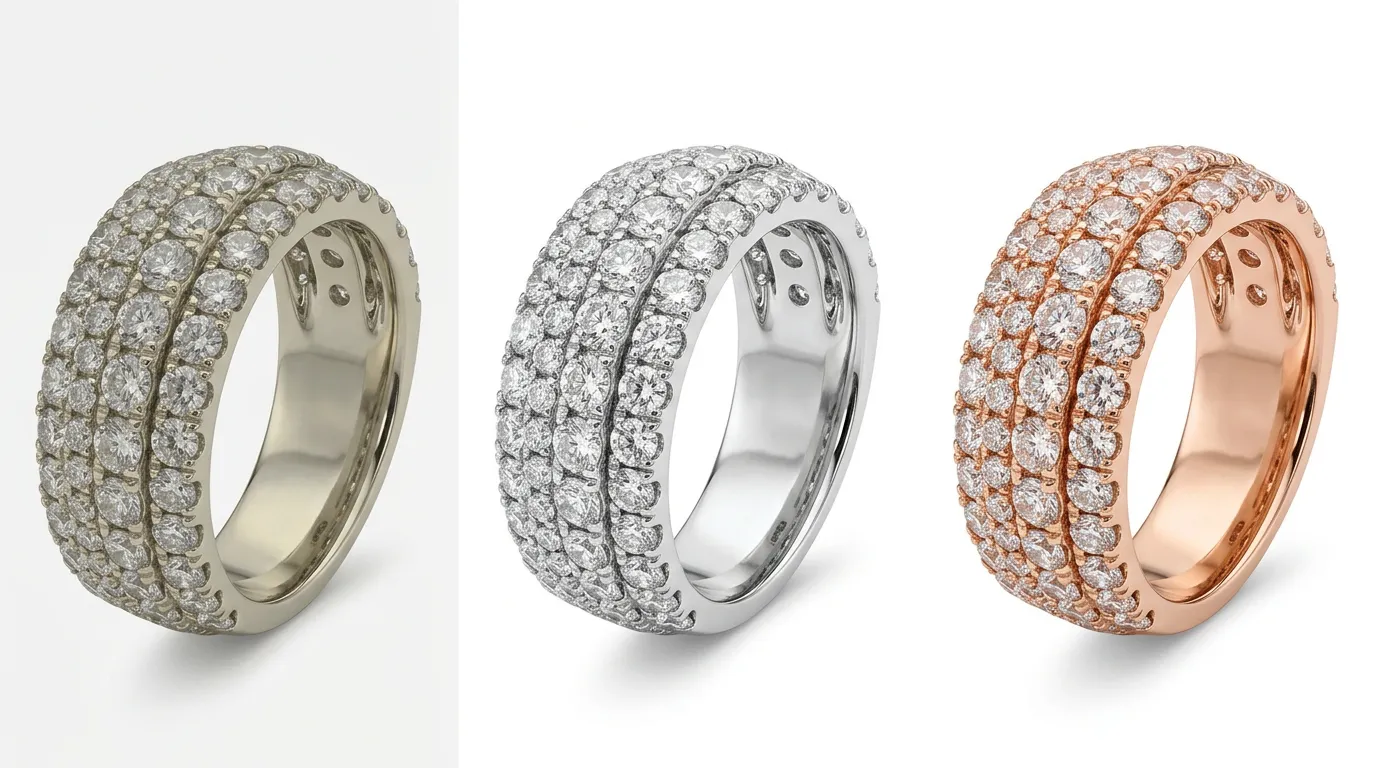
Jewelry Color Correction is the process of adjusting and correcting the colors in a jewelry photograph so that it accurately represents the real appearance of the product. The true metal tone, gemstone hue, and overall lighting balance. It falls under the broader category of Image Color Correction, which focuses specifically on fixing color casts, exposure imbalances, and tonal inconsistencies rather than adding artistic effects.
The purpose of jewelry color correction is simple: make the photo look exactly like the product looks in real life, under neutral, well-balanced lighting. This is different from general photo editing. Editing often includes creative changes cropping, background swapping, adding effects, or retouching blemishes. Color correction, on the other hand, is a technical and corrective process. It doesn’t try to make something look “better than real”; it tries to make it look “accurately real.”
For jewelry specifically, this distinction matters a lot. A slightly warm-toned photo of a lifestyle product might still look appealing. But a slightly warm-toned photo of a white gold ring can make it look yellow. Misleading the customer about the actual metal. This is why every jewelry brand, whether a small Etsy seller or a large ecommerce store, needs a reliable color correction process before publishing any product image. Without it, even high-resolution, well-composed photos can fail to convert because the colors simply don’t feel trustworthy.
Why Jewelry Color Correction Is Important
Customer Trust
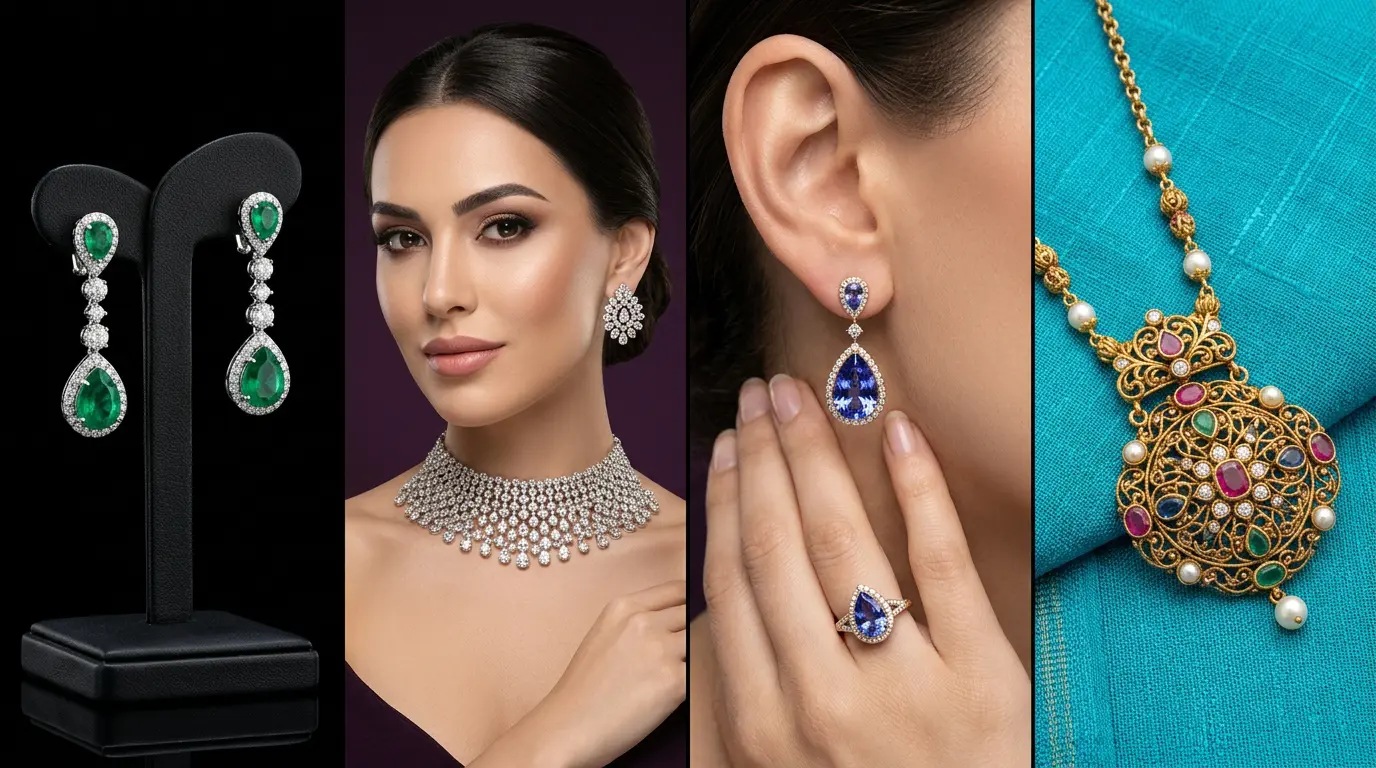
Trust is the currency of ecommerce. When a customer sees a photo of a jewelry piece that matches the color and tone described. They feel confident about their purchase decision. Accurate color builds a sense of transparency. The customer believes they are seeing the real product, not an exaggerated or misleading version of it.
Better Conversion Rate
Shoppers rarely read every word of a product description before deciding whether to click “Add to Cart.” The image does most of the persuasive work. A correctly color-balanced photo. Where gold looks genuinely golden and diamonds sparkle with a clean, neutral brilliance. Creates an emotional pull that pushes browsers toward buyers.
Lower Return Rate
One of the most expensive problems in ecommerce is product returns, and mismatched color expectations are a leading cause. When a customer receives a piece that looks noticeably different from the photo, they feel misled, even if the difference was unintentional. Proper color correction reduces this gap dramatically, saving sellers money on return shipping, restocking, and lost margin.
Professional Brand Image
Consistent, accurate color across a product catalog signals professionalism. When every image in a store follows the same color standard, the brand feels premium, reliable, and well-managed. Inconsistent color, on the other hand, makes a store look amateur, even if the jewelry itself is high quality.
Marketplace Compliance (Amazon, Etsy, Shopify)
Major marketplaces have strict image guidelines that often include requirements around accurate color representation, neutral backgrounds, and realistic product depiction. Amazon, in particular, can suppress or remove listings that misrepresent a product’s true appearance. Proper color correction helps sellers stay compliant while also improving how their listings perform in search and category browsing.
Common Color Problems in Jewelry Photos
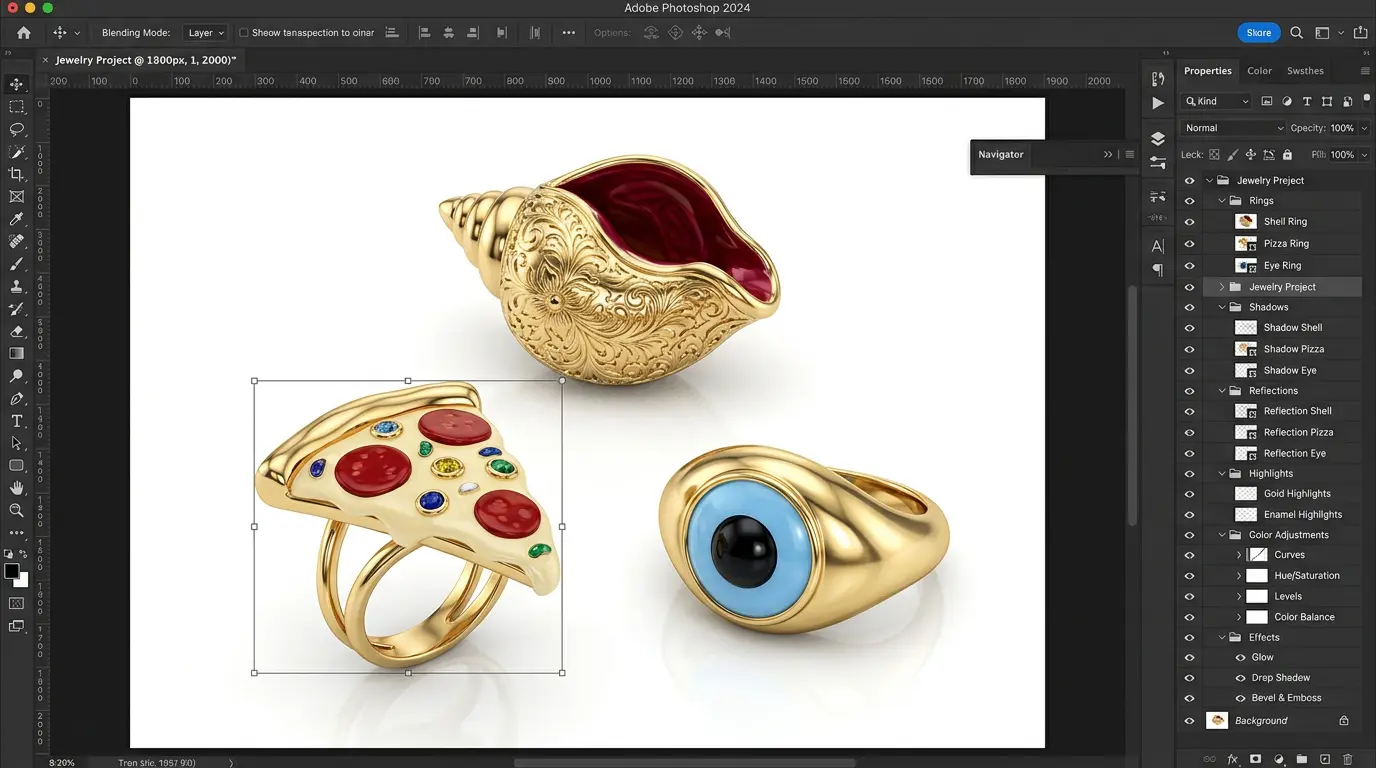
Jewelry is unusually difficult to photograph accurately because of its reflective surfaces. Small details, and mix of materials, metal, gemstones, enamel, and sometimes fabric. Here are the most common color issues photographers run into.
Yellow Tint
Indoor lighting, tungsten bulbs, or incorrect white balance settings often introduce a yellow tint across the entire image. This is especially problematic for silver or white gold pieces, which can start looking dull or brassy instead of bright and clean.
Blue or Green Color Cast
Fluorescent lighting and certain LED setups can introduce a cool blue or green cast. This makes warm metals like rose gold or yellow gold appear washed out or unnatural, and it can give gemstones an odd, artificial hue.
Overexposed Gold
Gold jewelry reflects light intensely, and without careful exposure control, highlights can blow out completely. This erases fine engraving details and can make the gold tone appear pale or overly bright instead of rich and warm.
Silver Looks Gray
Silver and platinum pieces are particularly sensitive to lighting temperature. Under warm or mixed lighting, silver often loses its crisp, bright quality and instead reads as a dull gray, which makes the piece look less premium.
Dull Gemstones
Gemstones rely on light refraction to show their true brilliance. Poor lighting angles or incorrect color temperature can make even a vivid sapphire or emerald appear flat, dark, or lifeless in photographs.
Uneven Metal Tone
When multiple light sources with different color temperatures hit a piece of jewelry at once. The metal can show uneven tone across the surface. Part of the piece looks warmer while another part looks cooler. This inconsistency is a clear sign of unresolved color issues.
Wrong White Balance
This is often the root cause of most of the problems above. If white balance isn’t set correctly at the time of shooting (or corrected afterward), every other color in the image will be thrown off, no matter how good the lighting setup is. A ring shot under warm indoor lighting without a white balance correction. For example, it can end up looking yellow even if the metal is genuinely white gold. And no amount of saturation or contrast adjustment afterward will fix the underlying problem if the white balance itself is wrong.
These issues rarely appear in isolation. In many real-world jewelry shoots, a photo might suffer from a mild yellow tint. Slightly overexposed highlights on the gold clasp, and a faint blue cast in the shadow areas all at once. This is exactly why professional color correction treats the image holistically rather than fixing one problem and calling it done. Every adjustment has to be balanced against the others to arrive at a final result that looks natural and accurate under normal viewing conditions.
Best Software for Jewelry Color Correction
Professional jewelry editors rely on a handful of trusted tools, each suited to different parts of the workflow.
Adobe Photoshop
Photoshop remains the industry standard for detailed, pixel-level jewelry color correction. Its Curves, Selective Color, and Camera Raw Filter tools allow editors to make precise adjustments to specific tonal ranges essential. When correcting gold, silver, and gemstone colors independently within the same image.
Lightroom
Lightroom is ideal for batch processing large volumes of jewelry photos. Its color grading, white balance, and HSL (Hue, Saturation, Luminance) panels make it easy to apply consistent corrections across an entire product catalog quickly.
Capture One
Popular among studio photographers, Capture One offers exceptional color science and tethered shooting capability. Its color editor is especially praised for handling skin tones and metal tones with more nuance than many competitors.
Camera Raw
Built into both Photoshop and Bridge, Camera Raw allows non-destructive correction directly on RAW files, giving editors maximum flexibility to adjust white balance, exposure, and color cast before committing to final edits.
Mobile Apps
For sellers who shoot and edit on the go, mobile apps like Lightroom Mobile, Snap seed, and VSCO offer simplified but effective color correction tools. Useful for quick fixes, though not a substitute for professional-grade software on larger catalogs.
Step-by-Step Jewelry Color Correction Process
Step 1 – Shoot in RAW
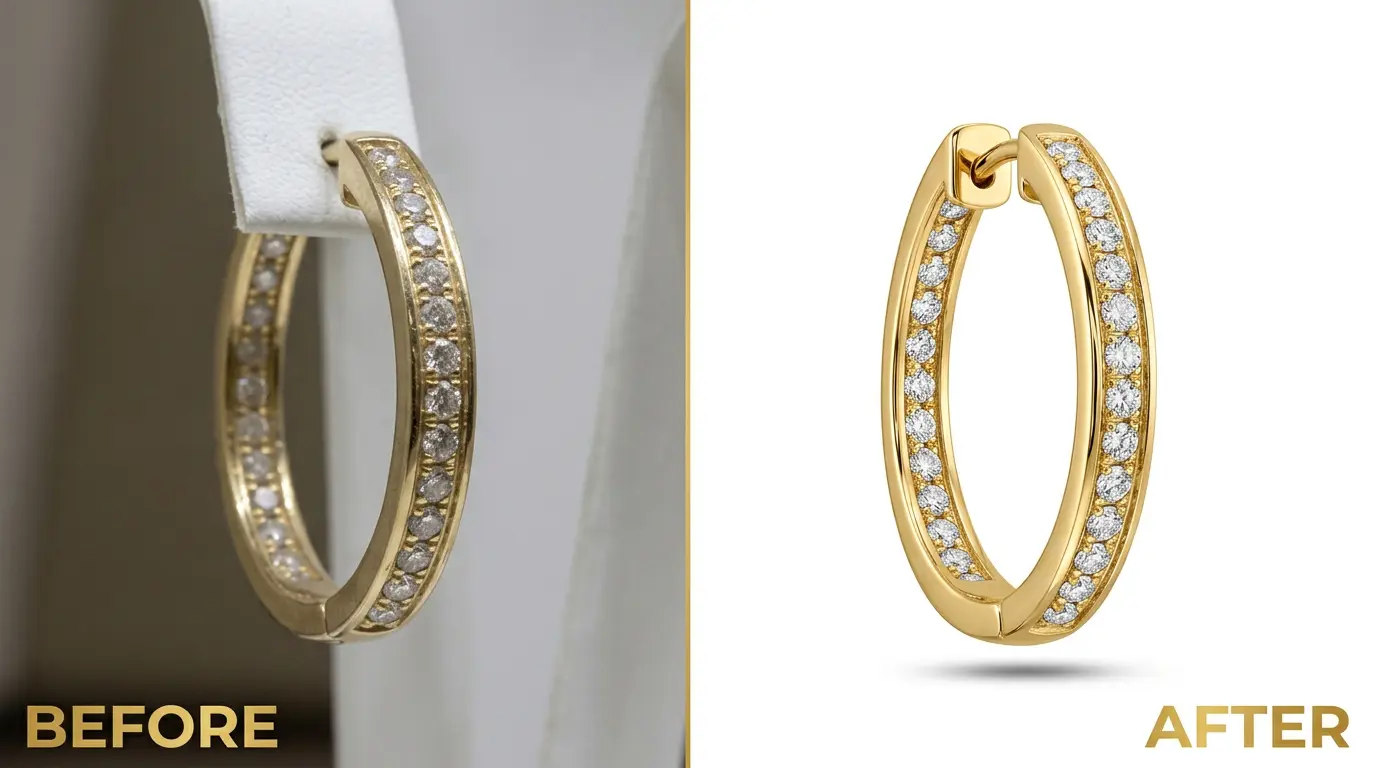
RAW files retain far more color and exposure data than JPEGs, giving editors much greater flexibility to correct color casts without degrading image quality. JPEGs compress and discard information at the moment of capture. Which means any attempt to fix a strong color cast later often introduces banding or loss of detail. RAW files, by contrast, preserve the full sensor data, giving editors room to make significant corrections while keeping the image clean. This is the foundation of any professional color correction workflow.
Step 2 – Set White Balance
Using a gray card or color checker during the shoot (or sampling a neutral point during editing) establishes an accurate white balance baseline. This single step resolves the majority of yellow, blue, or green tint issues before any other adjustment is made. Editors typically use the white balance eyedropper tool on a known neutral gray point in the frame. Which recalibrates the entire image’s color temperature in one click, saving significant time compared to manually adjusting individual color sliders.
Step 3 – Adjust Exposure
Correct exposure ensures that highlights on gold and gemstones aren’t blown out, and shadows on silver or dark stones aren’t crushed. Balanced exposure preserves texture and detail across the entire piece. This step often involves working with the histogram to confirm that no important tonal information is clipped at either end. Which is especially important for jewelry where fine engraving and faceting detail can easily be lost.
Step 4 – Correct Color Cast
Once white balance is set, editors fine-tune any remaining color cast using tools like Color Balance or Selective Color. Ensuring metals and gemstones sit within their natural, expected color range. This step is where subtle residual tints are often left over even after white balance correction. Get eliminated for a truly neutral base image.
Step 5 – Improve Gold & Silver Tone
Gold should read warm and rich without looking orange or overexposed. Silver should look bright, cool, and clean without drifting into gray. Editors adjust specific tonal ranges to bring each metal to its accurate, appealing tone, often working channel by channel to avoid affecting the surrounding gemstones or background.
Step 6 – Enhance Gemstone Colors
Gemstones need subtle, targeted adjustments to restore their natural brilliance. Increasing clarity and vibrancy in a controlled way without making the color look artificial or oversaturated. This often involves isolating the gemstone with a selection or mask so that adjustments don’t spill over onto the surrounding metal.
Step 7 – Adjust Contrast
Balanced contrast adds depth and dimension to jewelry photos, helping metal edges and gemstone facets stand out clearly without looking harsh or overly dramatic. Subtle contrast tweaks, often applied through curves rather than a single global slider, help preserve the delicate gradients found on polished metal surfaces.
Step 8 – Fine Tune Saturation
Saturation is adjusted carefully and selectively. Too little makes jewelry look flat and lifeless; too much makes it look unrealistic. The goal is always a natural, true-to-life final result, and experienced editors often adjust saturation per color channel rather than globally. So that a small boost to a gemstone’s hue doesn’t unintentionally oversaturate the metal or background.
Step 9 – Final Color Matching
The last step involves comparing the edited image against the physical product (or a reference photo) to confirm that colors match as closely as possible. And making any final micro-adjustments before export. Many professional studios keep the physical piece nearby during this final review stage specifically. So they can compare screen and reality side by side before signing off on the image.
Jewelry Color Correction Techniques Professionals Use
Curves Adjustment
Curves give precise control over shadows, mid tones, and highlights independently. Allowing editors to correct color imbalances in specific tonal zones without affecting the entire image.
Selective Color
This technique targets specific color channels yellows, cyans, whites making. It is perfect for isolating and correcting gold tones or gemstone hues without disturbing the rest of the photo.
Hue/Saturation
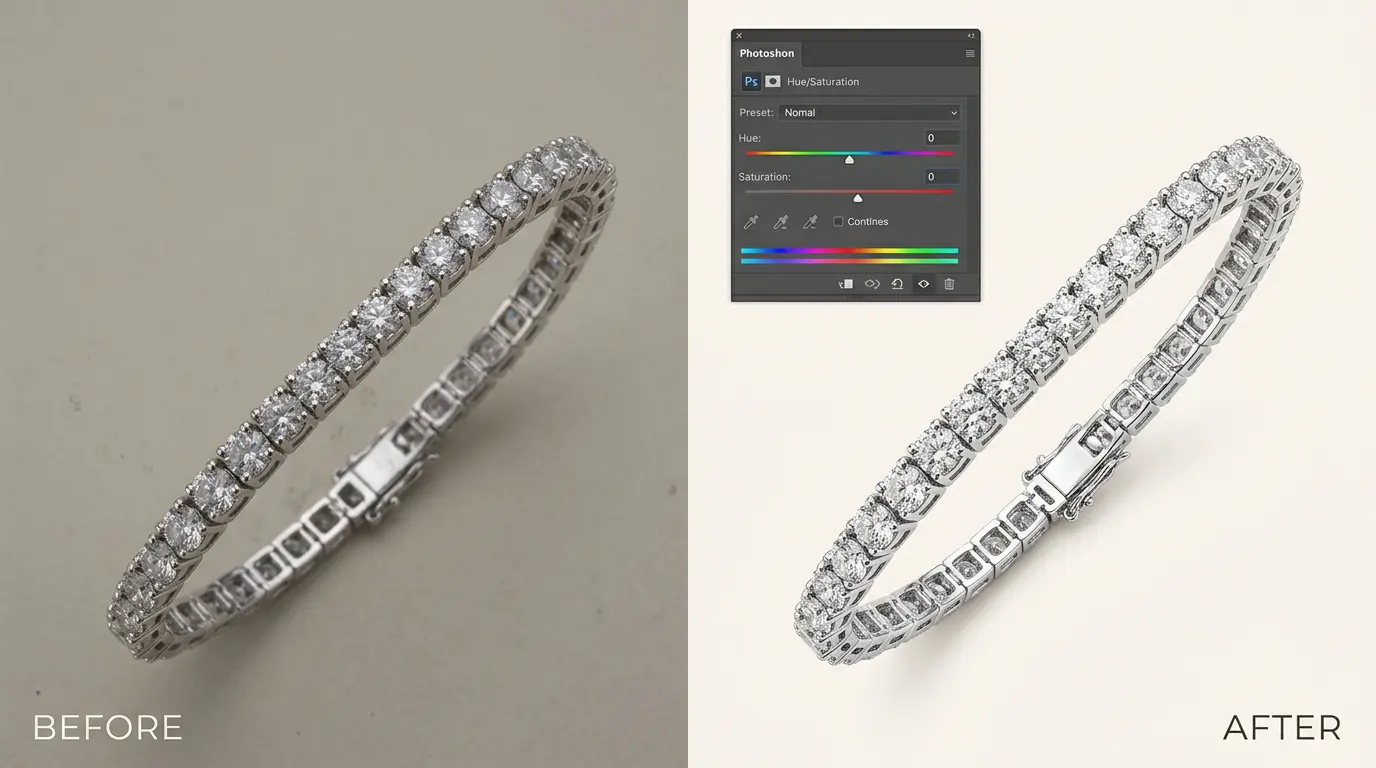
Used to fine-tune the exact hue and intensity of individual colors, this tool is especially useful for adjusting gemstone vibrancy or correcting a slightly off metal tone.
Camera Raw Filter
Applying the Camera Raw Filter within Photoshop lets editors use RAW-level adjustment tools even on flattened or previously edited images. Offering another layer of correction flexibility.
Color Balance
This tool shifts the overall balance between complementary color pairs (red-cyan, green-magenta, blue-yellow) and is often the first line of defense against unwanted color casts.
Gradient Map
While more commonly used for creative grading, a subtle gradient map can help unify tone across a jewelry image. Especially when correcting uneven lighting on metal surfaces.
LAB Color
Editing in LAB color mode separates luminance from color information entirely. Giving professionals an extremely precise way to correct color without affecting brightness or contrast.
Dodge & Burn
Used to selectively lighten or darken specific areas, dodge and burn techniques help restore even tone across a piece of jewelry. Especially where lighting has created uneven highlights or shadows.
Best Color Correction Tips for Jewelry Photography
- Soft Lighting: Diffused, soft lighting minimizes harsh reflections and reduces the risk of overexposed highlights on gold and gemstones.
- Gray Card: Shooting a reference gray card at the start of each session makes white balance correction fast and accurate during editing.
- RAW Format: Always shoot in RAW rather than JPEG to preserve maximum color and exposure information for correction.
- Calibrated Monitor: Editing on an uncalibrated screen can make colors look correct on your display while being completely wrong elsewhere. A calibrated monitor is essential for reliable results.
- Neutral Background: A neutral white or gray background prevents color spill from reflecting onto metal and gemstone surfaces.
- Color Checker: A color checker chart provides multiple reference points, making it easier to verify accuracy across a full range of tones, not just white balance.
- Proper Camera Settings: Correct ISO, aperture, and white balance settings at the time of shooting reduce the amount of correction needed later, preserving image quality.
Mistakes to Avoid During Jewelry Color Correction
Over Saturation
Pushing saturation too far makes gemstones and metals look artificial, cartoonish, and untrustworthy rather than premium.
Unrealistic Gold
Over-warming gold tones to make them look “richer” often backfires, making the metal look orange or fake instead of luxurious.
Fake Gemstone Color
Exaggerating a gemstone’s color beyond its natural appearance can mislead customers and lead to disappointment or returns once the product arrives.
Heavy Contrast
Excessive contrast can crush shadow detail and blow out highlights, hiding fine craftsmanship details that customers want to see clearly.
Too Much Sharpening
Over-sharpening can introduce harsh, unnatural edges and amplify sensor noise, making the image look processed rather than professional.
Ignoring White Balance
Skipping proper white balance correction is one of the most common beginner mistakes, and it undermines every other adjustment made afterward.
Editing on Uncalibrated Monitor
As mentioned earlier, editing without a calibrated display leads to inconsistent results. Colors that look perfect on one screen may look completely wrong on another, including the customer’s device.
Jewelry Color Correction for Ecommerce Stores
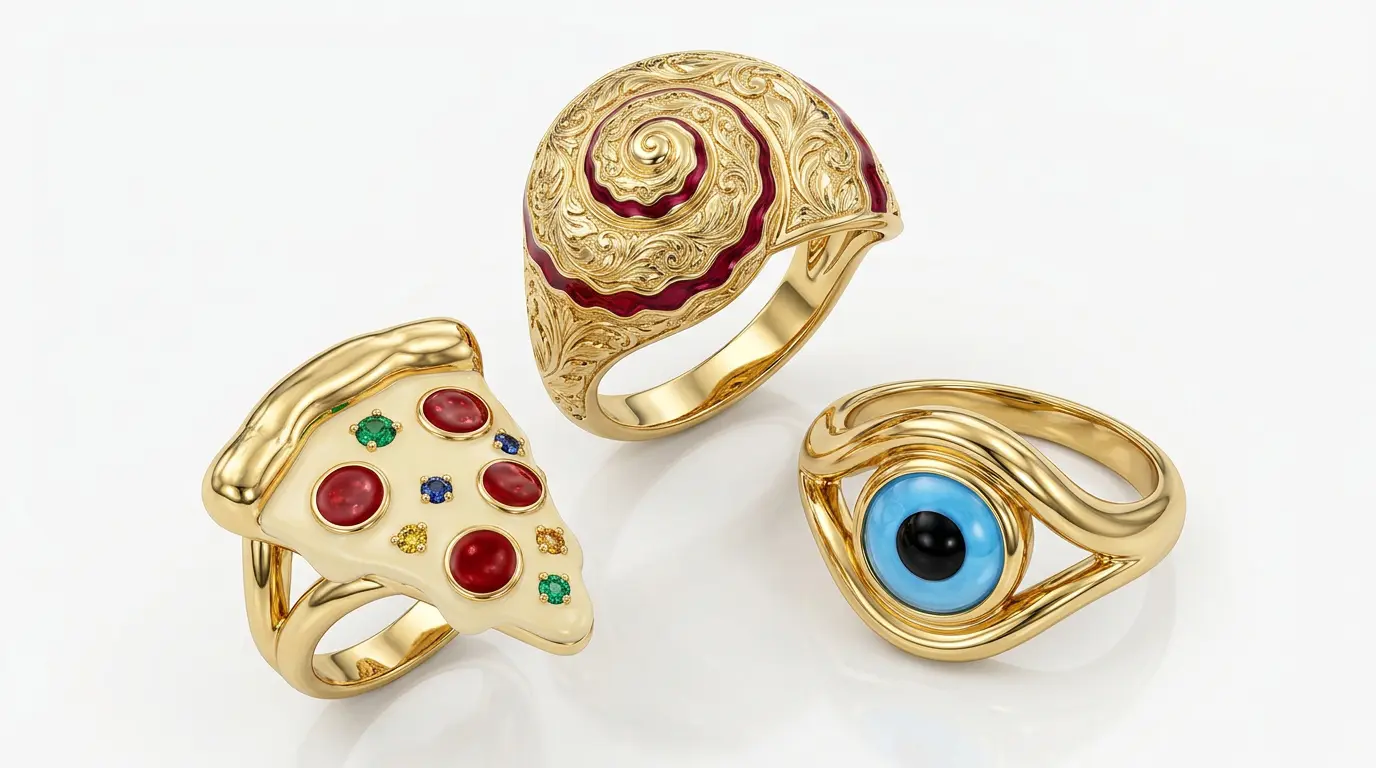
Ecommerce platforms like Shopify, Amazon, Etsy, and Woocommerce all rely heavily on visual consistency to build buyer confidence. When every product photo in a store follows the same color standard, it creates a cohesive, trustworthy shopping experience.
Product consistency across a catalog reassures customers that they’re browsing a professional, reliable seller rather than a mixed bag of amateur listings. This consistency directly contributes to higher CTR (click-through rate). Since accurate, vibrant, well-balanced images stand out in search results and category pages.
Ultimately, this leads to better sales, because customers who trust what they see are far more likely to complete a purchase without hesitation. And over time, consistent, accurate imagery builds long-term brand trust. Customers begin to associate a store’s visual quality with the reliability of the products themselves.
DIY vs Professional Jewelry Retouching Service
| DIY Editing | Professional Service |
|---|---|
| Low Cost | High Accuracy |
| Time Consuming | Fast Delivery |
| Learning Required | Expert Editors |
| Basic Result | Premium Quality |
DIY editing can work for very small stores with limited budgets, but it comes with a steep learning curve and inconsistent results, especially when correcting tricky metal tones or gemstone colors. Professional jewelry retouching services, by contrast, bring trained expertise, established color-accuracy workflows, and the speed needed to handle large product catalogs efficiently.
Why Choose GRASIGNER for Jewelry Color Correction
GRASIGNER brings together experienced editors who specialize specifically in jewelry photography. Understanding the nuances of gold, silver, platinum, and gemstone color that generic photo editors often miss. With a fast turnaround time, We helps sellers keep their listings updated without unnecessary delays.
Every image goes through careful manual editing, not automated batch filters. Ensuring each piece is corrected with the attention it deserves. Despite this hands-on approach, We maintains affordable pricing. Making professional-grade color correction accessible to stores of every size.
A dedicated quality control process reviews each image before delivery, ensuring consistent, accurate results across an entire catalog. The final images are always ecommerce ready, formatted and optimized for platforms like Amazon, Etsy, Shopify, and Woocommerce. And where applicable, unlimited revisions ensure that clients are fully satisfied with the final result before it goes live.
If you’re ready to elevate your jewelry photography with accurate, professional color correction, GRASIGNER is ready to help your products look exactly as brilliant as they are in real life.
Final Thoughts
Color accuracy in jewelry photography isn’t a minor detail. It’s the difference between a customer who trusts your store and one who hesitates, or worse, requests a return. Throughout this guide, we’ve covered what jewelry color correction really means, why it matters for customer trust, conversion, and brand image, the common problems photographers face, and the professional tools and techniques used to fix them.
Investing in proper color correction, whether through learning the process yourself or partnering with a professional retouching service, pays off in fewer returns, higher conversion rates, and a stronger, more trustworthy brand presence. If your product photos aren’t currently getting the attention they deserve, now is the time to improve them. Because in jewelry ecommerce, the right color can be the difference between a browser and a buyer.
Your Jewelry Deserves to Look Exactly as Brilliant as It Is
At GRASIGNER, we don’t just edit photos. We restore the true color, brilliance, and trust your jewelry deserves. Every image is manually corrected by editors who understand the difference between a warm gold tone and an overexposed one, a crisp silver and a dull gray. No automated filters. No shortcuts. Just accurate, ecommerce-ready images that turn browsers into buyers.
Ready to see the difference accurate color correction can make? Get a free sample edit today and watch your product photos start converting like never before.
FAQ
What is jewelry color correction?
Jewelry color correction is the process of adjusting a jewelry photo so that its colors. Metal tone, gemstone hue, and overall balance, accurately reflect the real appearance of the product.
Why is jewelry color correction important?
It builds customer trust, improves conversion rates, reduces returns, and ensures the brand appears professional and consistent across its product catalog.
Which software is best for jewelry color correction?
Adobe Photoshop, Lightroom, and Capture One are the most widely used tools among professional jewelry photo editors.
How do professionals correct jewelry colors?
Professionals follow a structured workflow. Shooting in RAW, setting white balance, adjusting exposure, correcting color casts, and fine-tuning metal and gemstone tones using tools like Curves, Selective Color, and LAB Color.
Can Photoshop improve jewelry colors?
Yes, Photoshop offers powerful tools like Curves, Selective Color, and the Camera Raw Filter that allow precise, targeted color correction for gold, silver, and gemstones.
How long does jewelry color correction take?
Turnaround time varies depending on the volume of images and complexity, but professional services typically deliver corrected images within a few days.
Does color correction increase online sales?
Yes, accurate and appealing product colors improve click-through rates and buyer confidence, which directly contributes to higher conversion and sales.
Should I hire a jewelry retouching service?
If you want consistent, high-accuracy results without spending hours learning complex editing software, a professional jewelry retouching service is a worthwhile investment.